Helpline 0844 800 6503 (See page 58 for costs and hours of operation)
9
GETTING STARTED
Set up your phone system
Connect your corded phone
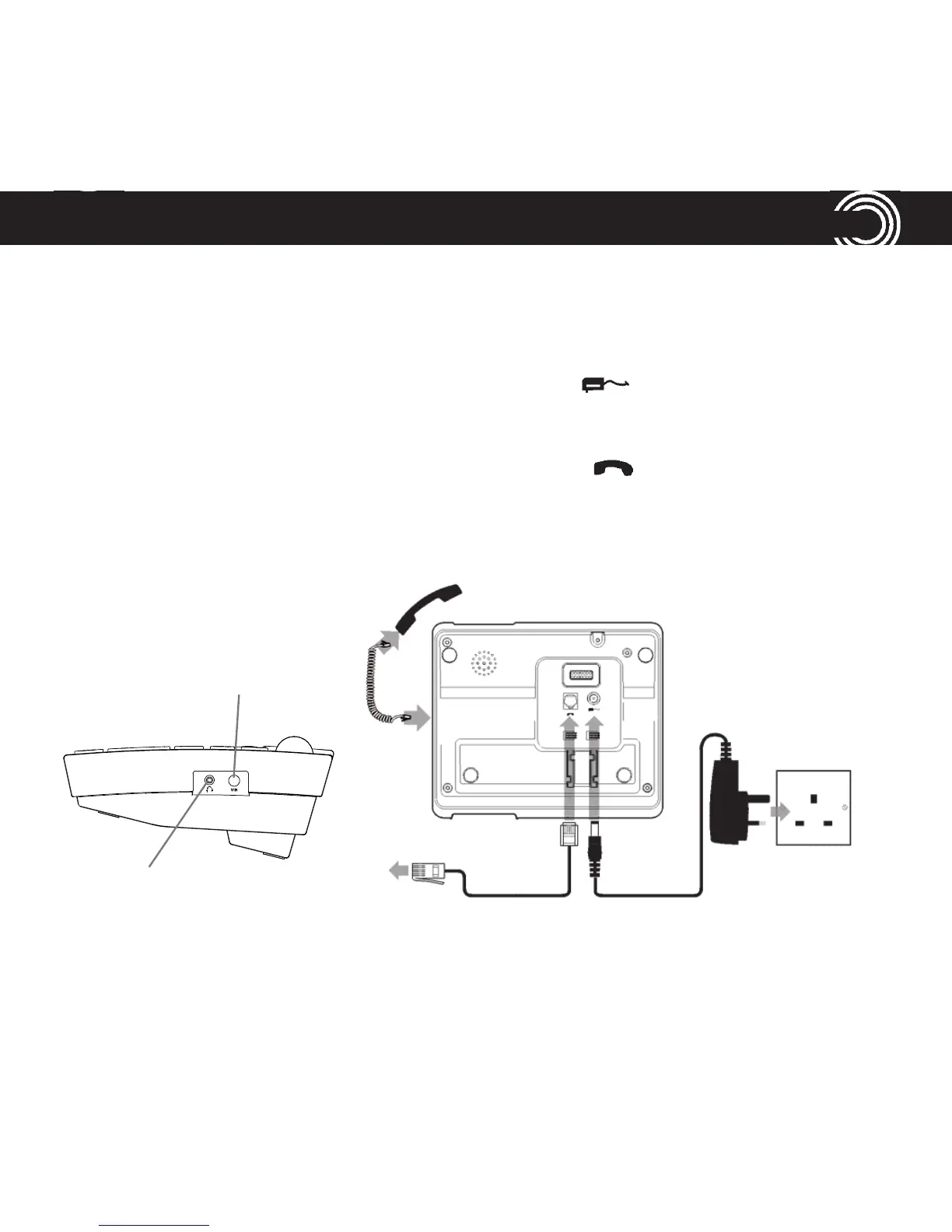
1 Plug the power adapter into the socket marked on the underside of your
corded phone and the other end into the mains power wall socket and switch
the power on.
2 Plug the telephone cable into the socket marked on the underside of
your corded phone and plug the other end into the phone wall socket.
3 Connect the handset to the telephone base using the coiled cord.
Mains power
wall socket
Socket for Vibrate
Pad (PTV100)
available as
an accessory
Jack for headset
(headset not in-
cluded)















 To Next Page