28
D-0116493-B (OM015) – PC850 Operating Manual
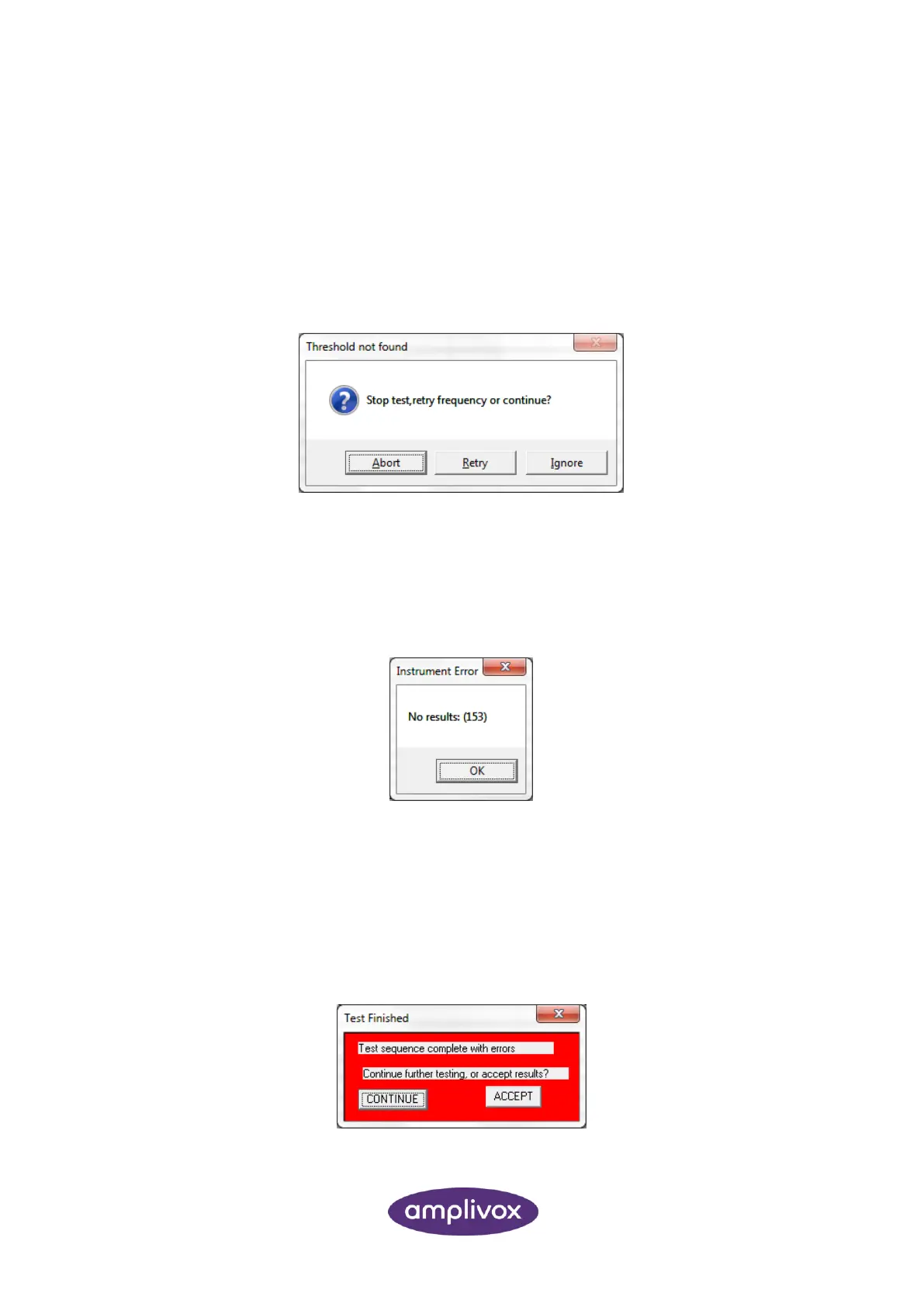
The operator can choose to stop the test (“Abort”), retry the frequency (“Retry”) or skip the frequency that was
being tested and move on to the next frequency (“Ignore”).
7.4. CONTINUAL RESPONSE FROM PATIENT
If the patient holds the response switch on continuously it will not be possible to record a hearing threshold
and the following dialogue box will be displayed:
The operator can choose to stop the test (“Abort”), retry the frequency (“Retry”) or skip the frequency that was
being tested and move on to the next frequency (“Ignore”).
7.5. NO RESULTS
If no results are available to transfer to Audibase the following dialogue box will be displayed:
This could be because the PC850 window was closed before any thresholds could be recorded, the test was
aborted or some other problem has occurred with the test sequence. Click OK to close the box and then use
the “Edit > Cancel Insert/Edit” option to cancel the operation. A further test may then be launched from
Audibase.
7.6. ERRORS IN TEST SEQUENCE
If one or more thresholds cannot be recorded the following dialogue box is displayed at the end of the test:
Click “CONTINUE” to keep the PC850 program window open; this allows the user to perform further testing.



 To Next Page