9
MAINTENANCE
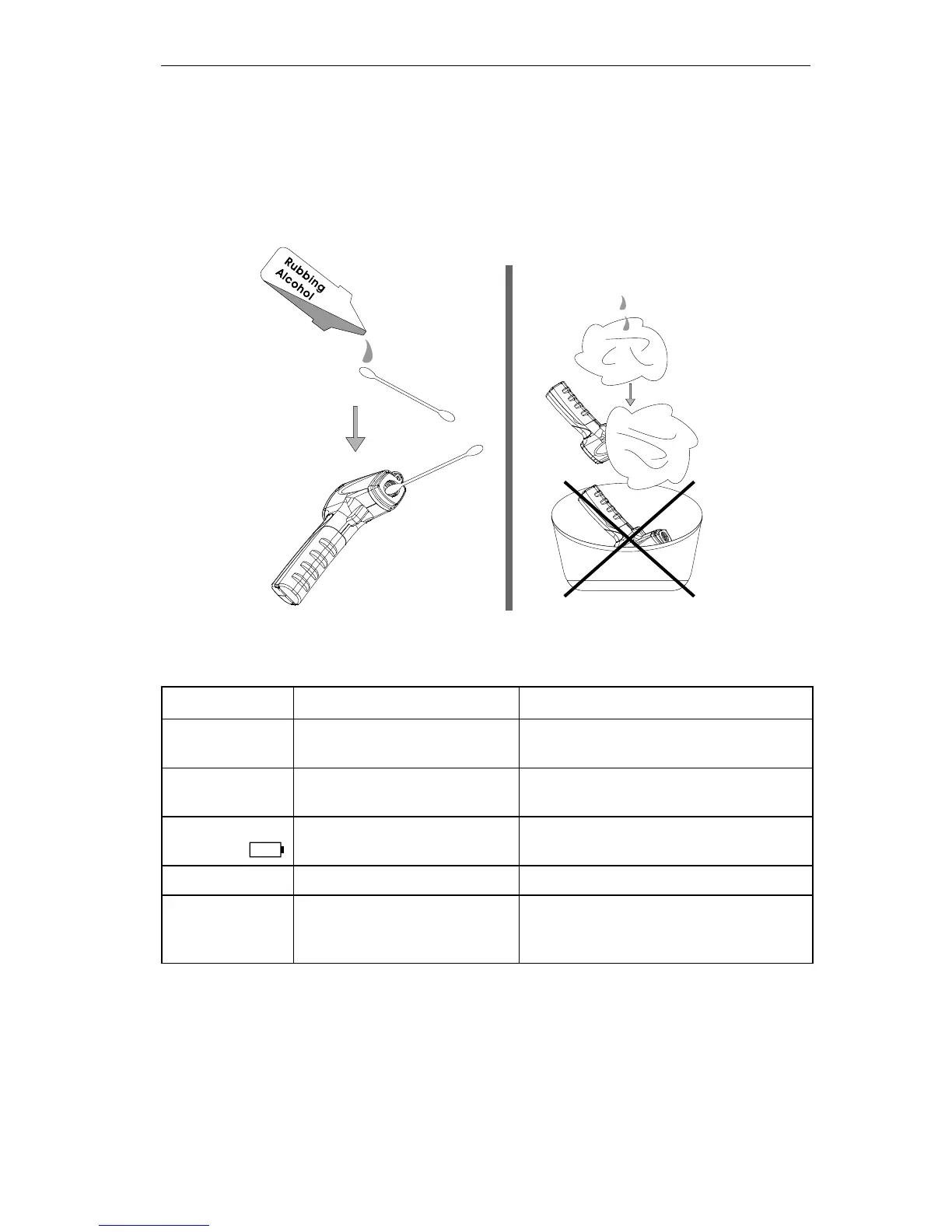
Lens Cleaning: Blow off loose particles using clean compressed air. Gently brush
remaining debris away with a camel’s hair brush. Carefully wipe the surface with a
moist cotton swab. The swab may be moistened with water or rubbing alcohol.
Note: Do not use solvents to clean the plastic lens.
Case Cleaning: Use soap and water on a damp sponge or soft cloth.
Note: Do not submerge the unit in water.
TROUBLE SHOOTING
Code Problem Action
OL
Target temperature is over
range
Select target within specifications
-OL
Target temperature is
under range
Select target within specifications
Battery
indication
Low battery Check and/or replace battery
Blank display Possible dead battery Check and/or replace battery
Laser doesn’t
work
1. Low or dead battery
2. Ambient temperature
above 40°C (104°F)
1. Replace battery
2. Use in area with lower


 To Next Page