Video Door Phone User Guide
10
Installing Procedures
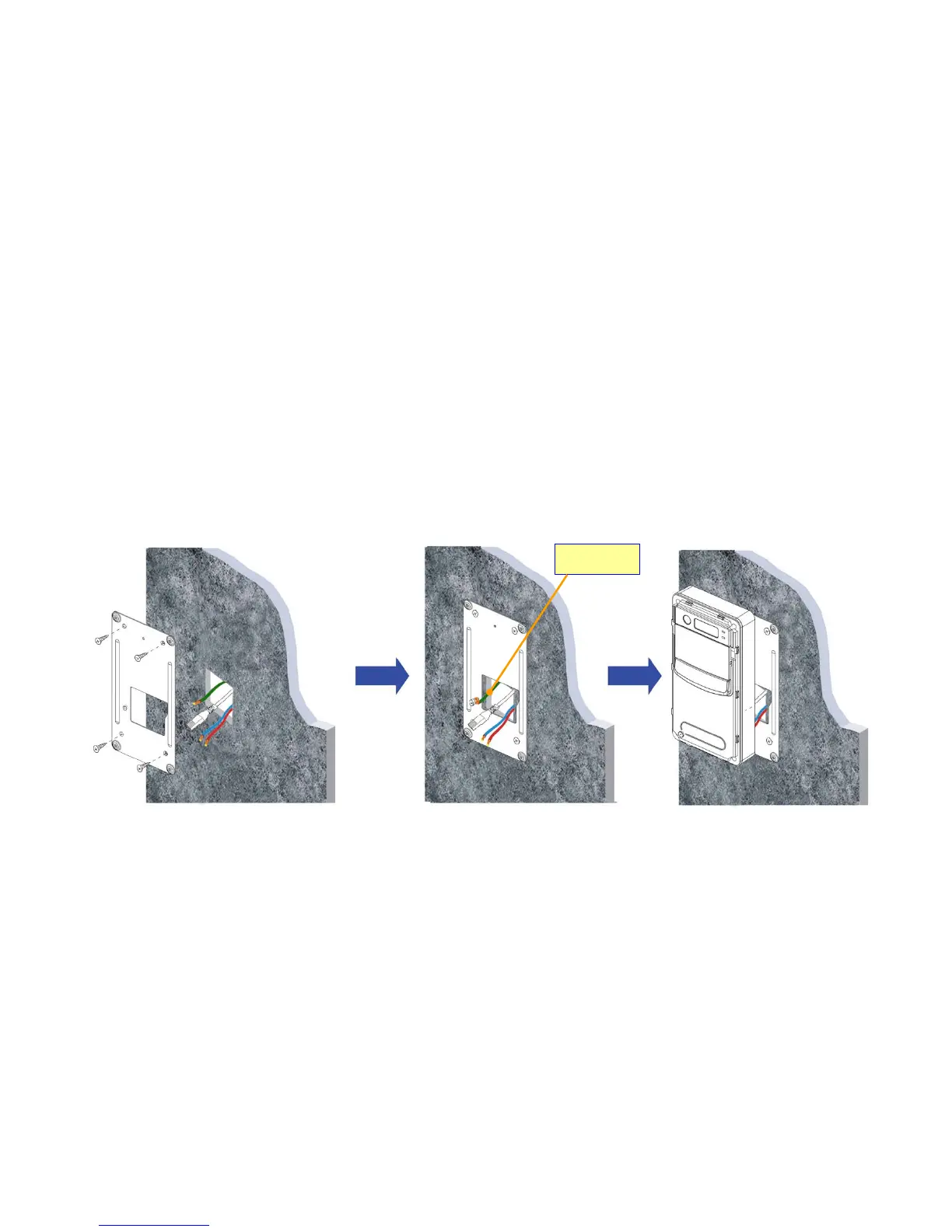
1. Screw the Back Plate on the wall.
Making a hole that is able to let the AC wires and Ethernet cable pass through .Hence to connect with the Door phone unit after
screwing the Back Plate on the wall. If necessary, Please connect the Earth wire to the screw as Figure 9.
Figure 9 : Screw the Back Plate on the wall
Earth wire



 To Next Page