Video Door Phone User Guide
11
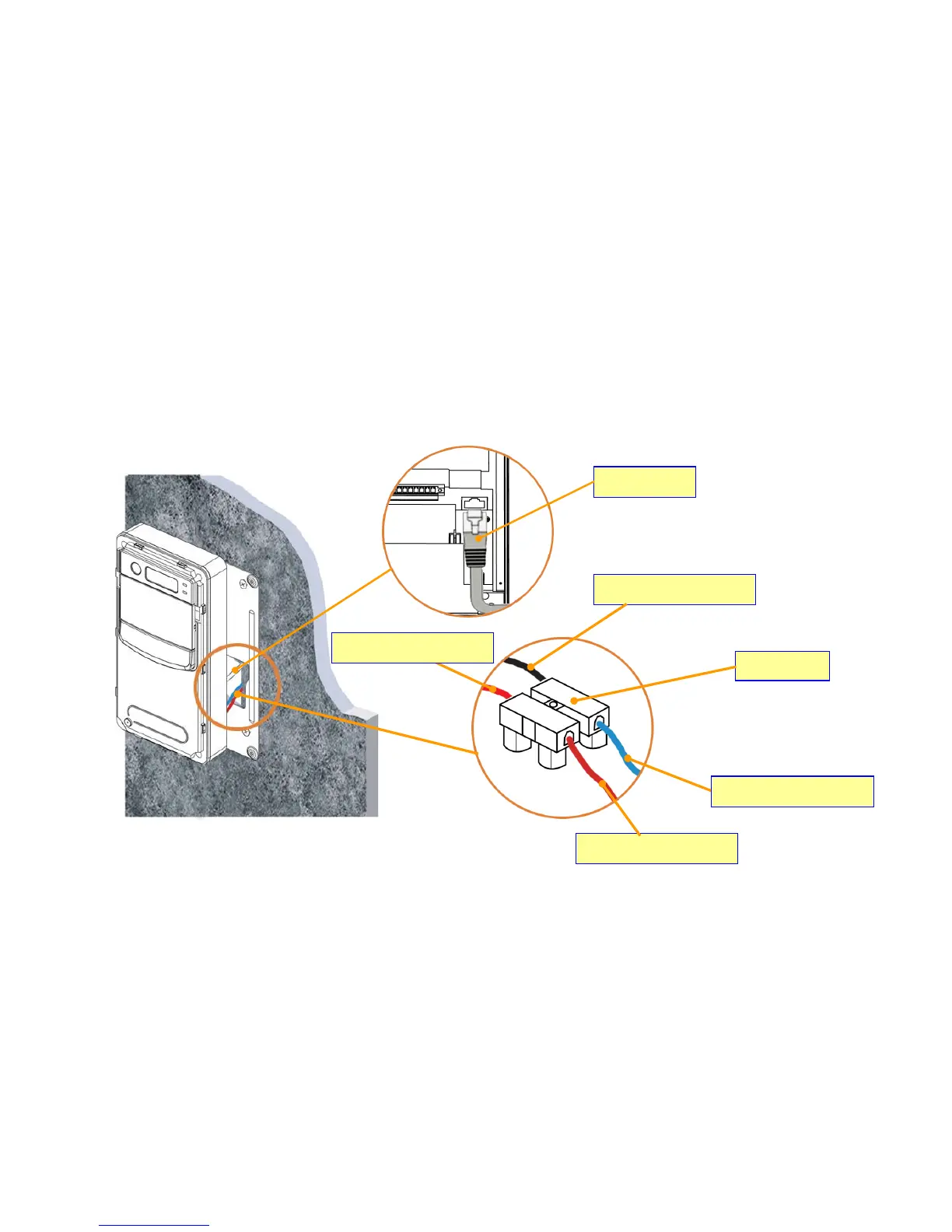
2. Connect the AC wires and Ethernet cable.
Plug the AC cable connector of DP101 to Power-Connecting connector, and connect Ethernet cable to DP101 as Figure 10. Be
careful when you are connecting the AC wires, please check the AC condition and turn off the general power switch before you start
to connect the wires.
Ethernet Cable
Figure 10 : Connecting Cable & Wires
Neutral Wire from DP101
Connector
Live Wire from DP101
Neutral Wire from wall
Live Wire from wall



 To Next Page