Video Door Phone User Guide
37
Hearing-Impaired Function
Scene scenario
When a visitor presses the door bell on the DP101, the corresponding
pre-set video phone will start to ring and in the meantime the warning
light will be turn on to notify the people having the hearting problem.
Then they can verify the identity on the screen before they unlock the
door.
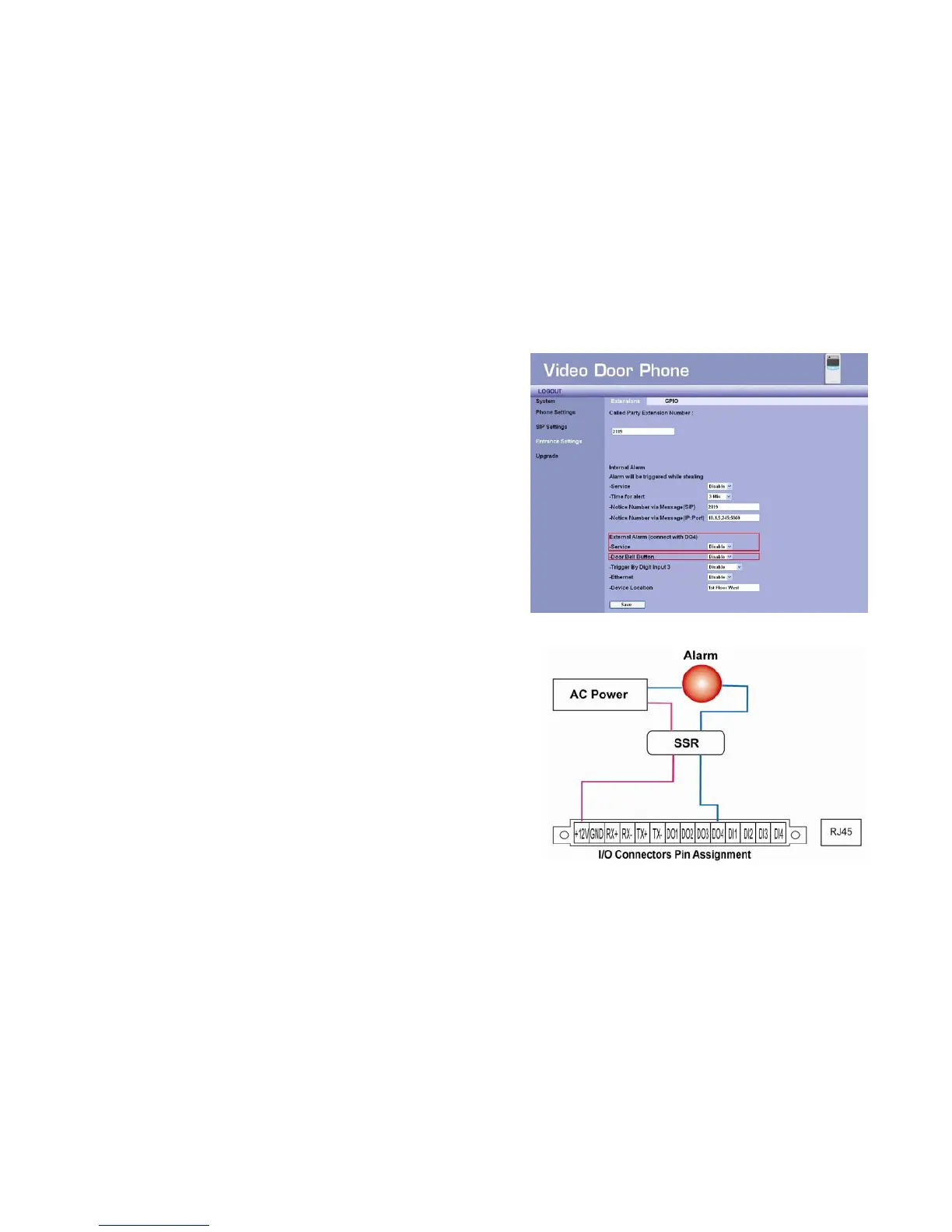
Web UI of Led light set up (DO4)
- The “Door Bell " in DO4 is selected
- Digit Output 4 will transmit the Polar Reverse according form
setting, in order to activate the LED light
Functional description
- To trigger (DO4):
Pressing the button on the intercom to call the pre-set video phone
- To set on/off DI4 or to disable this function
Wiring set up
Figure 37 : External Alarm Wiring
Figure 36 : Impaired Function Setting



 To Next Page