EasyManua.ls Logo

AMT Datasouth M7 SERIES - User Manual

AMT Datasouth M7 SERIES
19 pages
Print Icon
To Next Page IconTo Next Page
Loading...
31
31
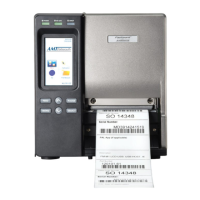
M7 SERIES
Thermal Printer Service Manual
4. PART LIST
4.1 Main Printer Assemblies

Questions and Answers

  • M
    Ms. Alexis BrooksAug 1, 2025
    Why does my AMT Datasouth M7 Printer have a paper jam?
    • P
      Patrick MclaughlinAug 1, 2025
      A paper jam in your AMT Datasouth Printer can occur if the gap/black mark sensor isn't set correctly, so calibrate it. Ensure that the label size is set properly. Labels may also be stuck inside the printer mechanism.
  • E
    elizabethyatesAug 6, 2025
    How to fix AMT Datasouth M7 when the power indicator does not illuminate?
    • C
      csanchezAug 6, 2025
      If the power indicator on your AMT Datasouth Printer is not lighting up, it's likely that the power cord isn't properly connected. Make sure to plug the power cord securely into both the printer and the outlet, and then switch the printer on.
  • J
    jolsonAug 12, 2025
    What to do if my AMT Datasouth M7 Printer says 'No Paper'?
    • D
      Dr. Holly BrownAug 12, 2025
      If your AMT Datasouth Printer is showing a 'No Paper' error, it could be due to a few reasons. You might have run out of labels, so try supplying a new label roll. Alternatively, the label roll might be installed incorrectly; refer to the user’s manual to reinstall it correctly. Also, the gap/black mark sensor may not be calibrated, so try calibrating it.
  • Z
    zacharyhendersonAug 19, 2025
    Why does my AMT Datasouth M7 say 'No Ribbon'?
    • L
      Lauren WangAug 19, 2025
      If your AMT Datasouth Printer is indicating 'No Ribbon', it could be due to several reasons. You may have run out of ribbon, so supply a new ribbon roll. The ribbon could also be installed incorrectly; refer to the user’s manual to reinstall the ribbon.
  • C
    christinakennedyAug 25, 2025
    What to do if my AMT Datasouth M7 Printer says 'Carriage Open'?
    • W
      William GarciaAug 26, 2025
      If you're getting a 'Carriage Open' error on your AMT Datasouth Printer, it simply means that the print carriage is open. To resolve this, close the print carriage.

Summary

4. PART LIST

4.1 Main Printer Assemblies

Detailed breakdown of the main printer components with numbered parts.

4.2 LCD Panel Assembly

Explains the LCD panel components, including the display and keypad.

4.3 Print Engine Lower Mechanism Assembly

Details the parts of the lower print engine mechanism.

4.4 Ribbon Rewind Spindle Assembly

Lists components of the ribbon rewind spindle.

4.5 Ribbon Supply Spindle Assembly & Damper Assembly

Parts for ribbon supply spindle and damper assembly.

4.6 Electronics Maintenance Kit & Drive System

Components for electronics maintenance and drive system.

4.7 Option and Accessories

Lists optional parts and accessories for the printer.

5. TROUBLESHOOTING

5.1 Common Problems

Guides on common issues like no power, no ribbon, paper jams.

5.2 Mechanism Fine Adjustment to Avoid Ribbon Wrinkles

Instructions for adjusting the printer mechanism to prevent ribbon wrinkles.

6. MAINTENANCE

Print Head Cleaning

Procedure for cleaning the printer's print head using specific materials.

Other Component Cleaning Procedures

Procedures for cleaning other printer parts like platen roller, sensors, and exterior.

AMT Datasouth M7 SERIES Specifications

General IconGeneral
Print TechnologyDot Matrix
Print Speed700 cps
Paper HandlingContinuous Forms
ConnectivityParallel, Serial
Noise Level55 dBA

Related product manuals