EasyManua.ls Logo

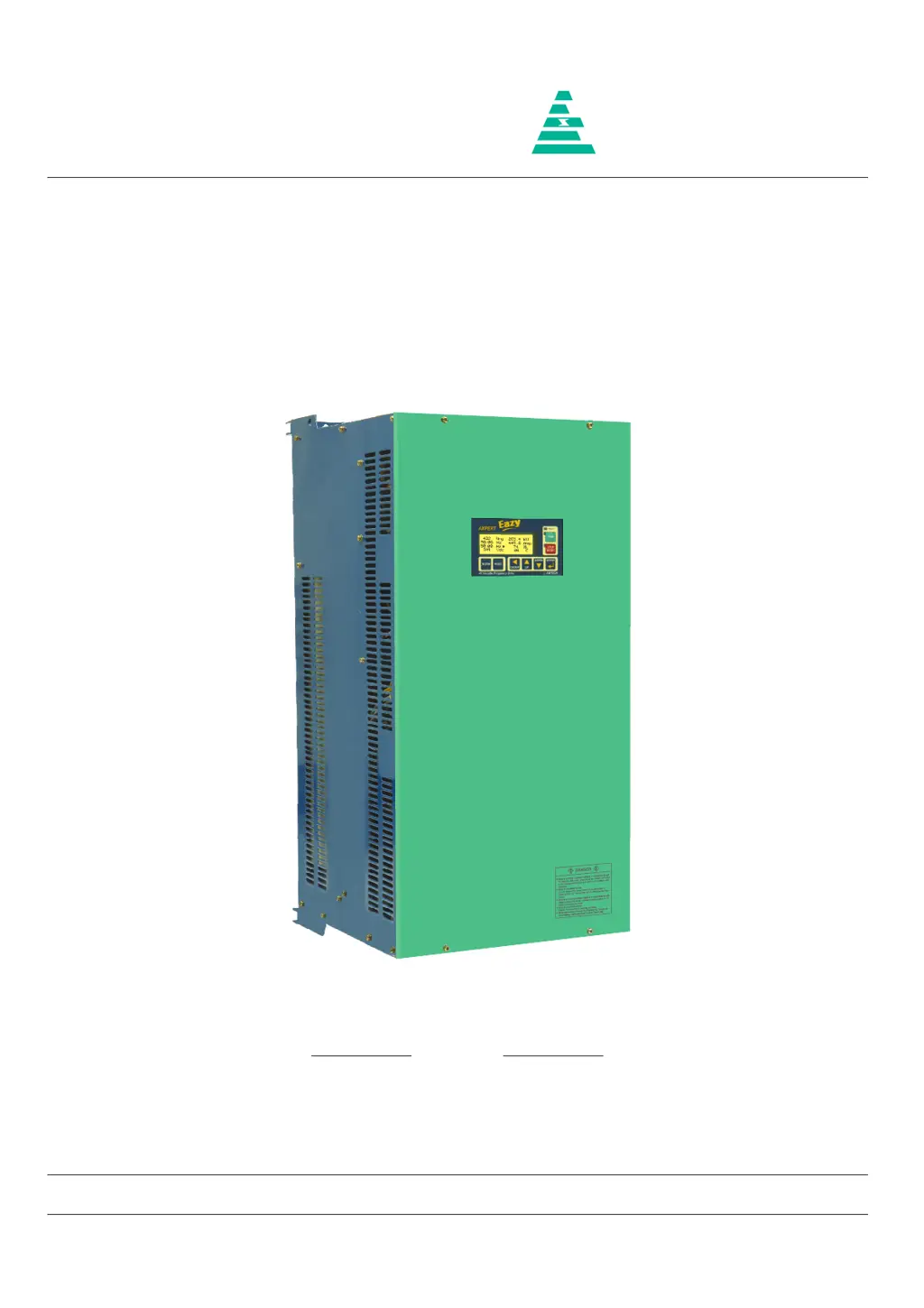
Amtech Axpert-Eazy AMT-018-4 - User Manual

Default Icon
242 pages
Print Icon
To Next Page IconTo Next Page
Loading...
NOTICE
1. Read this manual thoroughly before using the Axpert-Eazy, and store in a safe place for reference.
2. Make sure that this manual is delivered to the final user.
200 V System, 11 kW (15 Hp) ~ 90 kW (125 Hp)
400 V System, 22 kW (30 Hp) ~ 1550 kW (2075 Hp)
500 V System, 30 kW (40 Hp) ~ 1550 kW (2075 Hp)
600 V System, 30 kW (40 Hp) ~ 1800 kW (2415 Hp)
Instruction Manual
Axpert-Eazy Series
AMTECH
IMAE-01, Rev. 1.20
JUL 2017
AMTECH

Table of Contents

Questions and Answers

Summary

Instruction Manual: Axpert-Eazy Series

Important Notices Before Operation

Read this manual thoroughly before use and store it safely. Ensure it's delivered to the final user.

Preface: Precautions For Safety

Chapter 2: Installation and Wiring

Provides information on properly installing and wiring the AC Drive, including environmental considerations.

Chapter 3: Digital Operation Panel (LCD Keypad Module)

Explains the configuration and function of the 8-key Digital Operation Panel.

Chapter 4: Test Operation and Adjustment

Guides through the process of testing and adjusting the AC Drive's operation.

Chapter 5: Control Input;Output Terminals

Details the functions of various input and output terminals on the PCA-2014A control unit.

Chapter 6: Parameter Settings and Functions

Covers parameter settings and functions, organized into modes like Monitor, V/f, Vector, etc.

Chapter 8: Maintenance, Inspection, and Part Replacement

Outlines procedures for maintaining, inspecting, and replacing parts of the AC Drive.

Chapter 11: Serial Communication Set Up

Details how to set up serial communication for controlling the drive via host computer.

Preface: Important Information

Critical Warnings for Safe Operation

Highlights high voltage hazards, proper handling, and potential damage if warnings are not followed.

Safety Precautions and Qualified Personnel

Chapter 2: Installation and Wiring Guidelines

Installation Environment Requirements

Specifies acceptable ambient conditions and places to avoid for AC Drive installation.

Precautions for Power Supply and Motor Wiring

Precautions for Control Signals Wiring

Chapter 3: Digital Operation Panel and Key Functions

Chapter 4: Test Operation and Adjustment Procedures

Preparation Before Turning Power ON

Lists essential checks and preparations before applying power to the AC Drive.

Motor Constant Initialization in Mode-B

Explains how to input motor rating parameters for initialization in Mode-B.

Automatic Tuning and Adjustment Process

Details the automatic tuning process to measure and adjust motor parameters for optimal performance.

Chapter 5: Control Input and Output Terminals

Chapter 6: Parameter Settings and Functions

Mode-M: Monitor Parameters Overview

Lists and describes monitor parameters for displaying operating information and status.

Mode-A: Frequency Setting Parameters

Details parameters related to frequency settings, including local, minimum, maximum, and jog frequencies.

Acceleration and Deceleration Time Parameters

Covers parameters for acceleration and deceleration times, including S-curve selection.

Start;Stop Selection and DC Braking Parameters

Explains parameters for start control, stop modes, and DC braking functions.

V;F Characteristics Parameters

Details parameters for setting V/f curves, base frequency, base voltage, and V/F points.

Motor Constant Parameters for Tuning

Details parameters related to motor constants, essential for automatic tuning.

Protection Parameters for Safe Operation

Outlines parameters for stall current limit, overload, and other protection settings.

Limiting Parameter Settings

Covers parameters for adjustable over current, acceleration current, and under current limits.

Chapter 7: Electronics Circuit Boards Overview

Main Control Board (PCA-2014 A) Description

Details the main control board's functions, processor, and connections.

Display Board (PCA-2012) Description

Explains the display board's features, microcontroller, and communication protocol.

Power Supply Unit Details

Describes the power supply units used for different series and their output specifications.

Chapter 8: Maintenance, Inspection, and Part Replacement

Routine Inspection Items

Details daily inspections required for the AC DRIVE, covering environmental and operational checks.

Chapter 10: Encoder Specifications and Wiring

Chapter 11: Serial Communication Setup

Serial Communication Specifications

Lists communication parameters like baud rate, parity, and protocol.

Parameter Description: Fault Codes & Status

Fault History Parameters (Mode-M, Group-4)

Details fault codes, their types, and associated parameter values at the time of occurrence.

Fault Code Details and Bit Level Information

Provides detailed information on fault codes and their status bit meanings.

Chapter 12: UL and cUL Compliance Instructions

UL Certified Fuse Selection and Short Circuit Ratings

Lists UL certified fuse types, ratings, and short circuit current capacities for different models.

Chapter 13: CE Marking and EMC Compliance

Wiring and Earthing for EMC Compliance

Details cable selection, routing, shielding, and earthing practices for optimal EMC performance.

Control Functions Overview

Protective Specifications and Faults

Lists various protective functions and fault conditions handled by the drive.

Appendix B: Fault Codes and Descriptions

Appendix C: Troubleshooting Guidelines

Fault Name and Causes;Countermeasures

Lists common faults, their potential causes, and recommended countermeasures.

Amtech Axpert-Eazy AMT-018-4 Specifications

General IconGeneral
Rated Power1.5 kW
Input Voltage220-240VAC
Output Current7A
Protection FeaturesOverheat, Short-circuit
Power Rating1.5 kW

Related product manuals