EasyManua.ls Logo

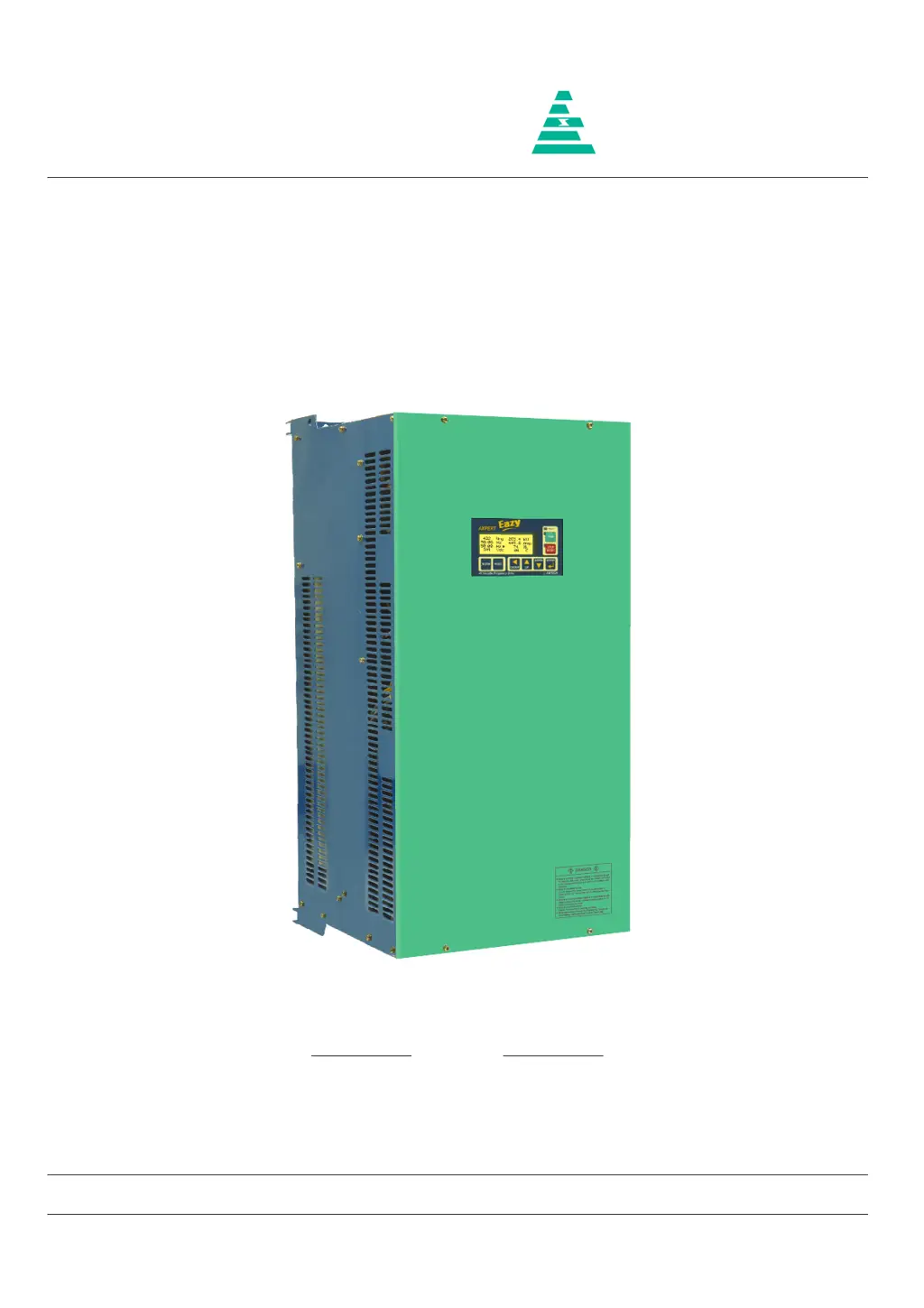
Amtech Axpert-Eazy Series - User Manual

Amtech Axpert-Eazy Series
242 pages
Print Icon
To Next Page IconTo Next Page
Loading...
NOTICE
1. Read this manual thoroughly before using the Axpert-Eazy, and store in a safe place for reference.
2. Make sure that this manual is delivered to the final user.
200 V System, 11 kW (15 Hp) ~ 90 kW (125 Hp)
400 V System, 22 kW (30 Hp) ~ 1550 kW (2075 Hp)
500 V System, 30 kW (40 Hp) ~ 1550 kW (2075 Hp)
600 V System, 30 kW (40 Hp) ~ 1800 kW (2415 Hp)
Instruction Manual
Axpert-Eazy Series
AMTECH
IMAE-01, Rev. 1.20
JUL 2017
AMTECH

Table of Contents

Questions and Answers

  • M
    Mary WangSep 6, 2025
    What causes Output Current Unbalance in Amtech DC Drives?
    • S
      Stephen DiazSep 6, 2025
      Output Current Unbalance in Amtech DC Drives can stem from various factors. Ensure that the parameters are set properly. Abnormal setting of V/F, Torque Boost, Acceleration time and Speed search function related parameters and current limit may result in output current unbalance. Increase the acceleration time (A201 / A203). If fault occurs during deceleration, increase the deceleration time (A202 / A204). Abnormal setting of DC braking parameters can result in unbalance current fault during deceleration. Reduce the dc braking start frequency (A306) and dc braking time (A308) settings if used.
  • J
    Jose McdanielNov 20, 2025
    What to do if Amtech DC Drives show an Over Current Fault?
    • V
      Victor GriffinNov 20, 2025
      If your Amtech DC Drive displays an Over Current Fault, several issues could be the cause. First, the power module(s) in the main circuit might be damaged, so switch off the power supply and check them. Second, there may be a loose or improper connection of the current sensor cable, or a short in the cable. In this case, switch off the power supply, remove the cable, and inspect it for proper crimping on both sides. Reinsert the cable securely. If the issue persists, replace the cable. Third, the current sensor itself may have failed, so switch off the power supply, remove the current sensor, and check. If no fault is observed, replace the damaged current sensor. Fourth, the fault may originate from the Driver Board. Switch off the power supply and remove the FRC (in case of wire interface...
  • H
    Heidi LeonardSep 18, 2025
    What to do if Amtech Axpert-Eazy show an EEPROM Fault?
    • D
      Dennis LambertSep 18, 2025
      If your Amtech DC Drive is showing an EEPROM Fault, it means the data received from the EEPROM is incorrect or out of range. On fault reset, default values will be stored in the EEPROM. If the fault occurs again after power recycling, replace PCA-2014A.
  • W
    williampatelSep 16, 2025
    How to troubleshoot Auto Tuning Fault in Amtech Axpert-Eazy?
    • S
      Shane NunezSep 16, 2025
      If you encounter an Auto Tuning Fault in your Amtech DC Drive, it means the auto-tuning process has failed. The motor parameter setting value may be incorrect, so set the correct motor parameter. Ensure that the motor is directly connected to the inverter, removing any additional components like output chokes during auto-tuning.
  • R
    Ricky WhiteSep 14, 2025
    What to do if Amtech Axpert-Eazy show an External Fault?
    • M
      Matthew BurnettSep 14, 2025
      If your Amtech DC Drive displays an External Fault, the signal for the external fault is present at the PSI. Check and correct it. If the signal is not present, remove the selection of the external fault with the help of Mode-C parameters. There may be a problem in PCA-2014A, so remove the control board PCA-2014A.
  • J
    Jillian LewisSep 12, 2025
    What does Reference Missing mean on Amtech DC Drives?
    • G
      gutierrezcourtneySep 13, 2025
      If your Amtech DC Drive shows Reference Missing, the analog current input reference (4-20 mA) to the unit is below 3 mA. Check the voltage level at FSI terminal of PCA-2014A.
  • S
    sarahmichaelSep 12, 2025
    What causes Under Current Fault in Amtech Axpert-Eazy?
    • C
      Christina TaylorSep 12, 2025
      An Under Current Fault in Amtech DC Drives may occur if the Under Current Limit B304 is set too low. Disable the feature by setting 0% in B304.
  • M
    Melanie Lynn MDSep 9, 2025
    What to do if my Amtech Axpert-Eazy DC Drives have Charging Fault?
    • D
      dianalopezSep 9, 2025
      If your Amtech DC Drive displays a Charging Fault, the DC bus voltage didn’t reach the predefined voltage level within 5 seconds after power up. The soft charge resistor may be open. One or more phases may have failed. DC bus voltage feedback may be missing. Ensure proper connection of DC bus voltage feedback at J9.
  • H
    hayesleahSep 7, 2025
    What to do if Amtech DC Drives show an Output Phase Loss?
    • E
      ericapriceSep 7, 2025
      If your Amtech DC Drive indicates an Output Phase Loss, it could be due to a single phasing of the motor, so disconnect and check the motor. It can also happen if one or more output cables are open or loosely connected, so check the output connections and correct it.
  • V
    Valerie HarrellAug 22, 2025
    What causes Amtech DC Drives to have an Over Voltage Fault?
    • R
      richard12Aug 22, 2025
      An Over Voltage Fault in Amtech DC Drives can occur if the power supply voltage rises above specified limits (785 VDC for 400 V series, 965 VDC for 500 V series, or 1160 VDC for 600 V series). Reduce the voltage to stay within the correct range. It can also happen if the speed is fluctuating.

Summary

Preface

Precautions For Safety

Essential safety guidelines to prevent hazards and ensure correct usage of the AC Drive.

CHAPTER-1 DELIVERY, INSPECTION AND STORAGE

1-1 Delivery, Inspection, and Storage

Procedures for receiving, inspecting, and storing the AC Drive to ensure it's undamaged and ready for use.

CHAPTER-2 INSTALLATION AND WIRING

2-1 Installation Environment

Guidelines for selecting an appropriate installation location, considering ambient temperature, ventilation, and environmental factors.

2-2 Precautions for Power Supply and Motor Wiring

Safety precautions and correct wiring procedures for connecting the power supply and motor to the AC Drive to prevent hazards.

CHAPTER-3 DIGITAL OPERATION PANEL (LCD KEYPAD MODULE)

3-3 Parameter Display & Setting

Details the process of navigating, displaying, and setting parameter values using the operation panel keys.

CHAPTER-4 TEST OPERATION AND ADJUSTMENT

4-1 Preparation Before Turning Power ON

Essential checks and preparations to be completed before applying power to the AC Drive, ensuring safe and correct initial startup.

4-3 Automatic Tuning & Adjustment

Describes the automatic tuning process to measure and adjust motor parameters for optimal system performance.

CHAPTER-5 CONTROL INPUT; OUTPUT TERMINALS

5-1 Input; Output Terminal Functions of PCA-2014 A (Control Unit)

Details the functions and uses of various terminals on the PCA-2014A control unit for input and output signals.

5-7 Default Function Assignments to Terminals

Shows default assignments of functions to terminals, providing a quick reference for common configurations.

CHAPTER-6 PARAMETER SETTINGS & FUNCTIONS

MODE-M: Monitor Parameters

Lists monitor parameters that display operational status, signals, software version, and fault history.

MODE-A Parameters

Covers parameters for Mode-A, including frequency settings, acceleration/deceleration, and start/stop controls.

CHAPTER-7 ELECTRONICS CIRCUIT BOARDS

7-1 Main Control Board

Describes the PCA-2014A main control board, its functions, and the TMS320F2811 DSP.

7-3 Power Supply Unit

Explains the power supply units (PCA-92A, PCA-125A) used for different series and their output specifications.

CHAPTER-8 MAINTENANCE, INSPECTION AND PART REPLACEMENT

8-1 Inspection Items

Outlines periodic inspections required based on the working environment and usage frequency for abnormalities.

CHAPTER-9 OPTIONS

9-1 Green Power Technology

Introduces Input Harmonic Converters as a solution for mitigating harmonic currents from non-linear loads.

9-8 EMI Filter

Explains EMI filters that minimize electromagnetic radiation from AC DRIVE output to protect nearby equipment.

CHAPTER-10 ENCODER SPECIFICATIONS

10-1 Applicable Encoder Specifications

Lists applicable specifications for standard Line Driver type encoders used for speed detection.

CHAPTER-11 SERIAL COMMUNICATION SET-UP

11-1 Connection Method

Outlines the serial communication setup using RS485 as a standard Modbus slave protocol for host computer control.

11-4 Communication Specifications

Details communication specifications like connection method, baud rate, frame configuration, and error detection for serial communication.

CHAPTER-12 UL INSTRUCTIONS

CHAPTER-13 CE MARKING

13-1 Installation Environments

Specifies installation environment requirements according to EN 61800-3 Category C3 for industrial applications.

13-3 Wiring & Earthing

Provides essential guidelines for wiring and earthing, including cable selection, separation, and proper grounding techniques.

Appendix-A Standard Specifications

Appendix-B Fault Codes

Appendix-C Trouble Shooting Guidelines

Appendix-D Revision History

Amtech Axpert-Eazy Series Specifications

General IconGeneral
BrandAmtech
ModelAxpert-Eazy Series
CategoryDC Drives
LanguageEnglish

Related product manuals