Axpert-Eazy AC Variable Frequency Drive
11.1
10
11
CHAPTER-11: SERIAL COMMUNICATION SET-UP
The Axpert-Eazy Drive is equipped with a serial communication function using RS485 as a standard.
It acts as a Modbus slave in the network. The unit can be controlled with a host computer (master)
using this function.
The primary introduction of ModBus protocol is provided in the document. For detail information
please refer “Modicon ModBus Protocol Reference Guide PI–MBUS–300 Rev. J”.
11-1 Connection method
This network is configured of one host computer (master) and 1 to 32 max Axpert-Eazy units (slaves).
TB1 on main control board is used for the connection.
Refer to Chapter-2 Installation and Wiring for wiring the control signal and for the wiring methods.
The total length of the connected cable must be within 300mt (1000ft).
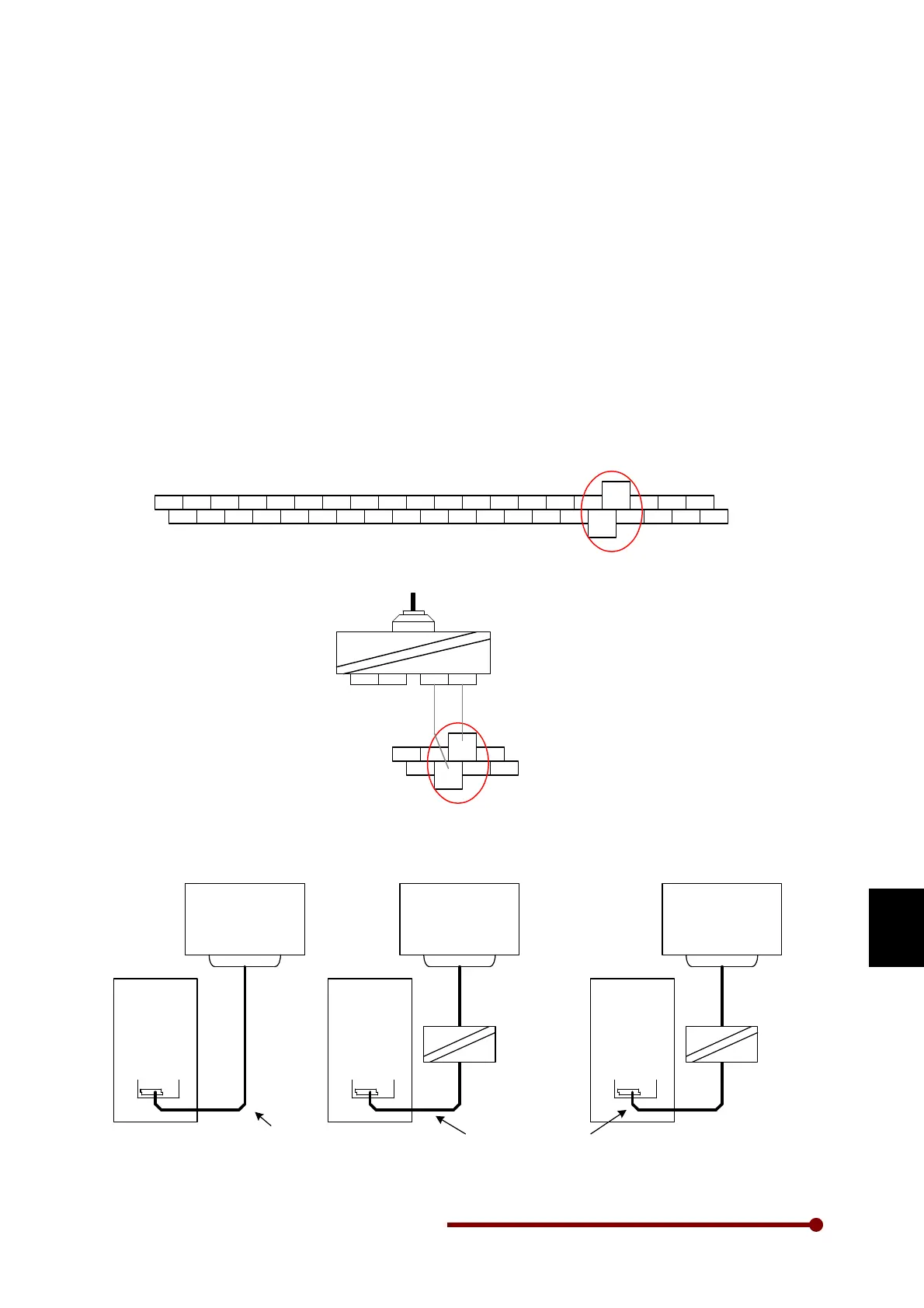
By using a commercially available RS485-RS232C converter or USB converter unit, the inverter can
be connected to a host computer equipped with a serial port or USB, such as a commercially
available personal computer.
The details of the TB1 terminal section are shown below.
P15 0V VIN IIN VO2 IO1 CANH RUN PSI6 COM PSI2 PSI4 +24V PSO1 PSO3 COM
RX
PB PA +5V
FSV FSI 0V VO1 0V IO2 CANL STOP +24V PSI1 PSI3 PSI5 COM PSO2 PSO4
TX
COM PBN PAN COM
TB1
'RX' and 'TX' are used for serial
communication
RS232
RS485
DATA+ DATA-
RS232
VCC GND
PSO3 COM
RX
PB
PSO4
TX
COM PBN
TB1
RS232/RS485
Converter
Fig. 11-1
11-2 Connecting the host computer and Axpert-Eazy (1-to-1)
HOST
COMPUTER
(Master)
AXPERT
EAZY
TB1
RS232
RS485
RS232
RS232/RS485
Converter
HOST
COMPUTER
(Master)
AXPERT
EAZY
TB1
RS485
HOST
COMPUTER
(Master)
AXPERT
EAZY
TB1
USB
RS485
USB
USB/RS485
Converter
Shielded twisted cable
Shielded twisted cable
Fig. 11-2




 To Next Page