EasyManua.ls Logo

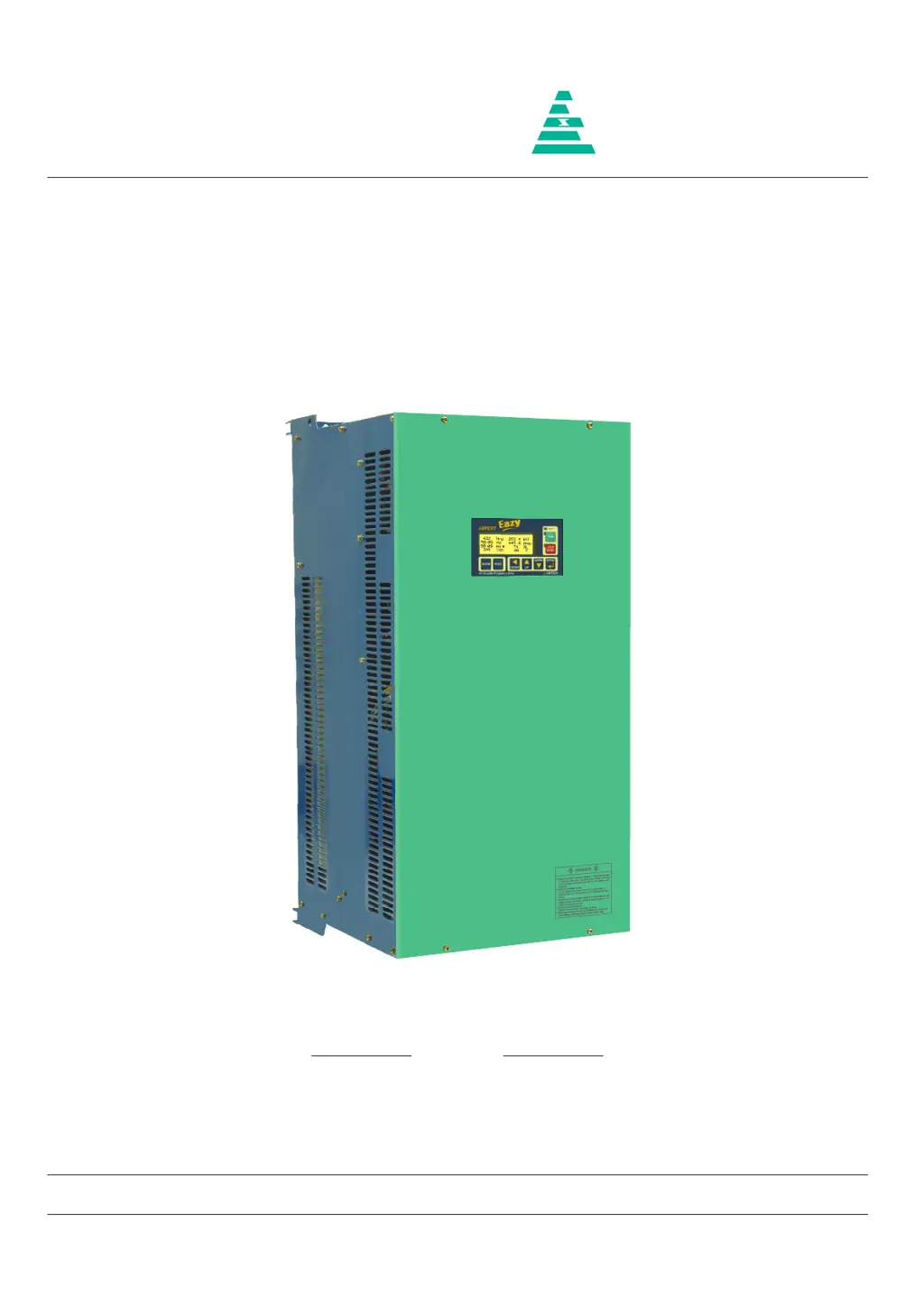
Amtech Axpert-Eazy AMT-200-4 - User Manual

Default Icon
242 pages
Print Icon
To Next Page IconTo Next Page
Loading...
NOTICE
1. Read this manual thoroughly before using the Axpert-Eazy, and store in a safe place for reference.
2. Make sure that this manual is delivered to the final user.
200 V System, 11 kW (15 Hp) ~ 90 kW (125 Hp)
400 V System, 22 kW (30 Hp) ~ 1550 kW (2075 Hp)
500 V System, 30 kW (40 Hp) ~ 1550 kW (2075 Hp)
600 V System, 30 kW (40 Hp) ~ 1800 kW (2415 Hp)
Instruction Manual
Axpert-Eazy Series
AMTECH
IMAE-01, Rev. 1.20
JUL 2017
AMTECH

Table of Contents

Questions and Answers

  • A
    Alexandra ClarkSep 5, 2025
    What causes Output Current Unbalance in Amtech Axpert-Eazy AMT-200-4 DC Drives?
    • K
      Kevin BakerSep 6, 2025
      Output Current Unbalance in Amtech DC Drives can stem from various factors. Ensure that the parameters are set properly. Abnormal setting of V/F, Torque Boost, Acceleration time and Speed search function related parameters and current limit may result in output current unbalance. Increase the acceleration time (A201 / A203). If fault occurs during deceleration, increase the deceleration time (A202 / A204). Abnormal setting of DC braking parameters can result in unbalance current fault during deceleration. Reduce the dc braking start frequency (A306) and dc braking time (A308) settings if used.
  • M
    Miranda JohnsonNov 19, 2025
    What to do if Amtech DC Drives show an Over Current Fault?
    • H
      Heather OnealNov 19, 2025
      If your Amtech DC Drive displays an Over Current Fault, several issues could be the cause. First, the power module(s) in the main circuit might be damaged, so switch off the power supply and check them. Second, there may be a loose or improper connection of the current sensor cable, or a short in the cable. In this case, switch off the power supply, remove the cable, and inspect it for proper crimping on both sides. Reinsert the cable securely. If the issue persists, replace the cable. Third, the current sensor itself may have failed, so switch off the power supply, remove the current sensor, and check. If no fault is observed, replace the damaged current sensor. Fourth, the fault may originate from the Driver Board. Switch off the power supply and remove the FRC (in case of wire interface...
  • T
    Tiffany MataSep 18, 2025
    What to do if Amtech DC Drives show an EEPROM Fault?
    • B
      Beth JacksonSep 18, 2025
      If your Amtech DC Drive is showing an EEPROM Fault, it means the data received from the EEPROM is incorrect or out of range. On fault reset, default values will be stored in the EEPROM. If the fault occurs again after power recycling, replace PCA-2014A.
  • H
    Holly MartinezSep 16, 2025
    How to troubleshoot Auto Tuning Fault in Amtech DC Drives?
    • S
      Susan McintoshSep 16, 2025
      If you encounter an Auto Tuning Fault in your Amtech DC Drive, it means the auto-tuning process has failed. The motor parameter setting value may be incorrect, so set the correct motor parameter. Ensure that the motor is directly connected to the inverter, removing any additional components like output chokes during auto-tuning.
  • C
    Crystal RoseSep 14, 2025
    What to do if Amtech Axpert-Eazy AMT-200-4 DC Drives show an External Fault?
    • H
      hruizSep 14, 2025
      If your Amtech DC Drive displays an External Fault, the signal for the external fault is present at the PSI. Check and correct it. If the signal is not present, remove the selection of the external fault with the help of Mode-C parameters. There may be a problem in PCA-2014A, so remove the control board PCA-2014A.
  • C
    Carrie PenaSep 12, 2025
    What does Reference Missing mean on Amtech Axpert-Eazy AMT-200-4?
    • S
      Stephanie JonesSep 12, 2025
      If your Amtech DC Drive shows Reference Missing, the analog current input reference (4-20 mA) to the unit is below 3 mA. Check the voltage level at FSI terminal of PCA-2014A.
  • D
    Dustin LynchSep 12, 2025
    What causes Under Current Fault in Amtech Axpert-Eazy AMT-200-4 DC Drives?
    • J
      John CookSep 12, 2025
      An Under Current Fault in Amtech DC Drives may occur if the Under Current Limit B304 is set too low. Disable the feature by setting 0% in B304.
  • A
    Alexander SmithSep 9, 2025
    What to do if my Amtech Axpert-Eazy AMT-200-4 DC Drives have Charging Fault?
    • E
      Emma RobinsonSep 9, 2025
      If your Amtech DC Drive displays a Charging Fault, the DC bus voltage didn’t reach the predefined voltage level within 5 seconds after power up. The soft charge resistor may be open. One or more phases may have failed. DC bus voltage feedback may be missing. Ensure proper connection of DC bus voltage feedback at J9.
  • N
    nbutlerSep 7, 2025
    What to do if Amtech Axpert-Eazy AMT-200-4 show an Output Phase Loss?
    • G
      Gerald MorrisonSep 7, 2025
      If your Amtech DC Drive indicates an Output Phase Loss, it could be due to a single phasing of the motor, so disconnect and check the motor. It can also happen if one or more output cables are open or loosely connected, so check the output connections and correct it.
  • J
    Jacob MorganAug 22, 2025
    What causes Amtech Axpert-Eazy AMT-200-4 DC Drives to have an Over Voltage Fault?
    • S
      Shannon PetersonAug 22, 2025
      An Over Voltage Fault in Amtech DC Drives can occur if the power supply voltage rises above specified limits (785 VDC for 400 V series, 965 VDC for 500 V series, or 1160 VDC for 600 V series). Reduce the voltage to stay within the correct range. It can also happen if the speed is fluctuating.

Summary

Instruction Manual Axpert-Eazy Series

Preface

Precautions For Safety

Essential safety guidelines to prevent hazards and ensure correct usage.

Chapter 1: Delivery, Inspection and Storage

1-1 Delivery, Inspection and Storage Procedures

Guidance on receiving, inspecting, and storing the AC drive unit safely.

Chapter 2: Installation and Wiring

2-1 Installation Environment Guidelines

Recommendations for selecting a suitable installation location and ventilation.

2-2 Precautions for Power Supply and Motor Wiring

Critical safety warnings and procedures for connecting power supply and motor.

2-4 Precautions for Control Signals Wiring

Guidelines for wiring control circuits to prevent interference and ensure safety.

Chapter 3: Digital Operation Panel (LCD Keypad Module)

3-3 Parameter Display & Setting Procedures

Step-by-step guide on navigating and changing parameter values.

Chapter 4: Test Operation and Adjustment

4-1 Preparation Before Turning Power ON

Essential checks and preparations before energizing the drive.

4-2 Initialization of Motor Constants in Mode-B

Procedure for entering motor rating parameters for proper operation.

4-3 Automatic Tuning & Adjustment

Guide to performing automatic tuning for optimal motor performance.

Chapter 5: Control Input; Output Terminals

Chapter 6: Parameter Settings & Functions

MODE-A: Parameter Details

Comprehensive list and explanation of parameters for Mode-A.

MODE-B: Parameter Details

Comprehensive list and explanation of parameters for Mode-B.

MODE-C: Parameter Details

Comprehensive list and explanation of parameters for Mode-C.

Chapter 8: Maintenance, Inspection and Part Replacement

8-1 Inspection Items Overview

Scheduled inspections and checks required for the AC DRIVE.

Chapter 11: Serial Communication Set-Up

11-1 Connection Method Overview

Configuration details for connecting host computer and Axpert-Eazy units via RS485.

11-4 Communication Specifications

Technical details of the serial communication interface and protocol.

11-5 Introduction to Modbus

Overview of the Modbus protocol, transactions, and transmission modes.

Chapter 12: UL Instructions

12-1 UL;cUL Compatible Product Observations

Key points to observe when using the inverter as a UL/cUL compatible product.

Chapter 13: CE Marking

13-1 Installation Environments for EMC Compliance

Guidelines for installation environments to meet EMC directives.

13-2 Input Filters and Their Connections

Precautions and connection details for input filters to manage electrical shock hazards.

13-3 Wiring & Earthing Practices

Recommendations for wiring and earthing to reduce EMI and ensure immunity.

Appendix-B: Fault Codes

Appendix-C: Trouble Shooting Guidelines

Amtech Axpert-Eazy AMT-200-4 Specifications

General IconGeneral
BrandAmtech
ModelAxpert-Eazy AMT-200-4
CategoryDC Drives
LanguageEnglish

Related product manuals