EasyManua.ls Logo

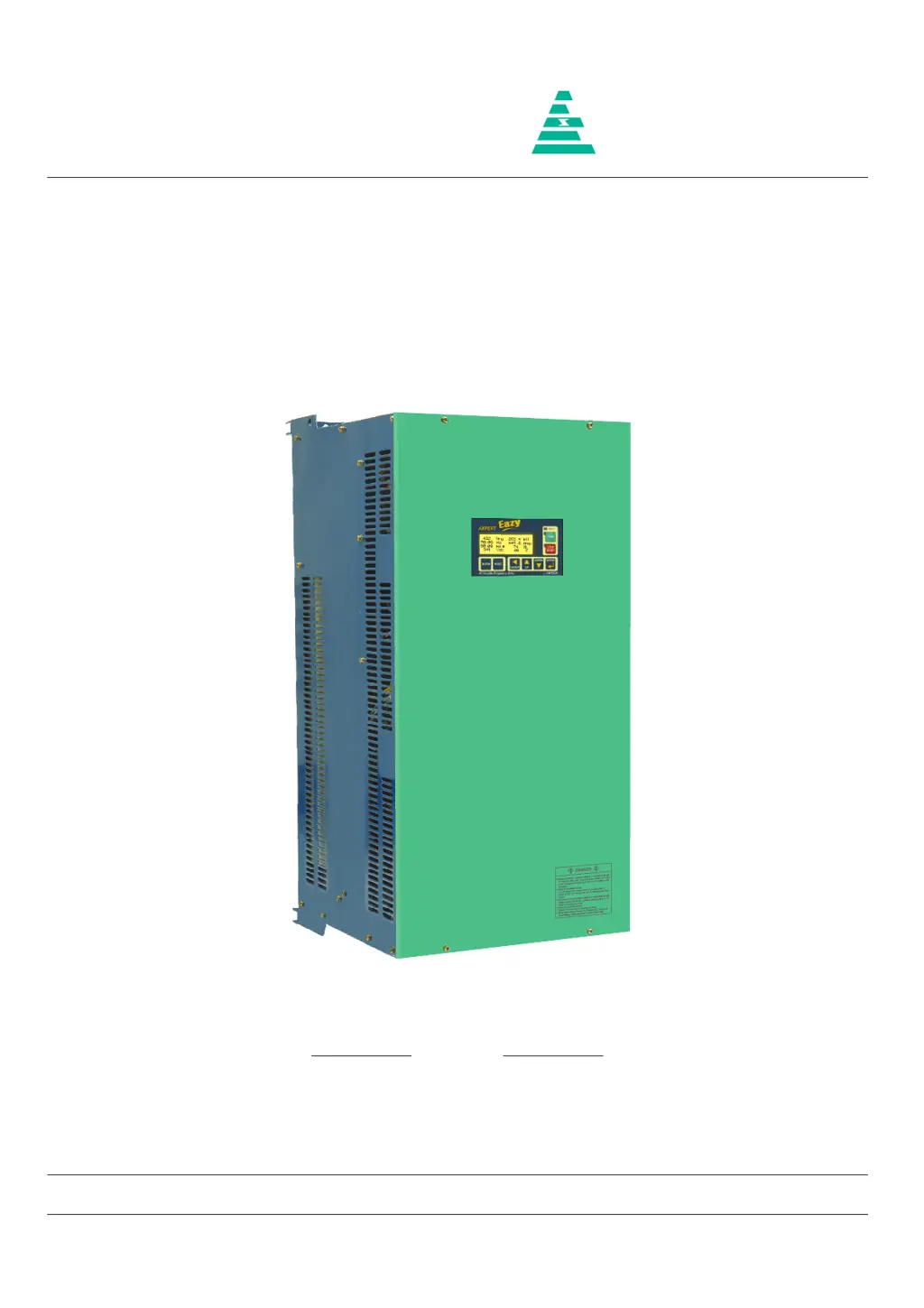
Amtech Axpert-Eazy AMT-075-4 - User Manual

Default Icon
242 pages
Print Icon
To Next Page IconTo Next Page
Loading...
NOTICE
1. Read this manual thoroughly before using the Axpert-Eazy, and store in a safe place for reference.
2. Make sure that this manual is delivered to the final user.
200 V System, 11 kW (15 Hp) ~ 90 kW (125 Hp)
400 V System, 22 kW (30 Hp) ~ 1550 kW (2075 Hp)
500 V System, 30 kW (40 Hp) ~ 1550 kW (2075 Hp)
600 V System, 30 kW (40 Hp) ~ 1800 kW (2415 Hp)
Instruction Manual
Axpert-Eazy Series
AMTECH
IMAE-01, Rev. 1.20
JUL 2017
AMTECH

Table of Contents

Questions and Answers

  • M
    Mark ColeSep 5, 2025
    What causes Output Current Unbalance in Amtech Axpert-Eazy AMT-075-4 DC Drives?
    • R
      Ronald SmithSep 5, 2025
      Output Current Unbalance in Amtech DC Drives can stem from various factors. Ensure that the parameters are set properly. Abnormal setting of V/F, Torque Boost, Acceleration time and Speed search function related parameters and current limit may result in output current unbalance. Increase the acceleration time (A201 / A203). If fault occurs during deceleration, increase the deceleration time (A202 / A204). Abnormal setting of DC braking parameters can result in unbalance current fault during deceleration. Reduce the dc braking start frequency (A306) and dc braking time (A308) settings if used.
  • A
    Ashley GreenNov 19, 2025
    What to do if Amtech Axpert-Eazy AMT-075-4 DC Drives show an Over Current Fault?
    • B
      boydfernandoNov 19, 2025
      If your Amtech DC Drive displays an Over Current Fault, several issues could be the cause. First, the power module(s) in the main circuit might be damaged, so switch off the power supply and check them. Second, there may be a loose or improper connection of the current sensor cable, or a short in the cable. In this case, switch off the power supply, remove the cable, and inspect it for proper crimping on both sides. Reinsert the cable securely. If the issue persists, replace the cable. Third, the current sensor itself may have failed, so switch off the power supply, remove the current sensor, and check. If no fault is observed, replace the damaged current sensor. Fourth, the fault may originate from the Driver Board. Switch off the power supply and remove the FRC (in case of wire interface...
  • L
    Lisa SkinnerSep 18, 2025
    What to do if Amtech Axpert-Eazy AMT-075-4 DC Drives show an EEPROM Fault?
    • S
      Steven TaylorSep 18, 2025
      If your Amtech DC Drive is showing an EEPROM Fault, it means the data received from the EEPROM is incorrect or out of range. On fault reset, default values will be stored in the EEPROM. If the fault occurs again after power recycling, replace PCA-2014A.
  • S
    Stephen BellSep 16, 2025
    How to troubleshoot Auto Tuning Fault in Amtech DC Drives?
    • M
      Mrs. Sandra HicksSep 16, 2025
      If you encounter an Auto Tuning Fault in your Amtech DC Drive, it means the auto-tuning process has failed. The motor parameter setting value may be incorrect, so set the correct motor parameter. Ensure that the motor is directly connected to the inverter, removing any additional components like output chokes during auto-tuning.
  • M
    Melissa StanleySep 14, 2025
    What to do if Amtech Axpert-Eazy AMT-075-4 show an External Fault?
    • J
      Jonathan EvansSep 14, 2025
      If your Amtech DC Drive displays an External Fault, the signal for the external fault is present at the PSI. Check and correct it. If the signal is not present, remove the selection of the external fault with the help of Mode-C parameters. There may be a problem in PCA-2014A, so remove the control board PCA-2014A.
  • M
    Mrs. Debra Brock PhDSep 12, 2025
    What does Reference Missing mean on Amtech Axpert-Eazy AMT-075-4 DC Drives?
    • T
      Thomas McdonaldSep 13, 2025
      If your Amtech DC Drive shows Reference Missing, the analog current input reference (4-20 mA) to the unit is below 3 mA. Check the voltage level at FSI terminal of PCA-2014A.
  • R
    rsalinasSep 12, 2025
    What causes Under Current Fault in Amtech Axpert-Eazy AMT-075-4 DC Drives?
    • C
      Connor WoodSep 12, 2025
      An Under Current Fault in Amtech DC Drives may occur if the Under Current Limit B304 is set too low. Disable the feature by setting 0% in B304.
  • M
    munozchristopherSep 9, 2025
    What to do if my Amtech DC Drives have Charging Fault?
    • S
      Summer CabreraSep 9, 2025
      If your Amtech DC Drive displays a Charging Fault, the DC bus voltage didn’t reach the predefined voltage level within 5 seconds after power up. The soft charge resistor may be open. One or more phases may have failed. DC bus voltage feedback may be missing. Ensure proper connection of DC bus voltage feedback at J9.
  • J
    joelponceSep 7, 2025
    What to do if Amtech Axpert-Eazy AMT-075-4 DC Drives show an Output Phase Loss?
    • Y
      ygarrisonSep 7, 2025
      If your Amtech DC Drive indicates an Output Phase Loss, it could be due to a single phasing of the motor, so disconnect and check the motor. It can also happen if one or more output cables are open or loosely connected, so check the output connections and correct it.
  • J
    Jared CooperAug 22, 2025
    What causes Amtech Axpert-Eazy AMT-075-4 to have an Over Voltage Fault?
    • S
      shawn33Aug 22, 2025
      An Over Voltage Fault in Amtech DC Drives can occur if the power supply voltage rises above specified limits (785 VDC for 400 V series, 965 VDC for 500 V series, or 1160 VDC for 600 V series). Reduce the voltage to stay within the correct range. It can also happen if the speed is fluctuating.

Summary

Instruction Manual for AMTECH Axpert-Eazy Series

Important Safety Notices

Essential safety precautions before using the Axpert-Eazy AC Variable Frequency Drive.

Preface and Safety Precautions

Precautions For Safety

Essential safety items to prevent damage and ensure safe use of the product.

Preface and General Warnings

Crucial Safety Warnings for AC Drive Usage

High voltage hazards, opening covers, grounding, and operational limitations.

Detailed Safety Precautions and Qualified Personnel

DANGER and CAUTION Symbols

Explanation of danger levels and symbols used for safety warnings.

Chapter 2: Installation and Wiring Guide

General Installation Precautions

Warnings and cautions for installing the AC Drive, braking units, and peripherals.

Power Supply and Motor Wiring Precautions

DANGER: Electrical Shock and Fire Hazards

Critical warnings regarding power OFF, grounding, qualified electricians, and circuit protection.

CAUTION: Wiring and Connection Safety

Guidelines for connecting power supply, output terminals, and tightening screws.

Example of Main Circuit Wiring Diagram

AC DRIVE Input;Output Terminal Connections

Correct connection of power supply to L1, L2, L3 terminals and output to motor.

Control Signal Wiring Precautions

Power Terminal Layout Diagrams

Chapter 3: Digital Operation Panel (Keypad) Functions

Digital Operation Panel Key Functions

Explanation of the functions of the NORM/ESC, MODE, GROUP, UP, and DOWN keys.

Digital Operation Panel Key Functions Explained

ENTER, RUN, and STOP;RESET Key Functions

Description of the ENTER, RUN, and STOP/RESET keys, including status LEDs.

Drive Status Display on the Operation Panel

Parameter Display and Setting Procedure

Example: Adjusting a Parameter Value

Chapter 4: Test Operation and Adjustment

DANGER: Safety During Power ON and Operation

Critical safety warnings about front cover, wet hands, touching terminals, and unexpected restarts.

CAUTION: Operational Safety and Precautions

Cautions regarding hot components, ventilation, setting ranges, holding brakes, and backup devices.

Test Operation Flowchart

Preparation Before Turning Power ON

Selection of Control Modes

Selection of Start Control Method

Selection of Frequency Reference Input

Motor Constant Initialization in Mode-B

Frequency Reference Signal Selection Process Diagram

Automatic Tuning and Adjustment Procedure

Autotune Selection and Execution Steps

Automatic Tuning Modes and Parameter Adjustments

Test Operations After Automatic Tuning

Chapter 5: Control Input;Output Terminals

PCA-2014 A Control Unit Terminal Functions

Detailed description of the functions of terminals on the PCA-2014A control unit.

Terminal Symbol, Name, and Use Descriptions

Terminal Symbol, Name, and Use (Continued)

Programmable Sequence Input (PSI) Wiring

Programmable Analog Input (PAI) Wiring

Wiring diagrams and precautions for FSV, VIN, FSI, and IIN analog inputs.

Programmable Analog Output (PAO) Wiring

Programmable Sequence Output (Open Collector) Wiring

Programmable Sequence Output (Relay) Wiring

Default Terminal Function Assignments

Chapter 6: Parameter Settings and Functions

MODE-M: Monitor Parameters (Group 1)

Monitoring parameters for output frequency, motor speed, current, set frequency, and reference inputs.

Monitor Parameters: Group 2 & 3

MODE-A Parameters: Frequency Setting

Acceleration and Deceleration Time Settings

Start;Stop Selection and DC Braking Parameters

V;F Characteristics Settings

Control Mode Selection (A401)

Sets the motor control mode: V/F, Vector Control (Open/Close Loop, Heavy/Normal Duty).

Torque Boost Settings

MODE-B Parameters: Motor Parameters

Motor Constants

Protection Parameters

Protection Parameters (Continued)

Preset Speed Settings (B401-B407)

Skip Frequency Settings (B501-B504)

Vector Control Constants-1 (B601-B606)

Vector Control Constants-1 (B605-B617) (Continued)

Vector Control Constants-2 (B701-B711)

MODE-C Parameters: Programmable Input;Output

MODE-C Parameters: Analog Output and Input Settings

Status Output Detection Levels (C301-C305)

Status Output Detection Levels (C301-C305) (Continued)

Status Output Detection Levels (C310-C314) (Continued)

Status Output Detection Levels (C315-C319) (Continued)

PLC Panel Parameters (C701-C712)

MODE-D Parameters: Auxiliary Drive Settings

Auxiliary Drive Frequency Settings (D201-D207)

Auxiliary Drive Limiting Parameters (D401-D404)

Auxiliary Drive Limiting Parameters (D404) (Continued)

MODE-E Parameters: Ring Spinning Frame (RSF) Functions

RSF;Pattern Run Parameter Selection Details

MODE-G Parameters: Pattern Run Functions

MODE SELECTION FOR PATTERN RUN TABLE-2

MODE-H Parameters: Special Application Functions

MULTI-PUMP FUNCTION PARAMETERS

Parameters for controlling multiple pumps by managing ON/OFF status and ensuring equal operation time.

MODE-P Parameters: In-Built PLC Functions

Function Explanations: Monitor Parameters Group 1

Function Explanations: Monitor Parameters Group 1 (Continued)

Monitor Parameters: Group 4 - Fault History

Fault History Display Format

Frequency Reference Input Selection (A106)

Frequency Reference Input Selection (A106) (Continued)

Local Torque Setting (A107)

Torque Reference Input Selection (A108)

Torque Reference Input Selection (A108) (Continued)

Current Limit Acceleration and Deceleration Times

Motor Direction Setting (A305)

DC Brake Start Frequency and Current Settings

Custom V;F Curve Voltage Settings (A408-A410)

Display Parameter Selection for Normal Screen (A601-A608)

Frequency Reference Math Operations (A701-A706)

Frequency Reference Math Operations (A701-A706) (Continued)

Default Value Load Options (B311)

Default Value Load Options (B311) (Continued)

Vector Control Constants-1 (B609-B627) (Continued)

Vector Control Constants-1 (B611-B626) (Continued)

Programmable Sequence Input (PSI) Options (Continued)

Programmable Sequence Output (PSO) Configuration

Programmable Sequence Output (PSO) Configuration (Continued)

Programmable Relay Configuration (C111-C112)

Programmable Fault Relay Configuration (C113)

Analog Output Selection (C201-C202)

Analog Output Current Configuration (C203-C204)

Status Output Detection Levels (C306-C309) (Continued)

Status Output Detection Levels (C315-C322) (Continued)

Serial Communication Setup (C401-C405)

Serial Communication Setup (C401-C405) (Continued)

Auto Restart and Speed Search Functions (C501-C511)

Auto Restart and Speed Search Functions (C503-C511) (Continued)

PID Control Selection (C601-C603)

PID Control Selection (C604-C614) (Continued)

PID Control Selection (C615-C619) (Continued)

Multi-Pump Control Operation Example

In-Built PLC Function Explanation and Features

In-built PLC Block Diagram and Related Parameters

In-built PLC Command Format and Examples

Detailed Description of In-built PLC Commands

Detailed Description of In-built PLC Commands (Continued)

In-built PLC Application Examples

PLC Program Code: Input from Display Panel into P101 to PA01

PLC Program Code: Input from Display Panel into P101 to PA01 (Continued)

In-built PLC Applications

PLC Program Code: Example 2 (RUN with Delay)

Chapter 7: Electronics Circuit Boards Overview

Chapter 8: Maintenance, Inspection, and Part Replacement

DANGER: Safety Procedures Before Inspection;Work

Critical safety warnings regarding power OFF, waiting time, and handling metal objects.

Inspection Items and Procedures

Chapter 9: Optional Products and Features

Chapter 10: Encoder Specifications and Wiring

Chapter 11: Serial Communication Setup (RS485;Modbus)

Connecting Host Computer to Multiple Axpert-Eazy Units

Serial Communication Specifications

Introduction to Modbus Protocol

RTU Framing and Message Structure

Modbus Data Access: Register Read and Write

Multi-Drop Serial Link Parameters and Descriptions

Modbus Communication Queries Description

Read Single Parameter Query Format

Read Multiple Parameter Query Format

Write Single Parameter Query Format

Write Multiple Parameter Query Format

Chapter 12: UL and cUL Compliance Instructions

Chapter 13: CE Marking and EMC Compliance

EMC Considerations for Installation

Installation Environments and EMC Compliance

Input Filter Connections and Electrical Shock Hazards

Wiring and Earthing Guidelines

Installation Inside a Metal Cabinet

Insulation Test Precautions

Appendix A: Standard Specifications

Control Functions Overview

Operation Specifications

Appendix B: Fault Codes and Descriptions

Fault Codes 17-38: Description and Causes

Fault Codes 39-67: Description and Causes

Fault Codes 63-67: Description and Causes (Continued)

Appendix C: Trouble Shooting Guidelines

Causes and Countermeasures for Common Faults

Causes and Countermeasures for Common Faults (Continued)

Amtech Axpert-Eazy AMT-075-4 Specifications

General IconGeneral
Rated Power0.75 kW
Power Rating0.75 kW
Protection FeaturesOverload, Overvoltage, Undervoltage, Short Circuit
Storage Temperature-20°C to 60°C
Humidity5% to 95% RH (non-condensing)

Related product manuals