Axpert-Eazy AC Variable Frequency Drive
3.1
3
CHAPTER-3: DIGITAL OPERATION PANEL (LCD KEYPAD MODULE)
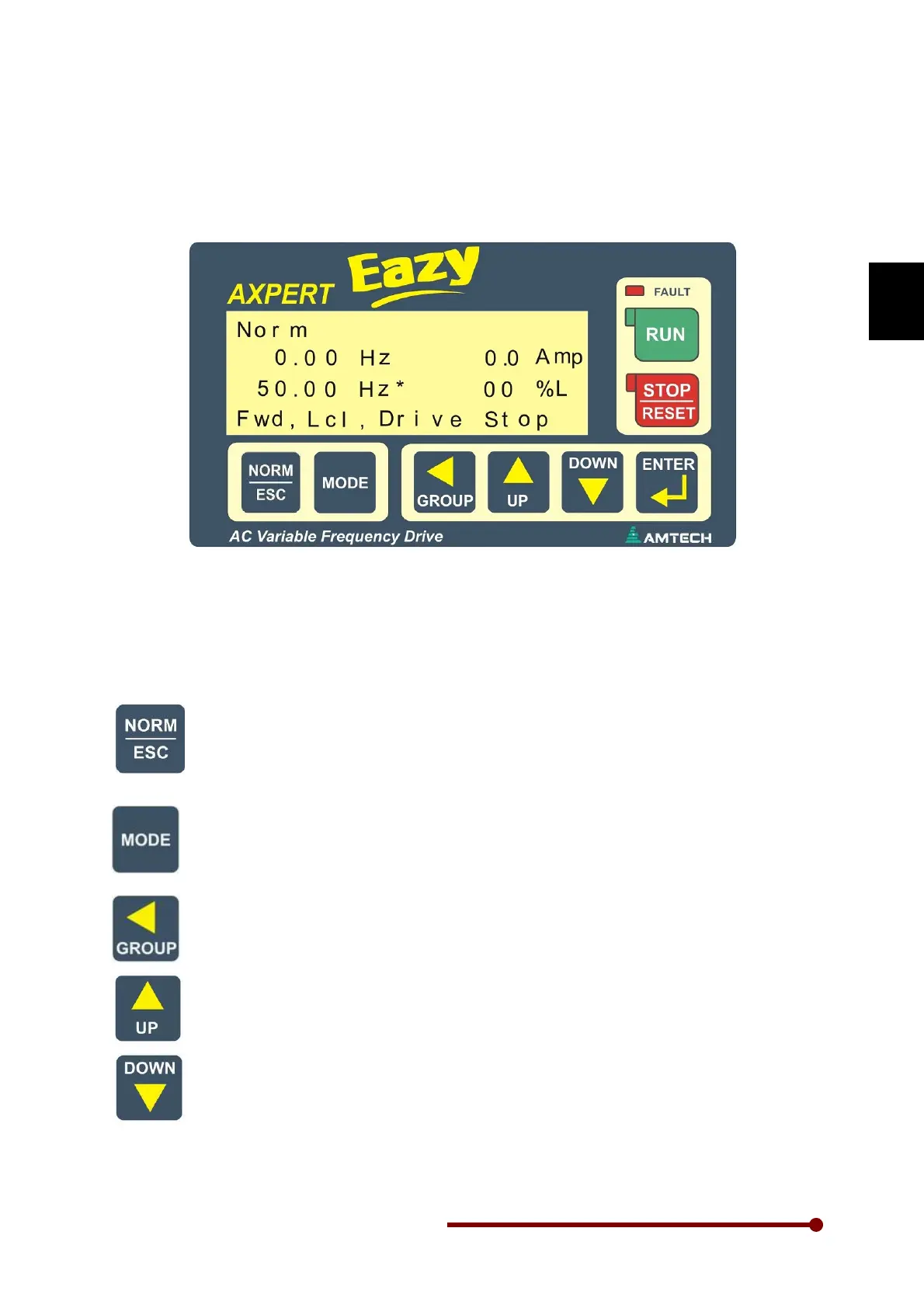
The configuration of the Digital Operation Panel is shown in the below figure. The structure of it is as
shown below.
The Digital Operation Panel is equipped with 8-keys as shown in the above figure. The function of
each key is described below.
This key is utilized to reach to the normal screen of digital operator panel from any
parameter, group or mode. The normal screen displays different parameters and status.
This is the screen displayed at power on. Press this key for change over between normal
screen - 4 parameters and normal screen – 8 parameters.
This key when pressed, passes the control to next successive modes i.e. NORM
(Normal), MODE-M (Monitor), MODE-A, MODE-B, MODE-C, MODE-D… & Meter mode.
After the end of all modes, it will carry the control again to first mode. When changing the
mode, the last accessed parameter of last accessed group of successive mode will be
displayed.
This key passes the control to next group in the same mode. The groups can be
accessed only in the incremental direction. At last it will again come to the first group.
If “ENTER” key is pressed, this key is used to move the cursor position for parameter
value change.
These keys are used to change parameter numbers & parameter value. When ENTER
key is pressed, these keys are used to change the parameter value, otherwise it is used
to navigate the parameters in upward / downward direction in the group. These keys are
also used for frequency up and down when normal mode is display. When these keys are
press once frequency change rate is 0.01 Hz. If press continues for 3.5 to 7 sec
frequency change rate is 0.1Hz, 7 to 11.5 sec frequency change rate is 0.3Hz and then
after frequency change rate is 0.5Hz.




 To Next Page