Axpert-Eazy AC Variable Frequency Drive
6-109
6
In-built PLC Function Explanation:
In-built PLC Function is one of the important features of this product, by using which, user can make
PLC related application without additional hardware. The In-built PLC function has the following
features.
Features:
• The In-built PLC can be used to get the same functionality of Programmable Sequence Inputs
(PSI).
• It is possible to assign the signals from the In-built PLC to the Programmable Sequences Output
(PSO).
• The In-built PLC can be used to get the same functionality as of programmable analog inputs.
• It is possible to assign the signals from the In-built PLC to the analog outputs.
• Bit status of PSI, PSO, Fault codes, Status codes and Control word can be read into the PLC bit
memory location.
• Monitor Parameters can be read in to PLC registers (16-bit memory location).
• User can develop program by using PLC Commands based on the required application.
• PLC Commands can be input from the LCD Display. This allows changes to be made easily at the
site.
• PLC Commands can be input with the standard serial interface.
• 115 registers (16-bit memory locations) and 100 Flags (1-bit memory location) for PLC operation.
• PLC program’s length up to 120 PLC Commands.
• 4 Timer Command can be set from display.
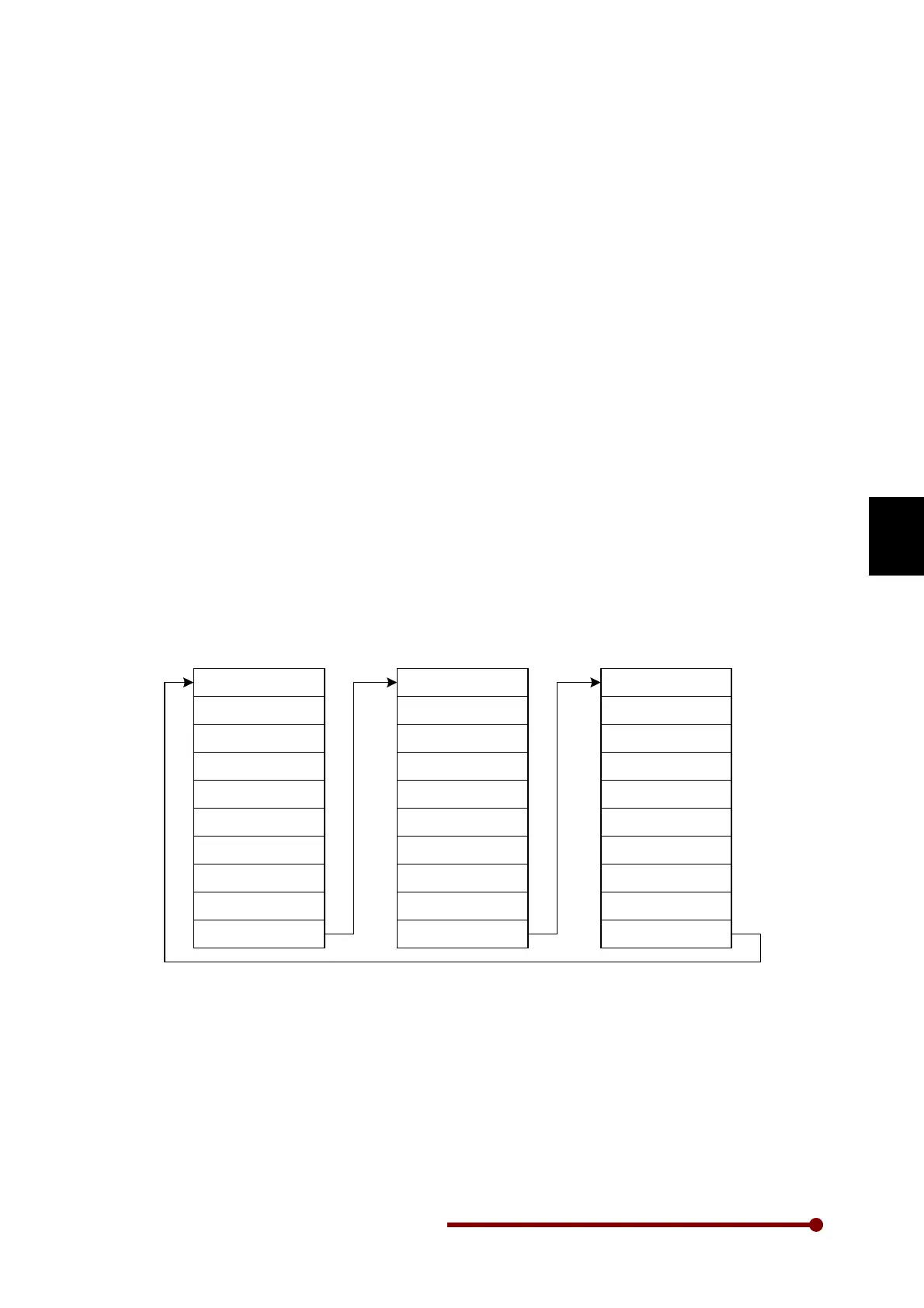
The In-built PLC function-processing chart is shown in fig. 6-1. PLC commands are separate in each
parameter and all command (P101 to PC10) execute within 20-millisecond interval.
.
Command P101
Command P104
Command P103
Command P102
Command P108
Command P109
Command P110
.
.
.
Command PC01
Command PC04
Command PC03
Command PC02
Command PC08
Command PC09
Command PC10
.
.
.
Command P201
Command P204
Command P203
Command P202
Command PB08
Command PB09
Command PB10
.
.
Mode P, Group-1
2~9,A,B
Mode P, Group-C
Fig. 6-1 In-built PLC processing Chart
The In-built PLC function starts to read command from the Mode P Group-1 parameter (P101) and
executes it one-by-one. END (000) Command indicates end of program and after this command; PLC
function again executes from 1
st
command (P101).




 To Next Page