Amtech
5.6
5
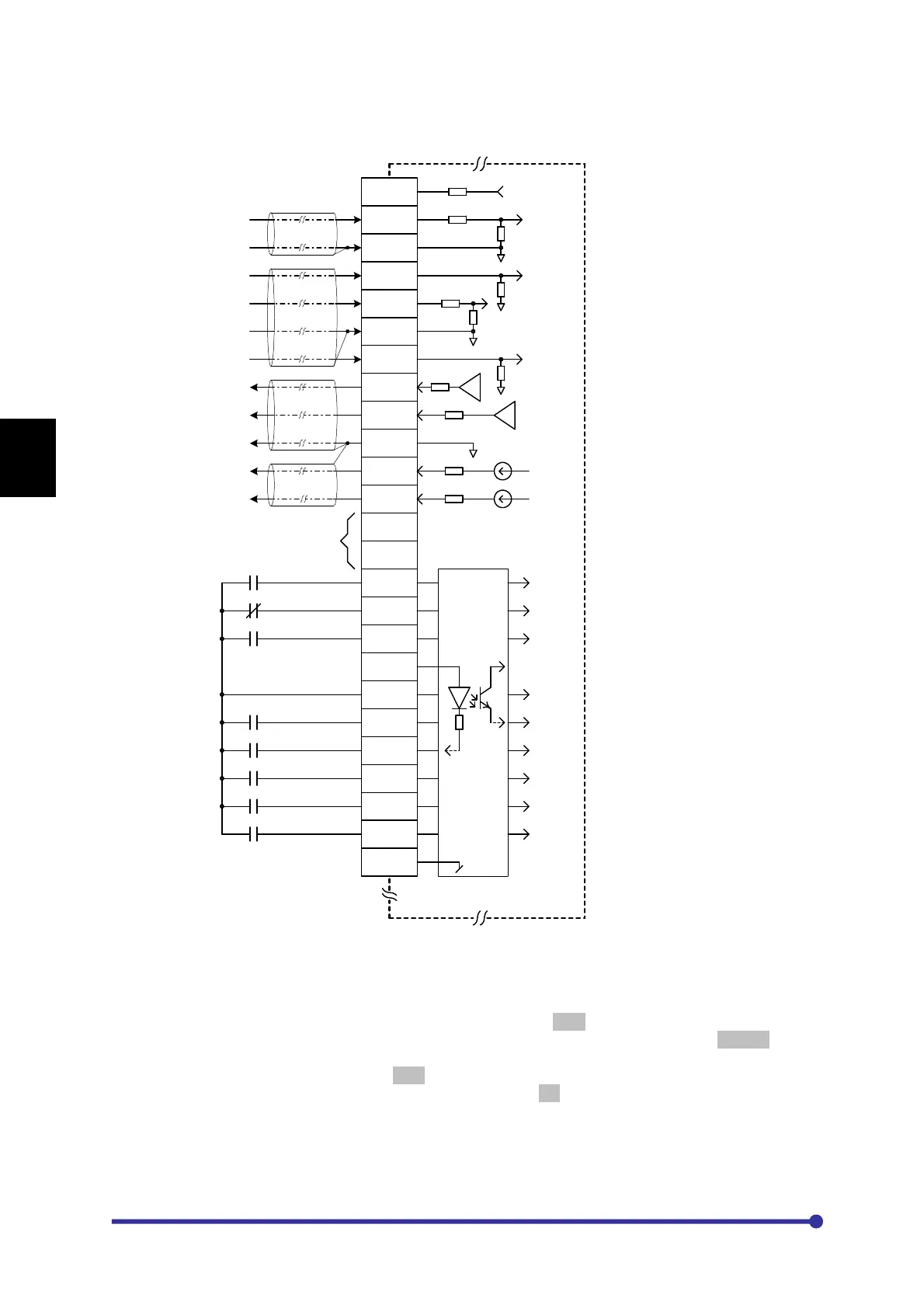
5-7 Default function assignments to terminals
P15
FSV
0V
FSI
VIN
0V
IIN
VO1
VO2
0V
IO1
IO2
CANH
CANL
RUN
STOP
PSI6
+24V
COM
PSI1
PSI2
PSI3
PSI4
PSI5
COM
+15V
940R
33k
270R33k
10k
10k
270R270R
270R
50R
50R
Forward Run
Stop
Jog Select
Emergency Stop
Fault Reset
0-10V Analog Output
0-10V Analog Output
Ground
4-20mA Analog Output
4-20mA Analog Output
0-10V Analog Input
Ground
0-10V Analog Input
Ground
4-20mA Analog Input
P
C
A
-
2
0
1
4
A
/
2
0
0
4
A
ANALOG INPUT
ANALOG OUTPUT
SEQUENCE INPUT
5.6k
(Output Frequency)
(Output Current)
Preset Input-0
Preset Input-1
Preset Input-2
(Sink logic operation is considered for
programmable sequence inputs in this diagram)
4-20mA Analog Input
(PID Feedback)
(Output Power)
(Output Voltage)
RESERVE
TB1
Jumper Position
1. The equipment is shipped with sink logic (JP1 is kept on Sink position) for the programmable
sequence inputs. To change the sink logic to source, change the jumper JP1 position to Source.
2. The equipment is shipped with JP3 in NLD position. This means the terminating resistors are not in
picture. To insert the terminating resistors, keep the jumper to LD position.




 To Next Page