Additional information
Page 30
3. Enter either:
a). the external host’s host name;
b). or IP address for the desnaon.
4. Enter 7555 for the port and click Open.
You will be prompted for a username and password.
Figure 25:
5. Enter the default username admin and the password
ahkdante.
The management interface appears.
Figure 26:
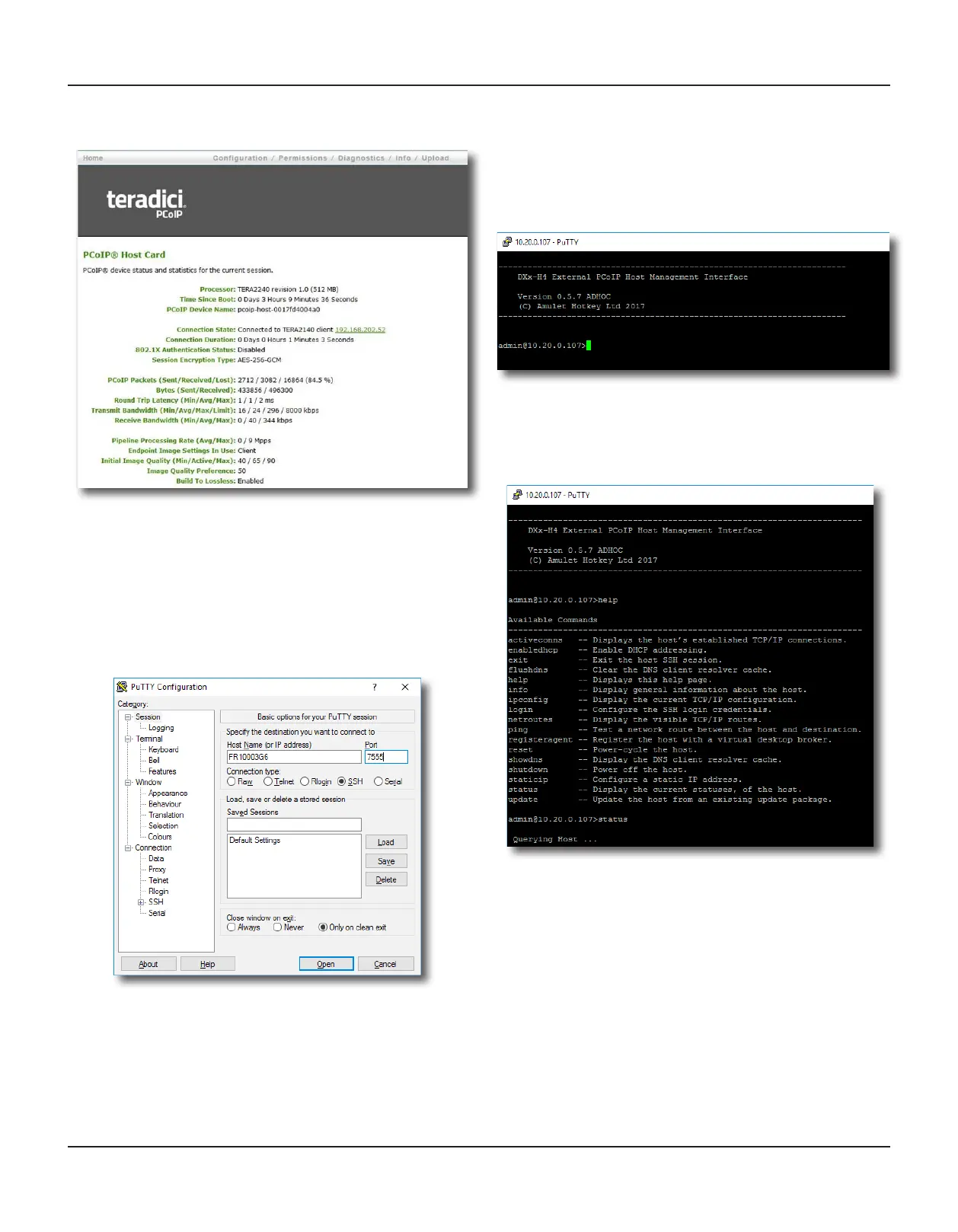
2. Enter the password and click Log In.
The Teradici home screen appears.
Figure 23:
7.3.2 To login with the Amulet Hotkey Management Interface
To connect to the DXT-H4 with the Management Interface:
1. Make sure that the network connecon to the Management
Interface is enabled. See 7.2.3.
2. Open SSH client (such as TeraTerm or PuTTY) on the
SysAdmin PC.
Figure 24:


 To Next Page