15
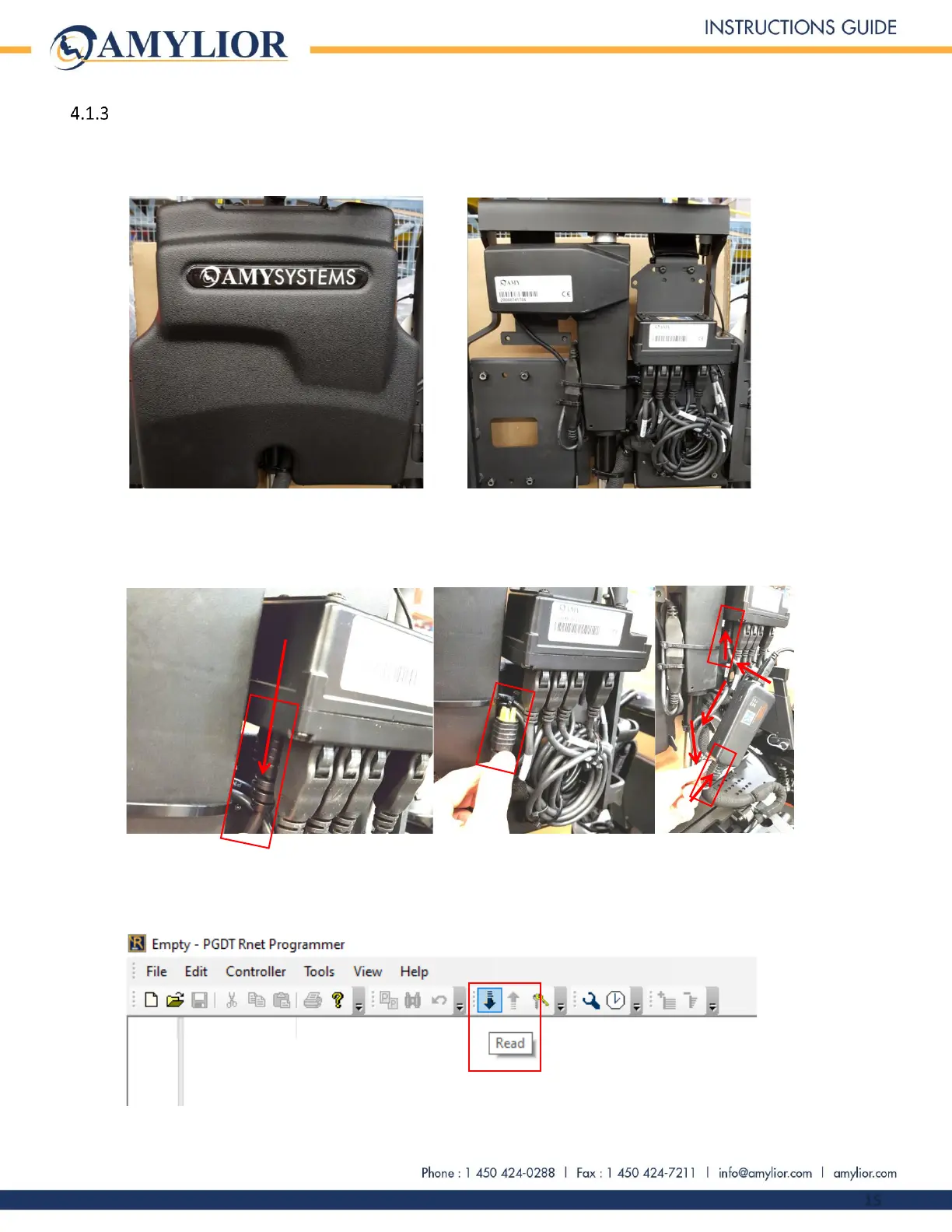
Error code reading using the program journal of the “R-Net Programmer” application
Connect the R-Net dongle to the computer’s USB port.
Remove the chair’s backrest cover.
Plug the R-Net dongle into the chair by removing one of the R-Net cables connected to the chair, for
example, one of the 2 cables connected to the e-bx and turn on the chair using the joystick.
Open the PGDT « R-Net Programmer » application and click on Read, the icon with the black arrow point
down.


 To Next Page