7
“Actuator Setup” submenu displays all stander actuator settings for proper position angles to allow a
“comfortable” operation i.e. Soft start/stop. To adjust the stander actuator for a soft stop, use “Set point 1”. This
position is the first stop when the stander is deployed. This submenu also contains all the settings for actuator
movement speeds, acceleration/deceleration, starts and stops. The following table shows all the possible settings.
2.1.3.1 Settings under the “Actuator Setup” submenu
For stander actuators only:
Recline actuator (#2), center
mount actuator (#4) and
stander actuators (#5 & 6)
Soft stop angle adjustment in degrees
for recline, center mount and stander
actuators when standing function is
deployed.
Note 1 below
From minimum to
maximum values
under the “General”
submenu.
Recline: 155
Center mount legrest: 21
Stander: -60
Not used. Settings for future development.
For all actuators except the
stander actuator. The standing
module follows a specific
pattern when deployed and
do not consider these settings
Percentage value of speed acceleration
adjustment when actuator starts
moving. For a soft start, the value of this
setting is reduced.
Percentage value of speed deceleration
adjustment when actuator stops
moving. For a soft stop, the value of this
setting is reduced
Percentage value of actuator speed
when deploying (opening).
Percentage value of actuator speed
when retracting (closing).
• Note 1 : The angle for stander actuators 5 and 6 must be set at the same value.
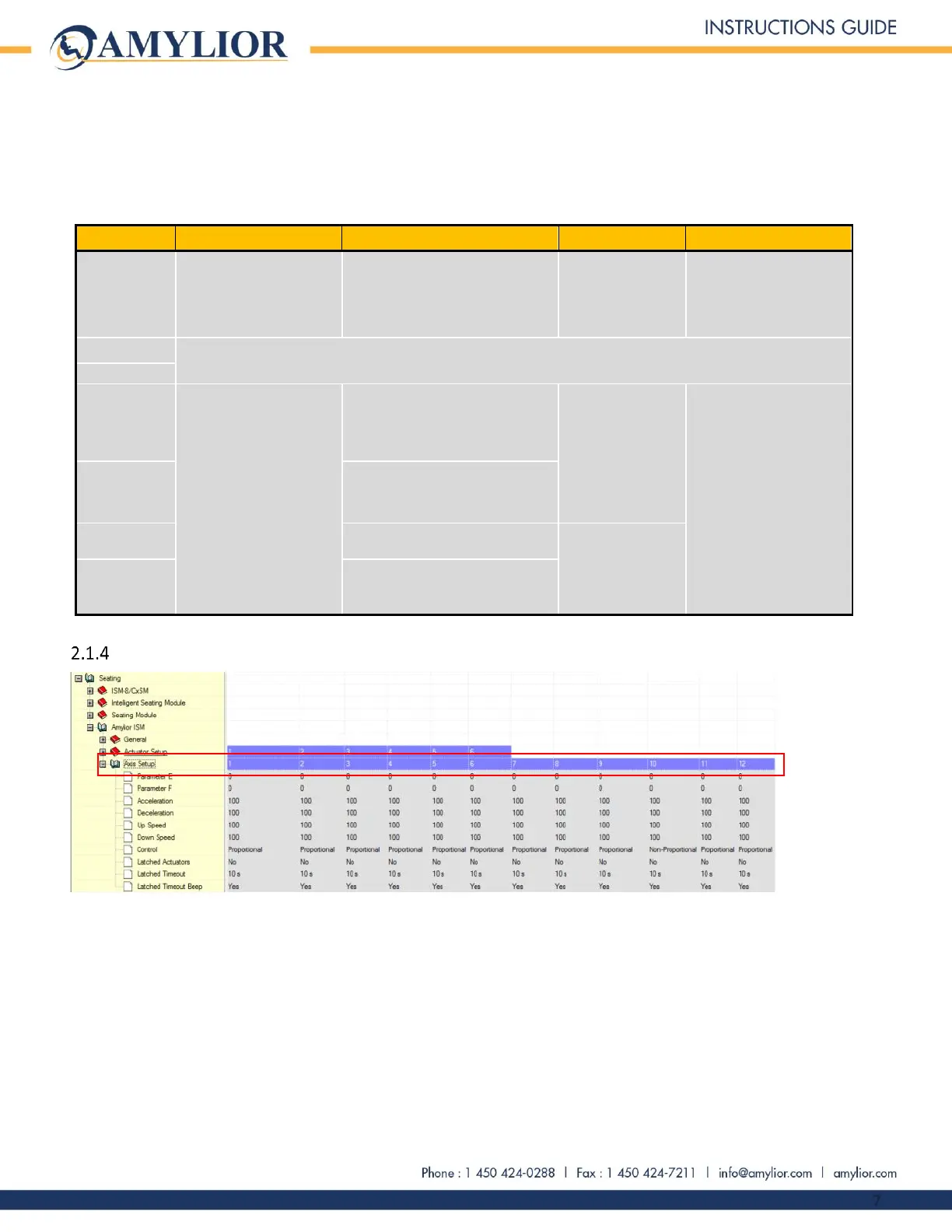
Axis number allocation under the “Axis Setup” submenu.
Under this submenu, there are twelve axis numbers which correspond to a specific function. Each axis can control
between 0 to 6 actuators at the same time according to their predetermined functions. These axes can also
control operations such as standing, memory setting and actuator position recalling.


 To Next Page