17
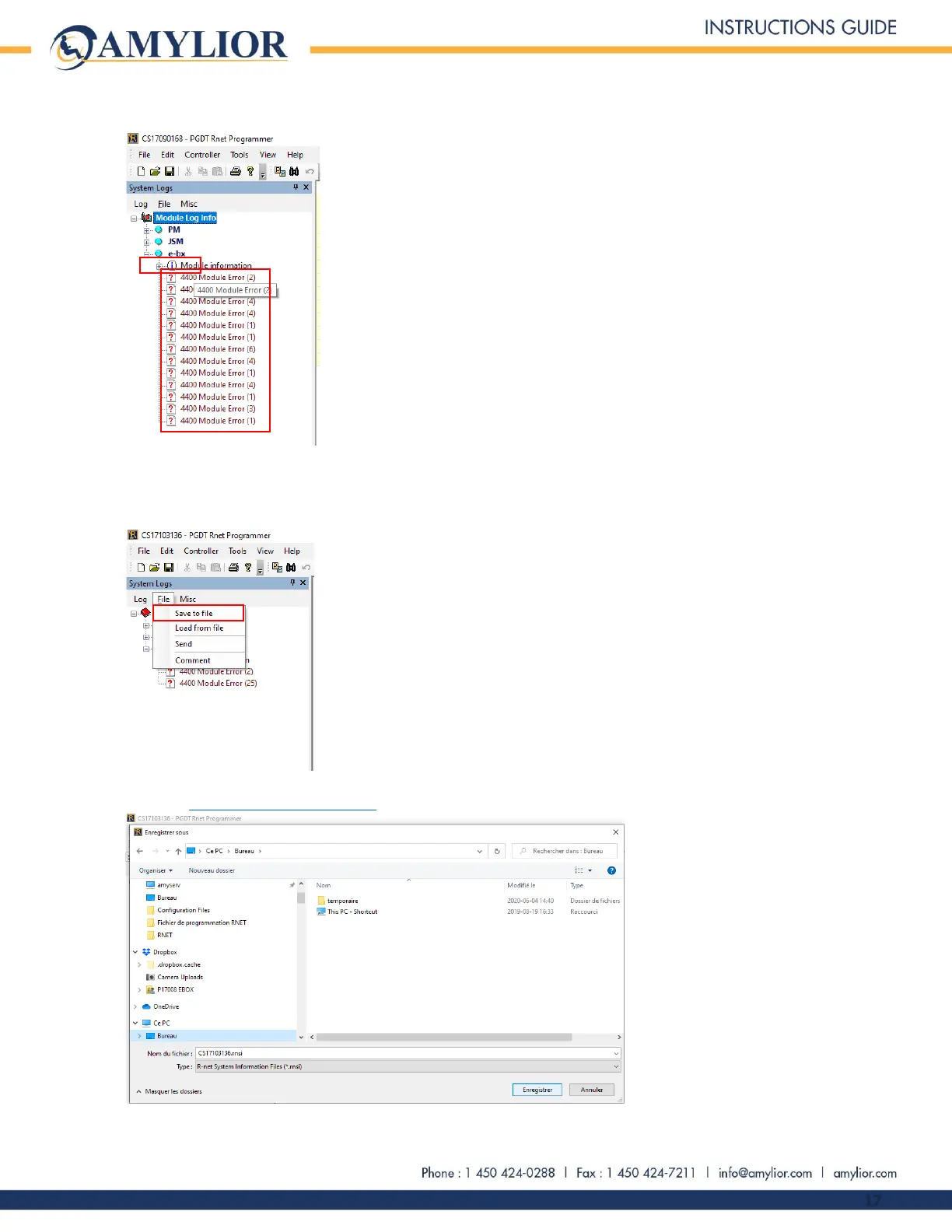
From Module Log Info directory, select e-bx. The list of error codes will appear starting with 4400.
The e-bx actual error codes are not shown on the Dealer version of the application. The file containing the
error codes must be sent to Amylior to be examined and analyzed. To save the journal of error codes, click
on the File tab and select Save to file.
Choose the location for the saved file, e.g. the desktop. Send the saved file as an attachment in an email to
Amylior: techsupport@amylior.com


 To Next Page