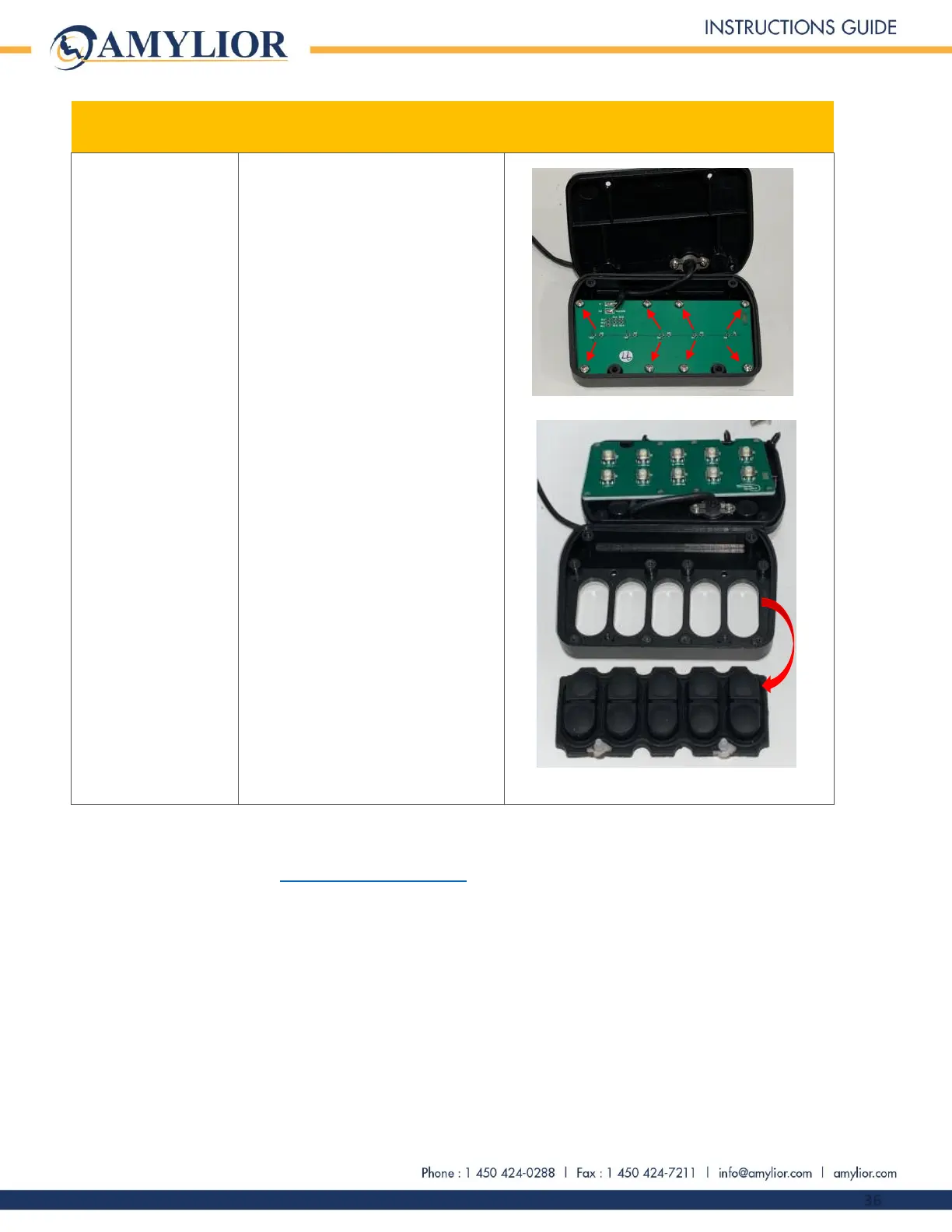
5. Remove cover.
6. Be careful not to break the
cable attached to the
electronic board.
7. Using the Phillips #1
screwdriver, unscrew the 8
screws on electronic board
8. Remove electronic board and
pushbuttons to be replaced.
9. Install new pushbuttons.
10. Place electronic board back
and secure the 8 screws. Do
not over tighten.
11. Close cover
12. Secure the 4 screws on cover.
13. Reinstall keypad on its mount
and secure the 2 screws using
2.5 mm Allen key.
14. Connect keypad to chair.
15. Using tie-wraps, secure keypad
cables to chair. Ties should be
attached in the place they
were before.
This completes the e-bx controller Instruction Guide. If further information is required, please contact Amylior
Technical Support by email at techsupport@amylior.com or by phone at 1 888 453-0311


 To Previous Page