EasyManua.ls Logo

Angelcare AC127 - User Manual

Angelcare AC127
16 pages
Print Icon
To Next Page IconTo Next Page
Loading...
Keep user’s guide for future reference. Please read the warnings and
safety instructions carefully before assembling & using the product.
Failure to follow the warnings and the instructions could result in serious
injury or death or damage to the product.
WARNING
Model AC127
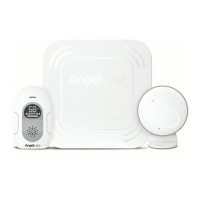
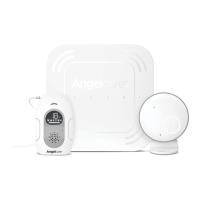
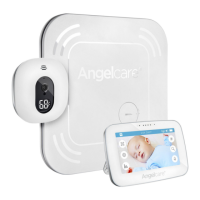
Baby Movement Monitor,
with Sound
OWNER’S MANUAL
IMPORTANT  INTENDED USE
is product is NOT intended and should NOT be used to prevent Sudden Infant Death Syndrome (SIDS).
is product is NOT intended to diagnose, treat, mitigate, cure or prevent any disease or condition.
is is a product to monitor the movement of healthy babies and is not a substitute for parental care.
CFO3B_ANGE_Manuel_AC127_ROW.indd 1 19-02-05 08:54

Questions and Answers

Summary

Safety Warnings

Strangulation Hazard

Warning regarding strangulation risk from cords and improper use.

Movement Sensor Pad - No Alarm

Information on factors that can interfere with the Sensor Pad's performance.

Battery Safety and Handling

Battery Specific Warnings

Critical safety instructions for handling, storing, and replacing batteries.

Setup Requirements and Instructions

Whats in the Box

Lists all components included in the product packaging.

What You Need

Lists additional items required for setup and operation.

Setting Up the Parent Unit

Step-by-step guide for preparing the Parent Unit.

Setting Up the Sensor Pad

Instructions for installing and positioning the Sensor Pad.

Setting Up the Nursery Unit

Guidance on positioning and connecting the Nursery Unit.

Turning On Your Monitor

Procedure for activating the baby monitoring system.

Monitor Operations and Testing

Pausing and Restarting Sensor Pad

How to temporarily pause and then resume Sensor Pad functionality.

Testing the Sensor Pad

Procedure to verify the Sensor Pad is detecting movement correctly.

Sensor Pad Four Corner Test

Detailed test to ensure Sensor Pad coverage across the mattress.

Understanding Your Monitor

Nursery Unit Components

Identification and explanation of Nursery Unit parts and indicators.

Parent Unit Components

Identification and explanation of Parent Unit parts and controls.

Parent Unit Screen Icons

Explanation of the various icons displayed on the Parent Unit screen.

Monitor Functions

Overview of key features like movement detection, VOX, and temperature alerts.

Alert Notifications

Movement Alarm

Details on the Rouse and main movement detection alarms.

Out-of-Range Alarm

Notification for loss of communication between units.

Low Battery Alert

Indicates when the Parent Unit battery is low.

Temperature Alerts

Notifications for high or low room temperature.

Troubleshooting Common Issues

Battery and Connectivity Problems

Guidance on resolving battery issues and loss of unit connectivity.

Sensor Pad and Alarm Issues

Solutions for no alarm, false alarms, or weak sensor pad detection.

Unit Performance Problems

Troubleshooting for weak reception, no sound, or power issues.

Customer Care and Warranty

Limited Warranty Information

Details on warranty coverage, terms, and conditions.

Technical Specifications and Compliance

Product Specifications

Technical details including range, transmission, and power supply.

Environmental Protection

Information on proper disposal of the product and batteries.

Contact and Additional Resources

Contact Information

How to get help and support for the product.

Learn More Online

Resources for setup videos and further product information.

Angelcare AC127 Specifications

General IconGeneral
CameraYes
Night VisionYes
Two-way TalkYes
Temperature SensorYes
Night LightYes
Movement Sensor PadYes
Adjustable SensitivityYes
Sound ActivationYes
Power Source (Parent Unit)Rechargeable battery or AC adapter
Power Source (Nursery Unit)AC adapter
LullabiesYes
TypeAudio & Movement
Display3.5-inch color LCD
Range250m (open field)
AlertsSound, Movement, Temperature

Related product manuals