EasyManua.ls Logo

Angelcare AC115 - User Manual

Angelcare AC115
80 pages
Print Icon
To Next Page IconTo Next Page
Loading...
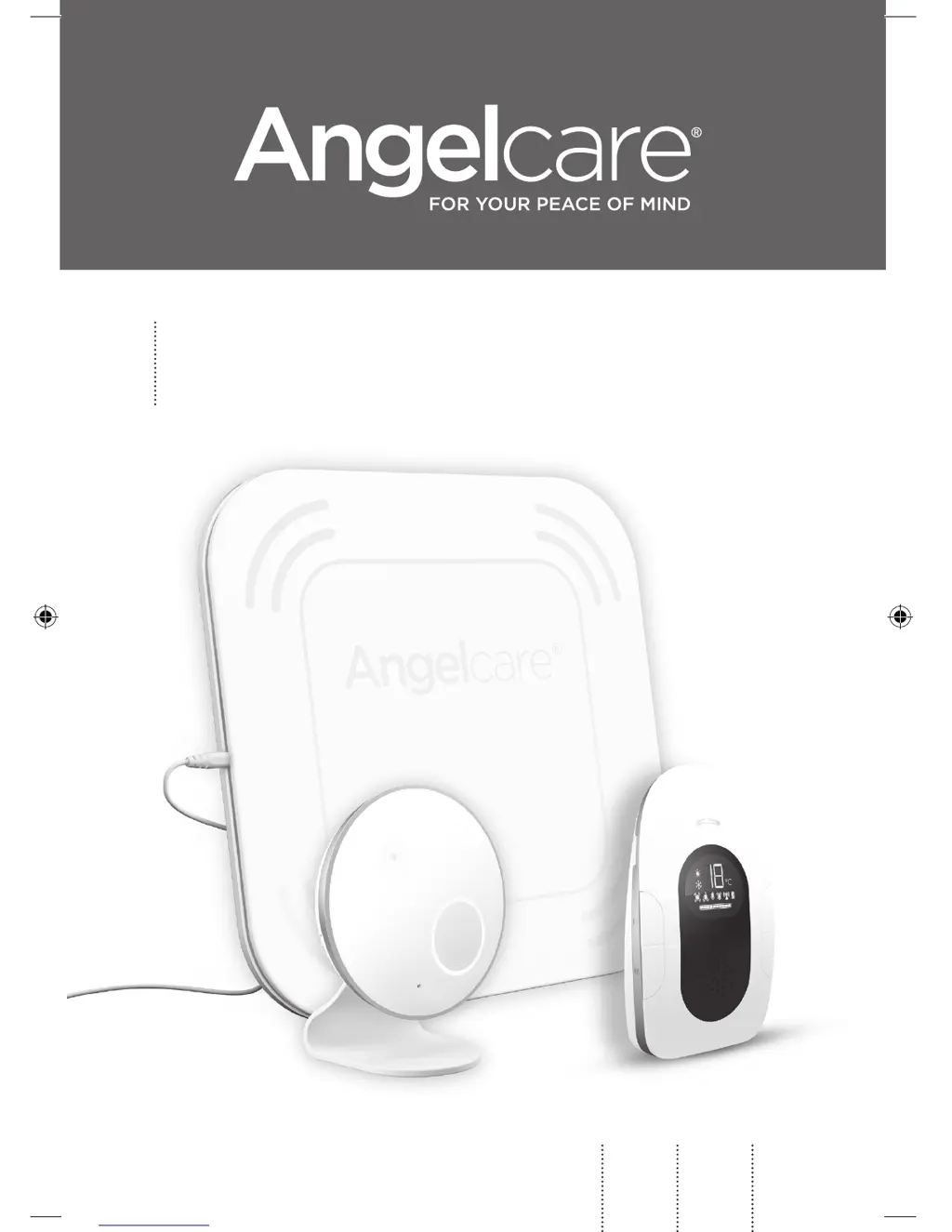
OWNER’S MANUAL
Model AC115
Baby Sound and Movement Monitor
EN
2
FR
27
ES
53
01m8_Manuel_AC115_NA_12657_AMEND.indd 1 28/07/2017 16:12

Questions and Answers

  • D
    Danielle WilsonAug 16, 2025
    What to do if my Angelcare AC115 loses connection between the Nursery Unit and the Sensor Pad?
    • M
      margaretallenAug 16, 2025
      If your Angelcare Baby Monitor is losing connectivity between the Nursery Unit and the Wireless Sensor Pad, try bringing the Sensor Pad and Nursery Unit closer together. Make sure both units are turned ON to restore the connection.
  • E
    Emily HoffmanAug 19, 2025
    Why Angelcare Baby Monitor has no power?
    • S
      Shawn FrazierAug 19, 2025
      If your Angelcare Baby Monitor has no power, check or replace the batteries. Also, make sure the monitor is turned ON.
  • M
    Mckenzie JonesAug 22, 2025
    How to fix Angelcare AC115 with inadequate battery power?
    • A
      Amanda SimpsonAug 22, 2025
      If your Angelcare Baby Monitor's performance is impaired due to inadequate battery power, replace the rechargeable batteries with 2 x NiMH Rechargeable Batteries.
  • E
    Eric BrownAug 26, 2025
    What to do if my Angelcare AC115 keeps giving false alarms?
    • Z
      Zachary MckeeAug 26, 2025
      To stop false alarms on your Angelcare Baby Monitor, try the following: * Turn OFF the Nursery Unit. * Ensure there is no bedding between the mattress and the Sensor Pad. * Place a hardboard (at least 6 mm thick and 33 x 33 cm) between the cot base and the Sensor Pad. * Verify the Sensor Pad is positioned correctly according to the setup requirements.
  • Z
    zhoAug 28, 2025
    How to fix static on Angelcare AC115 Baby Monitor?
    • M
      Melissa HicksAug 28, 2025
      To resolve static, distortion, or interference issues with your Angelcare Baby Monitor, try rotating the Parent Unit or moving it away from the source of interference.
  • B
    briankelleyAug 31, 2025
    What to do if Angelcare Baby Monitor screen is black?
    • W
      wnavarroAug 31, 2025
      If your Angelcare Baby Monitor's Parent Unit screen is black, try turning the unit back ON by pushing and holding the power button. If that doesn't work, replace the batteries or recharge the Parent Unit.
  • T
    timothy05Sep 3, 2025
    How to stop feedback on Angelcare AC115?
    • L
      Lisa SimpsonSep 3, 2025
      If your Angelcare Baby Monitor is emitting loud noises, try moving the units farther apart (at least 3 meters). You can also decrease the volume on the Parent Unit.
  • C
    candacekleinSep 6, 2025
    Why Angelcare AC115 green light not on?
    • R
      Robin GilbertSep 6, 2025
      If the green light on your Angelcare Baby Monitor Nursery Unit does not light up, check the connections or try another electrical outlet. Alternatively, press the Nursery Unit ON/OFF button for 2 seconds to turn the Nursery Unit ON.
  • D
    Daniel WhiteSep 9, 2025
    How to improve Angelcare AC115 Baby Monitor reception?
    • T
      tryanSep 9, 2025
      To address weak reception on your Angelcare Baby Monitor, bring the units closer together. You can also try changing the position of one or both units, placing them on a flat surface away from the baby’s reach. If the issue persists, replace the batteries or recharge the Parent Unit.
  • S
    Sean YoungSep 12, 2025
    Why does my Angelcare AC115 have false alarms?
    • J
      Joshua HendersonSep 12, 2025
      If your Angelcare Baby Monitor is experiencing false alarms, turn OFF the Nursery Unit. Make sure there is no bedding between the mattress and the Sensor Pad. If the crib has a spring or slat base, place a hardboard between the crib base and the Sensor Pad measuring at least 13’’ x 13’’ (33 x 33 cm) thick. Also, ensure the Sensor Pad is positioned as described under the setup requirements.

Summary

General Safety Warnings

Product Safety and Usage Precautions

Essential warnings for product use, electrical safety, water proximity, heat sources, and child safety.

Battery Safety Warnings

Specific warnings for using rechargeable batteries, polarity, short circuits, and handling.

Important Safety Instructions (Part 1)

General guidelines covering operation, maintenance, cleaning, ventilation, and placement.

Important Safety Instructions (Part 2)

Product Usage and Maintenance Guidelines

Further guidelines on product placement, cord safety, interference, and environmental conditions.

Battery Handling and Charging Instructions

Detailed instructions for battery types, charging, replacement, and disposal to prevent hazards.

Important Safety Instructions (Part 3)

Battery Handling and Disposal Procedures

Further instructions on battery handling, storage, and disposal to prevent leaks or explosions.

Setup Requirements

Step 1: Charging the Parent Unit

Parent Unit Charging Procedure

Step-by-step guide on how to charge the Parent Unit for the first use.

Step 2: Positioning the Sensor Pad

Nursery Unit Placement Guidelines

Instructions on where to place the Nursery Unit relative to the crib for optimal performance and safety.

Sensor Pad Installation

Step 3: Setting Up the Nursery Unit

Nursery Unit Setup and Battery Installation

Instructions for setting up the Nursery Unit, installing batteries, and connecting power.

Step 4: Turning On Your Monitor

Step 5: Testing and Settings

Movement and TIC Functionality

Testing the Sensor Pad

Procedures to test the Sensor Pad's movement detection and alarm functionality.

Alarm Control and Sensitivity

Adjusting Sensor Pad Sensitivity

Guidance on how to adjust the Sensor Pad's sensitivity level for optimal detection.

Sound Transmission (VOX)

Temperature Monitoring

Troubleshooting Guide

Resolving False Alarms

Common causes and solutions for false alarms from the monitor.

Troubleshooting No Alarm Sound

Steps to take if the monitor's alarm fails to sound when expected.

Troubleshooting Connectivity and Power

Angelcare AC115 Specifications

General IconGeneral
BrandAngelcare
ModelAC115
CategoryBaby Monitor
LanguageEnglish

Related product manuals