Need help?
Do you have a question about the Angelcare AC403 and is the answer not in the manual?
Critical warnings regarding battery types, charging, and handling for the Parent Unit.
Detailed guidelines for battery types, usage, charging, and safe handling to prevent leaks or explosions.
Instructions for battery rejuvenation, replacement, storage, and disposal to prevent damage or hazards.
Detailed steps for inserting rechargeable batteries and charging the Parent Unit for 15 hours before first use.
Detailed steps for placing the Sensor Pad on the mattress support and routing the cord.
Final steps for securing the Sensor Pad cord, positioning the Nursery Unit, and placing the mattress.
Instructions for inserting batteries, positioning the unit, and connecting the AC adapter for the Nursery Unit.
Procedure for turning on both the Parent and Nursery Units and establishing a connection.
How to access and change various settings through the Parent Unit's menu system.
Procedure for selecting detection modes like Movement Only, Sound Only, or Sound & Movement.
Steps to test the Sensor Pad's functionality and troubleshoot common alarm issues.
Instructions for activating VOX mode and adjusting microphone sensitivity levels.
Guide to selecting preferred alarm modes, including sound, vibration, or combined alerts.
Instructions for activating temperature alarms and setting the desired temperature range.
Detailed steps for setting low and high temperature thresholds for the alarm.
Steps to diagnose and resolve loss of connection between the Parent and Nursery Units.
 General
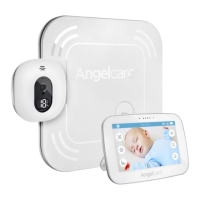
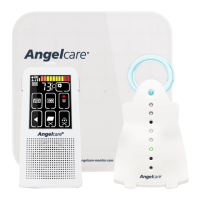
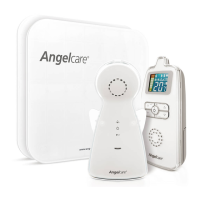
| Technology | Digital |
|---|---|
| Sensor Pad | Yes |
| Sound Activation | Yes |
| Temperature Monitoring | Yes |
| Parent Unit | Yes |
| Power Source | AC adapter and rechargeable battery |
| Range | 250m |
| Alerts | Sound |
| Features | Two-way communication, Night light |
| Type | Audio and Movement |

 To Next Page