Need help?
Do you have a question about the Angelcare ac417 and is the answer not in the manual?
Covers essential safety guidelines, including strangulation hazards and product usage.
Details crucial safety instructions for handling and charging batteries to prevent hazards.
Provides information on compliance with radiation exposure limits for North America.
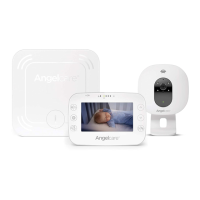
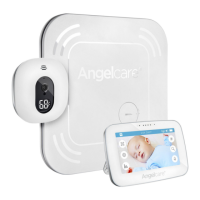
Lists all items included in the product package for initial setup.
Instructions for the initial 8-hour charging of the parent unit before first use.
Guide on inserting the battery and powering on the wireless movement sensor pad.
Steps for correctly placing the sensor pad under the crib mattress for monitoring.
Recommendations for selecting an optimal location for the camera unit.
Explains the meaning of various icons displayed on the parent unit's info bar.
Information on adjusting sensor pad sensitivity and its limitations for use.
How to check the parent unit's battery level and proper charging procedures.
Explains the alerts for low battery status and recommended actions.
Guide to activating and configuring the sound-activated transmission feature.
Instructions on how to use the feature to talk to the baby through the monitor.
Steps to adjust the volume level of the camera's audio output.
How to switch between Celsius and Fahrenheit for temperature display.
Instructions to set up alerts for when room temperature reaches high or low limits.
How to define the acceptable temperature range for alerts.
Configuration for changing camera display digits based on temperature.
Steps to set the correct time and select 12h or 24h format.
Instructions for setting the correct date and preferred display format.
How to enable, disable, or set the duration for the screen saver.
Guide to activating movement and temperature monitoring features.
How to view and navigate activity and temperature reports.
Steps to delete saved statistical graphs and monitoring data.
Instructions for zooming in on the camera view for closer inspection.
Steps to add a separate wireless sensor pad to the system.
Guide to pairing and adding an additional camera to the monitor.
Instructions for viewing feeds from multiple cameras or using split-screen.
Resolves issues like false alarms, connectivity problems, and audio transmission.
Guides on resolving battery issues and addressing a black parent unit screen.
Details the terms, conditions, and limitations of the product warranty.
Provides information on range, channels, power supply, and transmission frequency.
 General
| Brand | Angelcare |
|---|---|
| Model | ac417 |
| Category | Baby Monitor |
| Language | English |

 To Next Page