Need help?
Do you have a question about the Angelcare AC423 and is the answer not in the manual?
Details specific safety instructions and precautions related to battery usage and installation.
Detailed safety instructions for handling, charging, and disposing of batteries.
Details regulatory compliance information, including FCC and Industry Canada specifications.
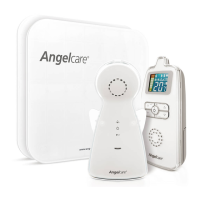
Lists all components included in the Angelcare monitor package.
Details items necessary for setup that are not provided with the monitor.
Provides instructions on where to place the crib and the nursery unit.
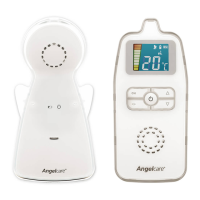
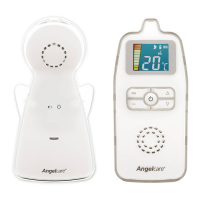
Identifies and describes the various parts and features of the Parent Unit.
Identifies and describes the various parts and features of the Nursery Unit.
Explains how to select and change the transmission channel for optimal signal clarity.
Guides on how to test if the sound transmission is working correctly.
Instructions on how to adjust the sound volume and activate temporary mute.
Details how to check battery status and how to charge the Parent Unit batteries.
Explains how to adjust the sensitivity level of the microphone on the Nursery Unit.
Details how to activate, deactivate, and understand the Out-of-Range alarm feature.
Explains how to turn the night light on and off and its behavior with different power sources.
Instructions on how to activate and deactivate the temporary mute feature for the monitor.
Tips for maintaining rechargeable battery life and troubleshooting battery-related issues.
Solutions for problems where no sound is being transmitted between units.
Advice for resolving issues with weak signal reception and static or distortion.
Details the operational range and number of available transmission channels.
Specifies power requirements and battery types for the monitor units.
Information on transmission frequencies and environmental/regulatory compliance.
 General
| Brand | Angelcare |
|---|---|
| Model | AC423 |
| Category | Baby Monitor |
| Language | English |

 To Next Page