Need help?
Do you have a question about the Angelcare ac1300 and is the answer not in the manual?
Crucial guidance for setting up the baby monitor for the first time.
Details on activating and using the movement alarm feature.
Ensuring safe placement and use of product cords.
High-level safety warnings and precautions for product use.
Overview of components and tools needed for product setup.
Information regarding regulatory compliance and RF exposure.
Critical warnings and instructions regarding battery use and safety.
Comprehensive safety instructions for product operation and handling.
Specific guidance on sensor pad placement and safe usage.
Detailed instructions for safe battery handling and usage.
Important warnings for North American users regarding equipment compliance.
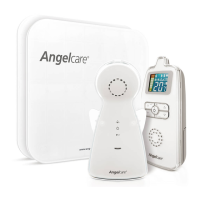
Lists included items and necessary preparations for setting up the monitor.
Critical warning about cord safety and strangulation risks.
Guidance on choosing the optimal placement for the Nursery Unit.
Instructions for using cord covers to secure the sensor pad cable.
Details on battery installation, placement, and camera adjustment.
Steps to turn on the monitor and handle lost connection notifications.
Explanation of icons displayed on the Parent Unit's indication bar.
Procedure to activate and test the functionality of the Sensor Pad.
Guidance on resolving issues if the movement alarm does not sound.
Guide to setting the sensitivity level for the Sensor Pad.
Instructions for enabling the TIC sound feature.
How to activate and test the sound monitoring function.
How to adjust volume and put the monitor into mute mode.
Instructions for checking and charging the Parent Unit battery.
Overview of the monitor's pre-programmed default settings.
Configuring voice activation or continuous sound monitoring.
Setting the sound trigger level for VOX mode.
Instructions for putting the monitor on hold and its implications.
Switching between Celsius and Fahrenheit for temperature readings.
Setting up alerts for high or low room temperatures.
Defining the acceptable minimum and maximum temperature thresholds.
Adjusting the delay before the screen saver activates.
Understanding how the monitor captures images in low light conditions.
Activating the night light and locating the Parent Unit.
Instructions for using the zoom feature to view the nursery more closely.
Configuring button sounds and adjusting screen brightness.
Guidance on maintaining the rechargeable battery for optimal life.
Resolving problems with false alarms or lack of sound transmission.
Troubleshooting weak reception, static, and external interferences.
Steps to resolve loss of connection and re-establish pairing.
Details on the product's warranty coverage and limitations.
Technical details on product range, channel count, and power requirements.
Information on battery type and data transmission frequency.
Guidelines for product disposal and compliance with energy regulations.
 General
| Brand | Angelcare |
|---|---|
| Model | ac1300 |
| Category | Baby Monitor |
| Language | English |


 To Next Page