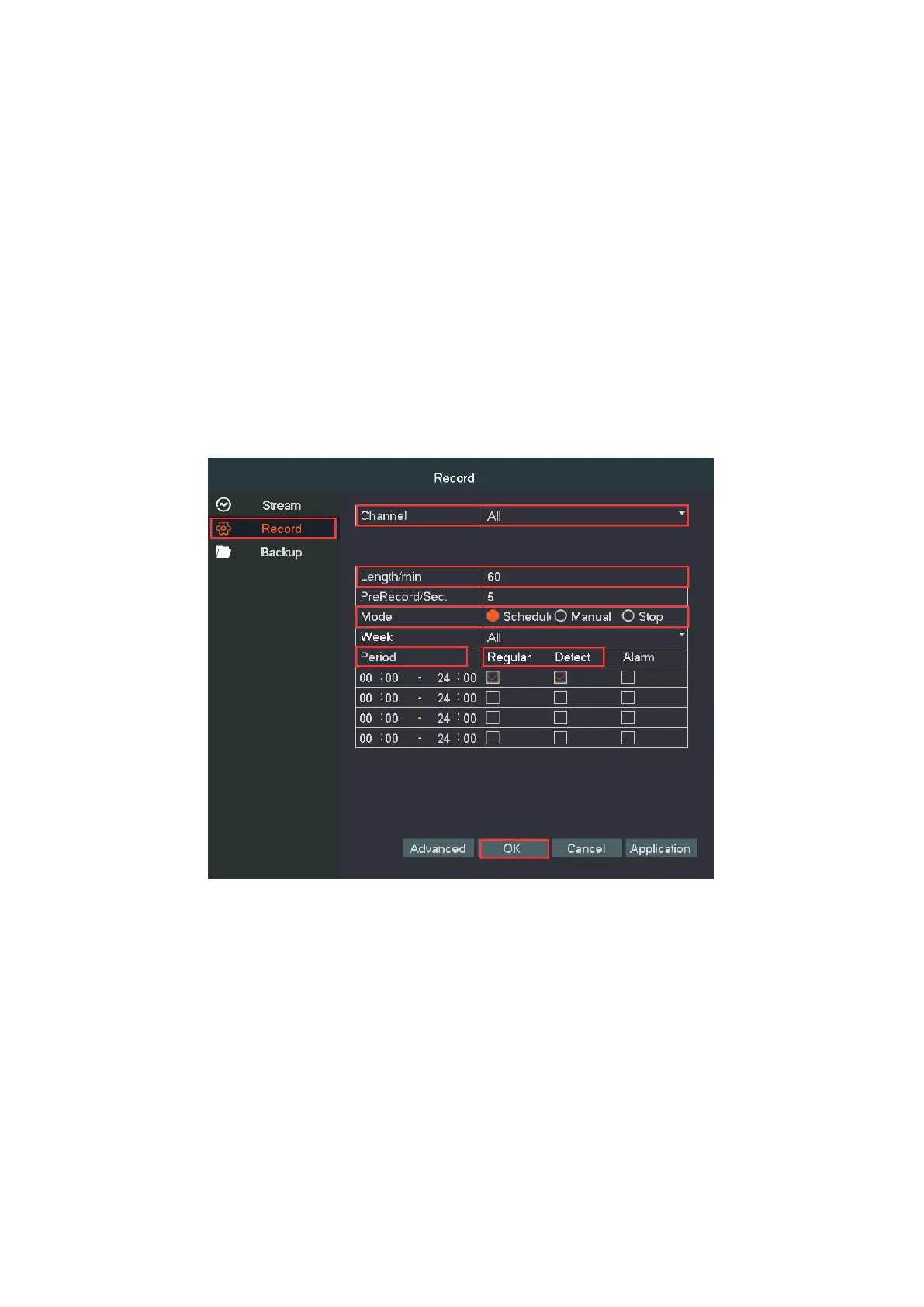
Stop: Whatever state the channel is, the corresponding channel
recording stops when stop button is selected
Period: Set the time section of common recording. The recording will
start only among the set range.
Regular: Record according to time section setting.
Detect: Within the set time section, trigger the motion detect video blind,
video loss or abnormal analysis.
Regular Record. Set time periods you want the NVR to record. Click right
button→Main Menu→Record. You will see 4 time periods set table. The
default "Everyday 00:00-23:59" means 24x7 recording. You can set your
time. For example, if you want it to record 14pm--6am, you should set 2
recording periods as below.


 To Next Page