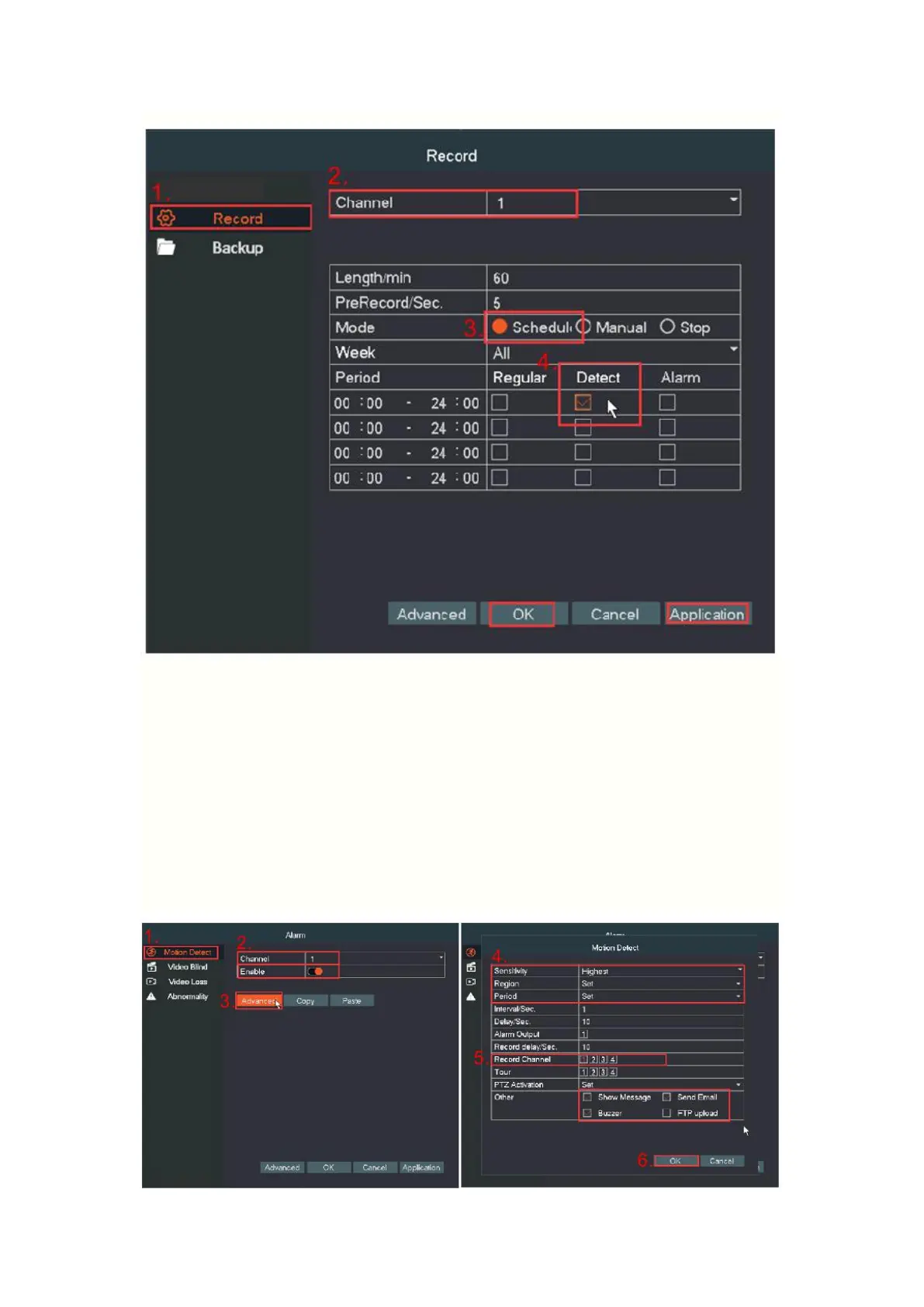
2. Motion detect setting
Right click go to Main Menu→Alarm→Motion Detect→Advanced. Tick
“Enable”, select “Sensitivity”, “Region”, “Record Channel”, “Buzzer”,
“Send Email” according to your needs and click “OK” to save. It will
record if the system detected the motion.


 To Next Page