Q4. What to do if NVR can't connect cloud?
A: Please refer to Q2. If the NAT status is not connected, it means the
system failed to connect the cloud.
You can try to do something as below.
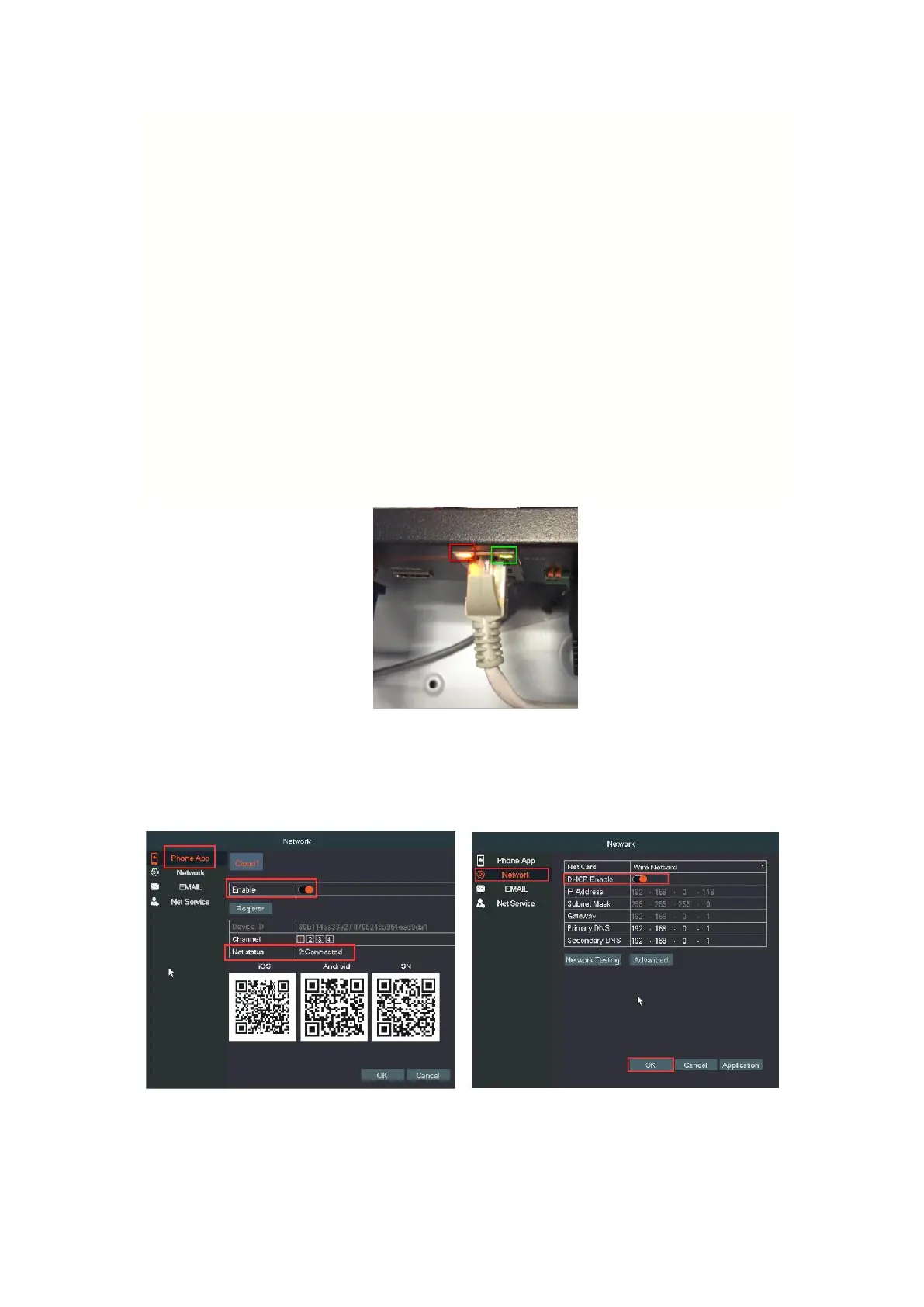
1. Please check the yellow and green light on the Ethernet port of NVR.
Green light should be light, and yellow light should be blinking which
indicates the recorder connecting to router successfully. If not, please
change the Ethernet port of router or another router to have a try.
2. Right click→Main Menu→Check "Phone App" and "Network", check
the
“
Cloud" and "DHCP" is enabled.
Q5. What should I do if there is no picture on the TV/monitor?
A. If there is no any picture on TV/monitor.


 To Next Page