20
8. Software Control Panel
Presets 1–5
The Global Presets save all device settings to one of the ve available Preset slots.
By pressing buttons P1 to P5 you switch between all customizable presets.
8.1. Main View Options and Routing Tab
The universal panel view is constantly located on the upper half of the control panel for quick
access to the most important features.
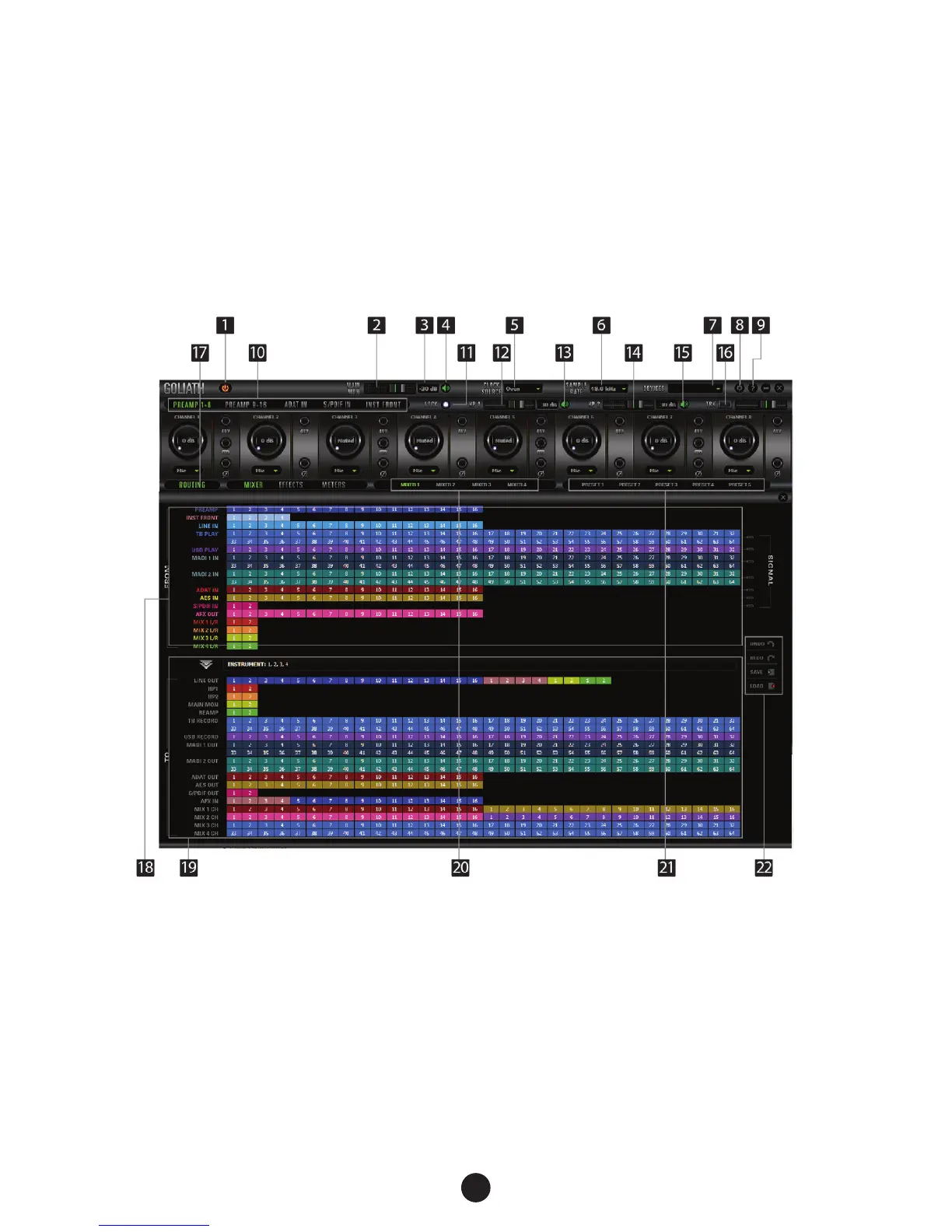
Main view:
1. Power/Standby button
2. Main monitor volume slider
3. Main monitor dB level
4. Main monitor mute button
5. Clock source select


 To Next Page