25
8.3. Effects Tab
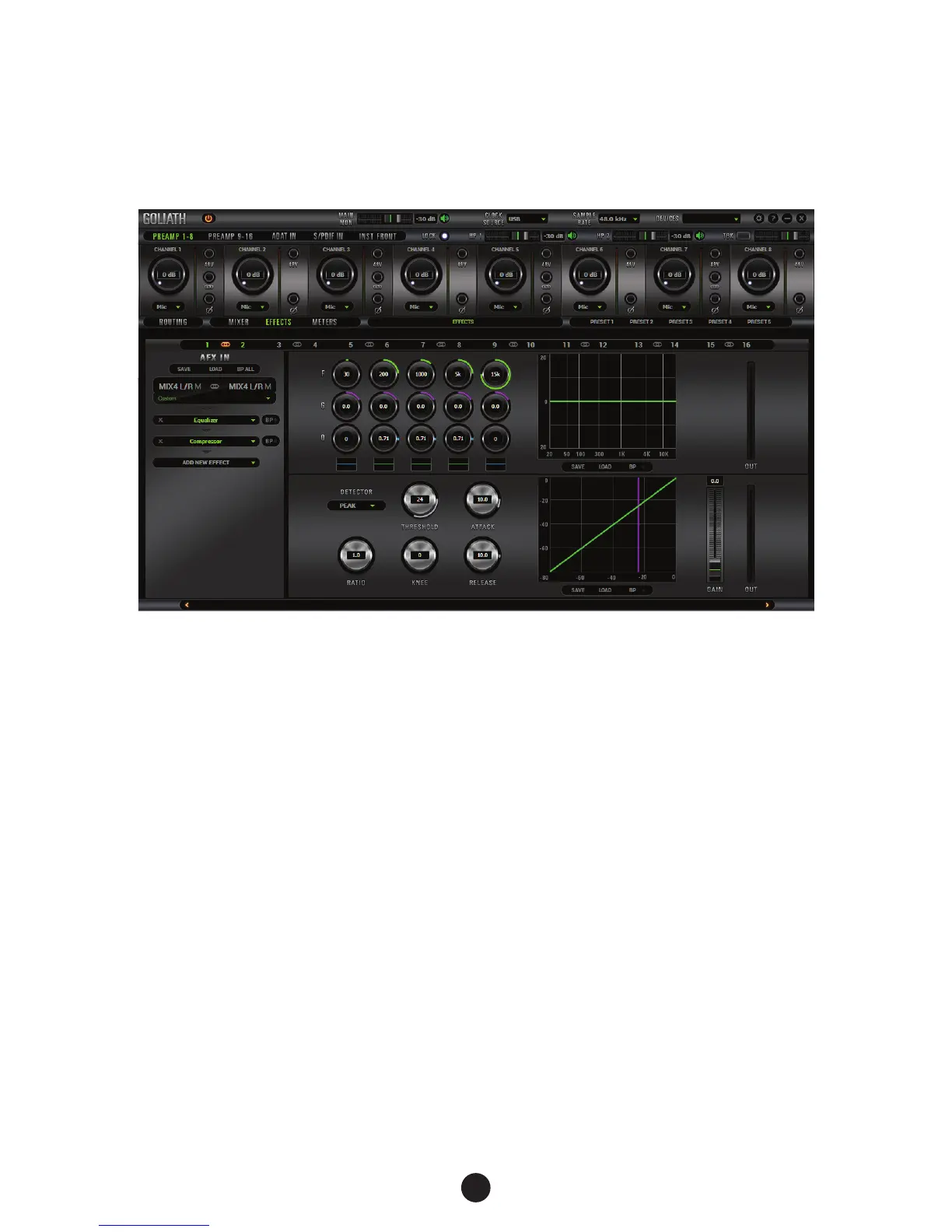
Click on the Effects Tab to reveal the 16 AFX Channel strips:
EQ
● Frequency Adjust Dials (double-click to return to default)
● Gain Adjust Dials (double-click to return to default)
● Q Factor Adjust Dials (double-click to return to default)
● Frequency Band Analysis Screen
● Save / Load / Bypass
● EQ Output Metering
● Selectable High Pass or High Shelf Filter (in green)
● Bandpass / Notch Filter (in blue / red)
Compressor
● Detector
● Ratio
● Threshold
● Knee
● Attack
● Release
● Gain
● Compression Meter
● Compression Curve
● Save / Load / Bypass
● Stereo Link


 To Next Page