Pure2 User Manual 9
Configuring for macOS (10.14 or later)
The new security settings introduced in macOS Mojave 10.14 (and later releases) may
result in no input signal reaching your DAW, despite having everything set up correctly.
These steps apply when you are using the Pure2 in a DAW for the first time:
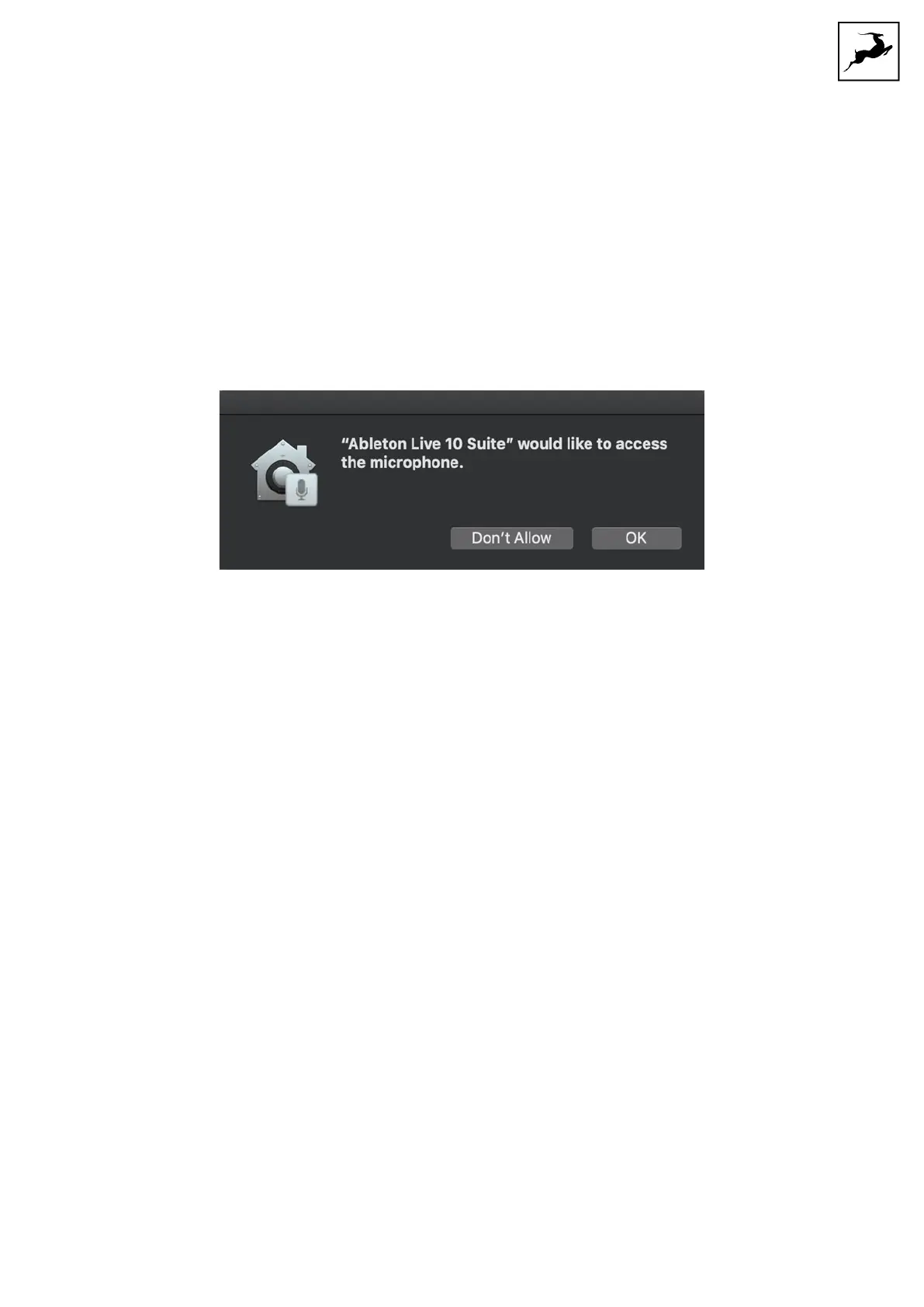
1. Launch your DAW and choose Pure2 as the input device. The following dialog box will
appear (if using Ableton Live 10 Suite, for example):
3. Click 'OK' and your DAW should function normally.
However, if the events above did not occur for some reason, or you are using multiple
DAWs, you must do a manual tweak for each in 'Security & Privacy' settings:
1. Click the 'Apple' symbol and choose 'System Preferences'. Head to the 'Security &
Privacy' settings menu.
2. Click the 'Privacy' tab. In the column on the left, choose ‘Microphone’. Make sure there's
a checkmark next to any DAW you want to use:



 To Next Page