16
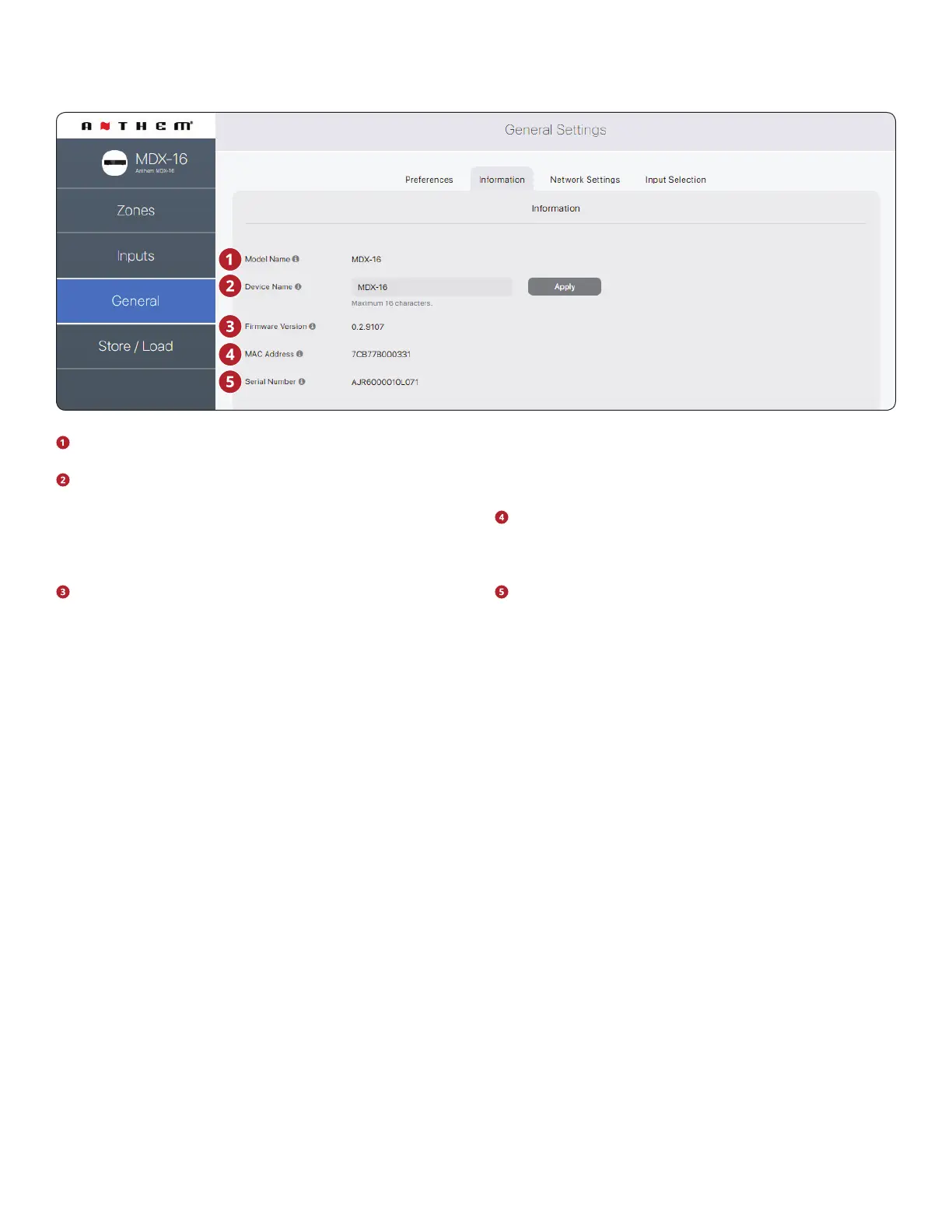
Model Name: Displays the MDX model.
Device Name: Assign a name to the MDX (up to 16 charac-
ters) and click Apply to save this setting. The name of the
MDX appears in ARC allowing easy identication. Note that
the last few characters of the unit’s name correspond to
the end of the MAC address printed at the back of the unit.
Firmware Version: Displays the current rmware version
of the MDX. When connecting to the MDX’s web interface,
if there is an active internet connection, the MDX checks
our server and displays a notication at the bottom of the
screen if an update is available.
MAC Address: Displays the unique MAC address of the
MDX, which can be used to set a DHCP reservation in your
router.
Serial Number: Displays the unique serial number of the
MDX.
2.7 GENERAL: INFORMATION
The user interface design is subject to change.


 To Next Page