5
TABLE OF CONTENTS
1. Introduction and Quick Start . . . . . . . . . . . . . . . . . . . . . 6
1.1 Before Making Connections ..................6
1.2 Box Contents . . . . . . . . . . . . . . . . . . . . . . . . . . . . . . . 6
1.3 In-Use Notices ..............................6
1.4 Rack and Shelf Mounting .....................6
1.5 Front Panel (Status Lights) ....................7
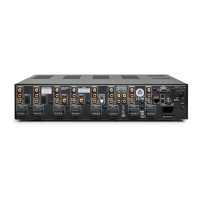
1.6 Back Panel .................................8
1.7 Quick Start .................................9
1.8 Setting Up a Control System .................10
2. The User Interface .............................11
2.1 Accessing the User Interface .................11
2.2 Finding the MDX’s IP Address ................11
2.3 Identifying Multiple MDXs ...................11
2.4 Zones ....................................12
2.5 Inputs Settings.............................14
2.6 General: Preferences .......................15
2.7 General: Information .......................16
2.8 General: Network Settings...................17
2.9 General: Input Status .......................18
2.10 Store/Load Settings.........................19
3. Connections and Back Panel Controls ............20
3.1 Local Area Network Connection . . . . . . . . . . . . . . 20
3.2 Speaker Connections .......................20
3.3 Connecting Stereo Speakers . . . . . . . . . . . . . . . . . 21
3.4 Connecting Mono Speakers
Using One Bridged Zone ...................22
3.5 Connecting Stereo Speakers
Using Two Bridged Zones ..................23
3.6 Subwoofer Outputs.........................24
3.7 Connecting a Passive (Non-Powered)
Subwoofer Using a Bridged Zone............25
3.8 Digital Inputs ..............................26
3.9 Digital Output (MDX-16 Only) ................26
3.10 Analog Input...............................26
3.11 Analog Outputs (MDX-16 Only) ...............26
3.12 Power ....................................26
3.13 Trigger Connections ........................26
3.14 RS-232 Conneciton .........................26
3.15 On Mode Switch ...........................26
3.16 Master Power Switch .......................26
3.17 DHCP or Factory Image Reset ................26
3.18 ID Indicator................................26
3.19 ARC Micro-USB Connection ..................27
3.20 Chassis Ground ............................27
3.21 Fuse......................................27
4. Anthem Room Correction .......................28
4.1 Using ARC With an MDX.......................29
5. Updating Firmware.............................30
5.1 Updating Firmware
(Using an Internet Connection)..............30
5.2 Updating Firmware
(Without an Internet Connection) ...........30
6. Fault Modes ...................................31
6.1 Front Panel Power LED......................31
6.2 Front Panel LAN LED........................31
6.3 Front Panel Zone LEDs ......................31
7. Troubleshooting ...............................32
8. Frequently Asked Questions.....................33
9.Specications..................................33
10. Limited Warranty ..............................35
11. The Big Picture: MDX-16.........................36
12. The Big Picture: MDX-8..........................38


 To Next Page