A3 PLUS - A5 - A6 PLUS - L6
SURGICAL SINGLE CART
5.1.1. MAIN SETTINGS
5.1.1.1. HYGIENE CYCLE SETTING
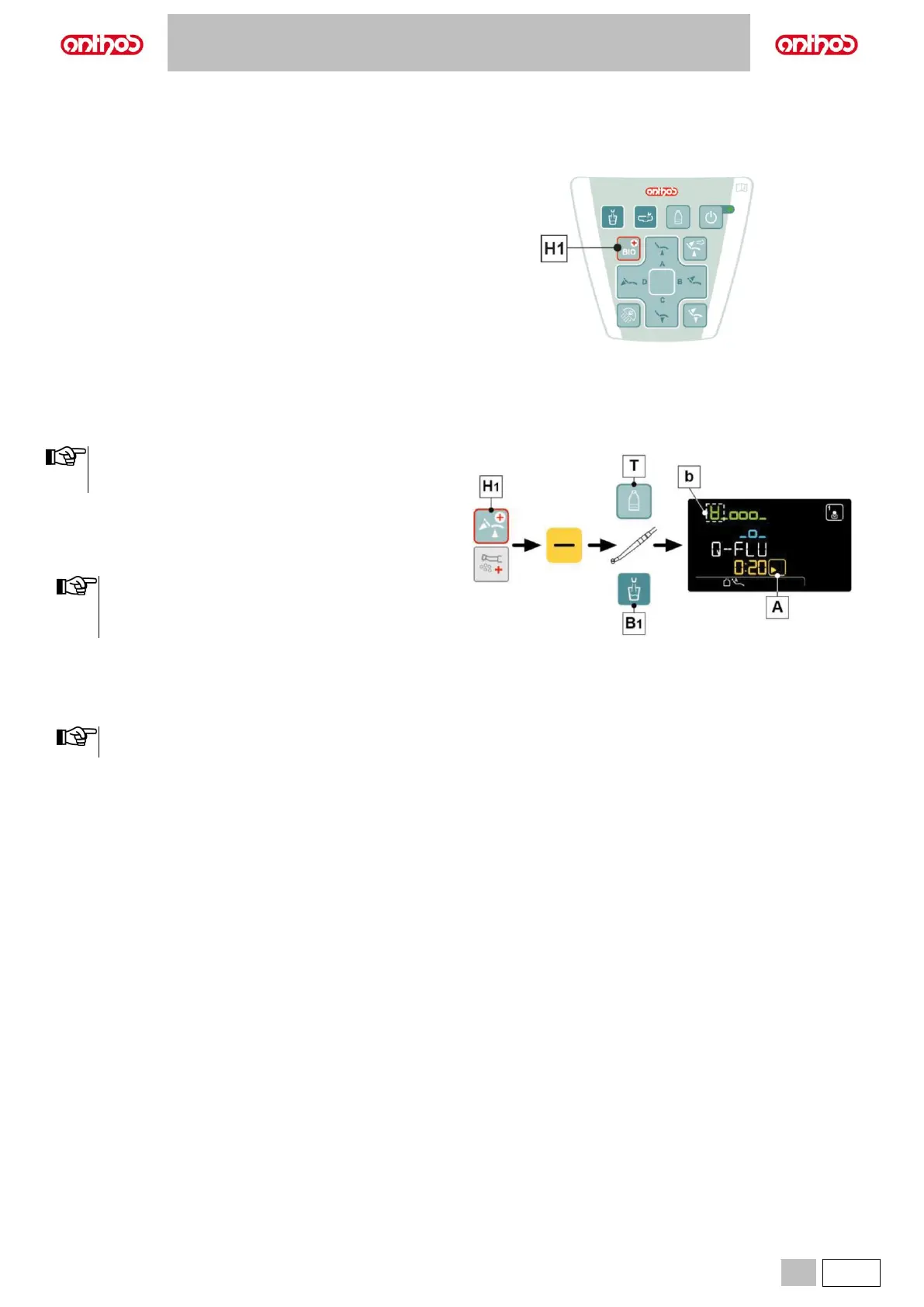
• Press button (H1) on the assistant's board to open the HYGIENE
CYCLE SETTING menu:
H1 Hygiene cycle selection.
Button pressed shortly: FLUSHING cycles.
Button pressed and held: BIOSTER cycle.
5.1.1.1.1. QUICK FLUSHING CYCLE SETTING (LCD Touch console only)
• We recommend carrying out this operation after seeing each
patient.
• The cycle time is about 20 seconds
Performing the cycle.
• Press button (H1) on the assistant's board to select the FLUSHING
cycle.
• Press the “-” touch button to select the QUICK FLUSHING cycle.
• When independent water supply is used for flushing,
submenu will NOT be available if level is in reserve. (see
paragraph 7.2).
• The cycle time is about 20 seconds.
• Extract the instruments to be treated (the selected instruments will be
highlighted on the LCD Touch DISPLAY).
• Press the button (T) to activate/deactivate independent water supply
(with S.H.S. system, only).
• Press button (B1) to select/deselect the flushing of cup duct.
The selection of the cup is indicated on the display by the
icon (b).
• Press the touch button (A) to start the QUICK FLUSHING cycle (see
paragraph 7.6.).



 To Next Page