II.
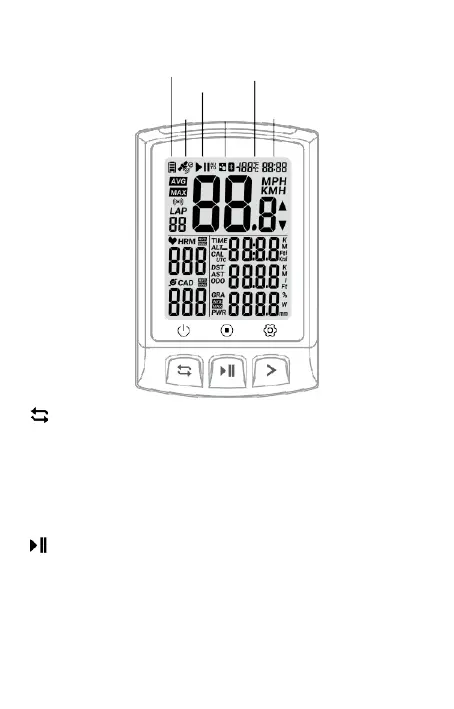
Overview of the device
Battery status
Temperature
OK
back
Left
button
Fig.
1
Short press: Highlight a new lap Press
and
hold for 2 seconds: Switch off (Switch on:
press the button briefly)
(Short press in setting mode: exit /
return and save the
setting)
Middle
button
Short press: Pause / Next
(Short press to
start
recording after
power on)
Press and hold for 2 seconds: Save exercise
Record and end exercise
(Press briefly in the setting mode: current setting value)
lung / page turning of the number of digits)
Status
Commu-
GPS
nication
Time



 To Next Page