9.
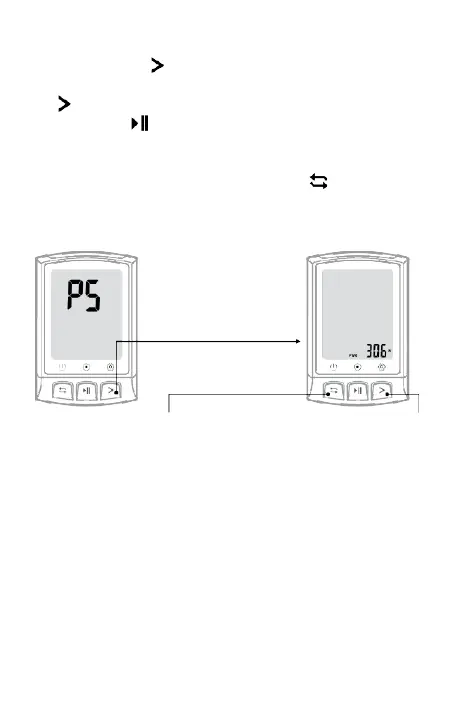
Power calibration
•
Press and hold to
enter
the setting mode.
•
There are 5 setting pages available (P1 ~ P5), press the
to switch to P5, it will
calibrate automatically;
•
Short press to recalibrate, the value flashes
during
calibration, the value does not flash after
calibration is
successful;
•
After the calibration is successful, press to save and
exit (auto exit in
20 seconds if no action is detected).
Save and
return
(
automatic exit if no
action is detected
in
20 seconds
)
Calibrate



 To Next Page