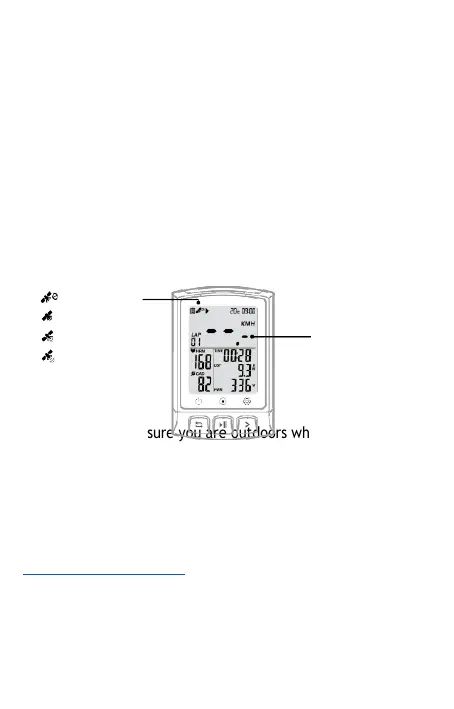
GPS positioning anomaly
•
Gps search is auto after power on. Please
start cycling
after GPS
positioning is successful.
•
If you start driving when the GPS
is
not
successfully
positioned (speed sensor
not connected), the speed
data
(real time, average, maximum)
will be
displayed
as " ~ ~ .-" and the rest of the data
will
remain the
same.
Tips: You can stand still for 3-5 minutes to
get
more
connections with satellites for a better GPS signal.
No signal
Weak
Normal
Strong
No
speed
display
Note: Please make sure you are outdoors when positioning.
Bad weather and dense
forest can affect the GPS signal.
smartLAB ride App
You will need the smartLAB ride app to
transfer
stored data from your
bike computer to Strava. Here is the link to the app
https://smartLAB.org/apps/ or scan the QR code below.



 To Next Page