- 10 -
Alarm
Reset
Detele files
Format
Long press to turn on, the camera will emit a continuous siren and flash the LED light; long
press again to turn off.
Occasionally, you may need to perform a hardware reset when
the camera stops responding or if it appears to be “frozen”or
unresponsive.
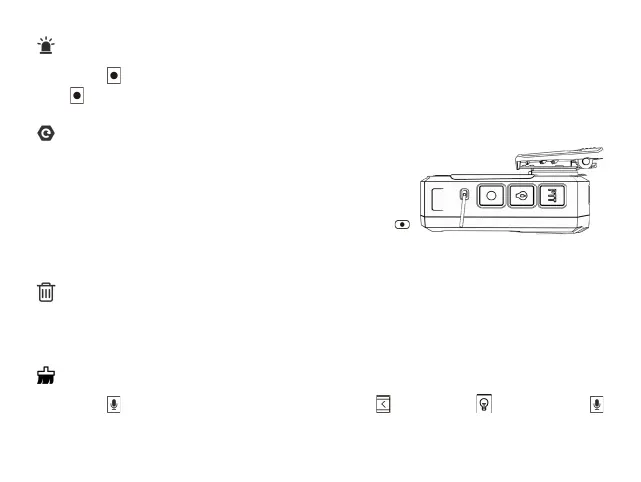
To restart the dashcam, press and hold the Reset button
by inserting a small rod until the system powers off; press the
Power button to turn the dashcam on.
All files can not be deleted directly on this device; you can only delete files by connecting it to a
computer. The initial password is “000000.”
Long
press till you hear the second click,
short
press ,
short
press and
long
press
again till you see a pop-up box saying that "The sd card Format is processing",wait for a moment
and all the files will be deleted.


 To Next Page