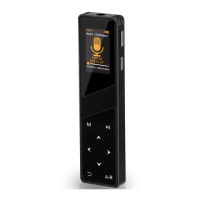
Aomago VOICE RECORDER
E: support@aomago.com W: http://aomago.com
Chapter 1
.............................................................................................................................................
3
Open Box - A19
....................................................................................................................................
3
1. Check List of A19
.....................................................................................................................
3
2. Key Operation Guide
...............................................................................................................
3
3. Product Feature
.......................................................................................................................
4
Chapter 2
.............................................................................................................................................
4
The Basics Operation of A19 Voice Recorder
......................................................................................
4
1. Check the voice recorder
........................................................................................................
4
2. Charging the voice recorder
....................................................................................................
5
3. How to turn ON / OFF record by press PLAY button
...............................................................
5
4. How to record
..........................................................................................................................
6
5. How to pause & resume a recording
......................................................................................
7
6. How to playback recording
......................................................................................................
8
Press PLAY to pause or resume playing
.......................................................................................
8
7. How to delete a recording
.......................................................................................................
8
8. How to download recordings to computer
.............................................................................
9
9. Transfer music to recorder
....................................................................................................
10
10. Playback Music on recorder
................................................................................................
10
11. Set Volume
..........................................................................................................................
11
12. Play Set
................................................................................................................................
11
13. Set Variable Speed Playback
...............................................................................................
12
14. Set Record Format
...............................................................................................................
12
15. Format the recorder
............................................................................................................
14
16. Restore to Factory Setting
...................................................................................................
14
17. Set system time for the recorder
........................................................................................
15


 To Next Page