34001813EN/AE - Page 38
2. Installation
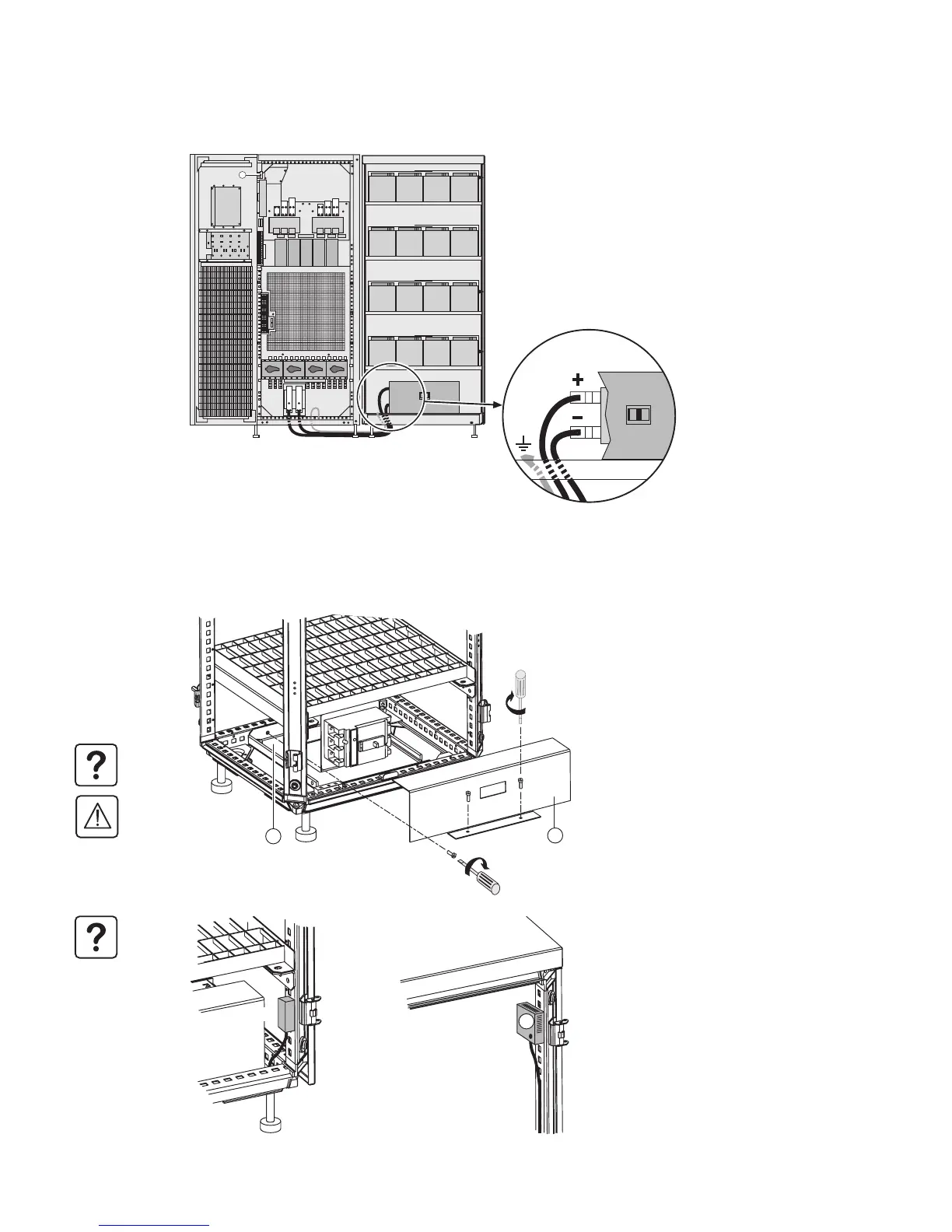
2.16 Power connections for an external battery cabinet
The earth on an external battery cabinet must be connected to the UPS
2.17 Assembly and connection of an empty battery cabinet
Mounting the battery circuit breaker kit
Secure:
1 - The base plate (60) supporting the circuit
breaker.
2 - Connector XR1.
3 - The temperature sensor (3).
4 - The front plate (4), after connecting the
batteries to the circuit breaker.
Only one circuit breaker is necessary even if
there are several battery cabinets.
The coil control wires and the position
contact wires of circuit-breaker QF1 must
be connected to the UPS (see page 24).
Please contact our Sales department when
selecting the battery circuit breaker.
Q1 Q4S Q3BP Q5N
1
+
-
x4
x2
4
60
XR1
3



 To Next Page