Official Support: kt.support@apemans.com
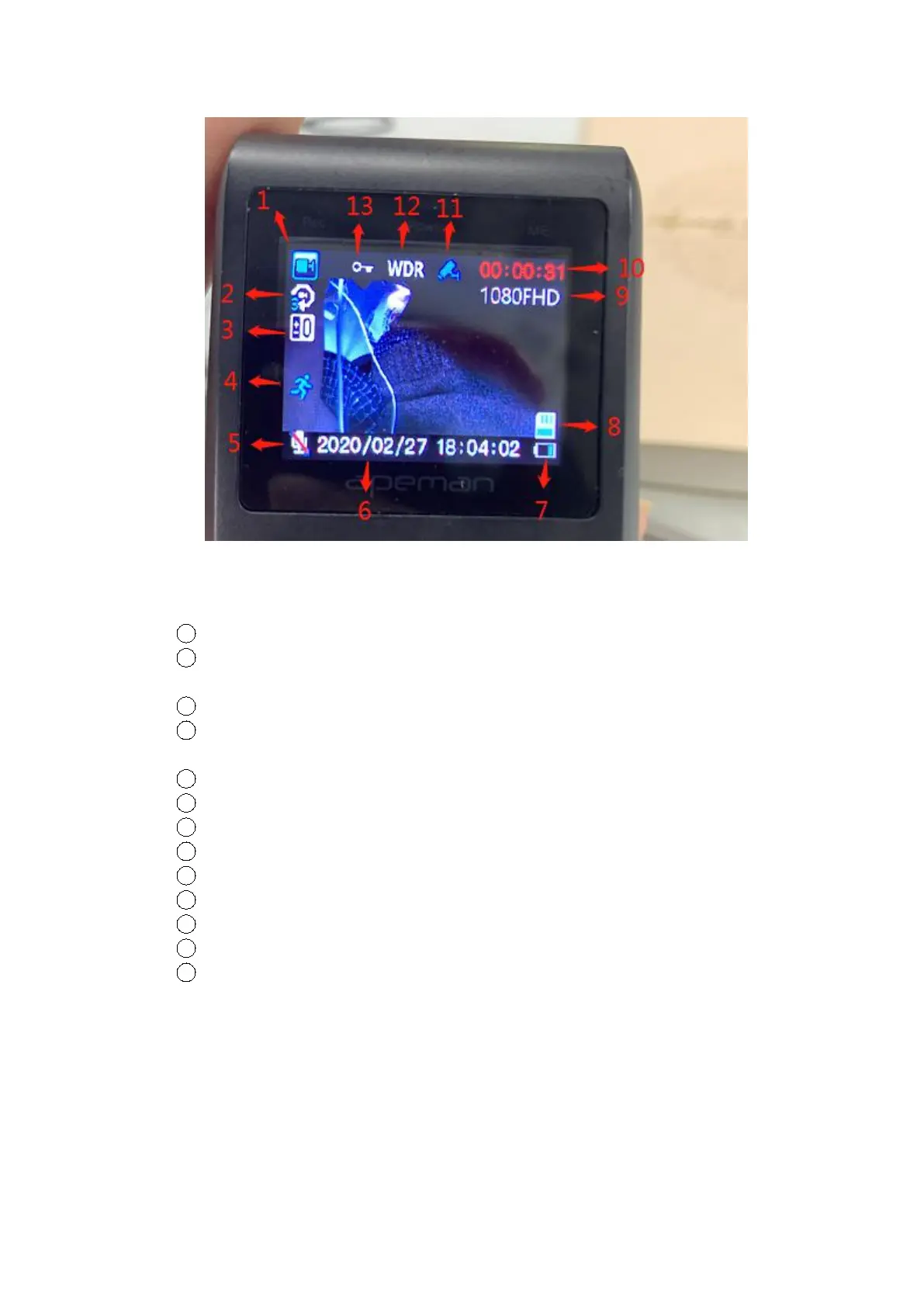
In a counterclockwise direction, these icons are:
1
Recording Mode (in contrast to Photo Mode)
2
Loop Recording (the blue figure is 3 means the recording time
period is 3 minutes)
3
Exposure
4
Motion Detection (this is shown when the function is turned
on)
5
Audio (red slash means the audio is turned off)
6
Date & Time
7
Remaining battery
8
SD Card (this is shown when the card is inserted and read)
9
Video Resolution
10
Time of Recording
11
Parking Guard (this is shown when the function is turned on)
12
Wide Dynamic Range
13
Locked Video (this is shown if the video is locked)
3. Getting to Know the Operations
A. Camera Settings & System Settings



 To Next Page