iX Fit / English 11
4. Operation
NOTE: Always read the operating instructions before use.
4.1 Control Panel Description
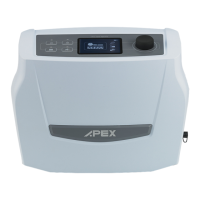
1. START / STANDBY Button
Start treatment : press "START / STANDBY" (screen : show therapy pressure
“XX.X cmH
2
O” )
Stop treatment : press "START / STANDBY"
2. MENU Button
Enter menu: (in standby mode) press "MENU" to enter the user menu. Each
setting can be adjusted by pressing UP/DOWN,” then press “CONFIRM” for
confirmation. Press "MENU" again for the next setting (Please refer to 4.3
Function Descriptions for more details).
3. CONFIRM Button
Confirm setting: After adjusting the setting parameters, you can press
“CONFIRM” to confirm setting parameters (Please refer to 4.3 Function
Descriptions for more details).


 To Next Page
 Loading...