iX Fit / English 12
Adjust setting: After entering the user menu, you can press “UP/DOWN” for
changing each settings, then press "Confirm” button for confirmation and press
"MENU" again for the next setting.
4.2 Getting Started – First time use
For first-time use, follow the steps below:
1. Make sure that your doctor or care provider has initialized and configured the appropriate
treatment values and the correct date and time into the unit. Please make a consult with
your doctor periodically to reassess the setting of the therapy for effectiveness.
2. Make sure that you have a mask with headgear. If not, your doctor or care provider can
recommend the type of mask and headgear you must obtain.
3. Attach power cord to an electrical outlet (please refer to 3.2 Setting up). The device will
turn on automatically.
4. Attach tubing and mask (please refer to 3.2 Setting up)
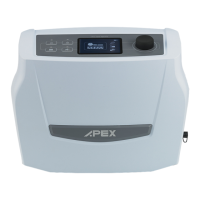
5. Use the “MENU” button and “UP/DOWN” button to set up and read setting parameters.
Note : These values may have already been set by your doctor or care provider.
6. You can now place the Headgear and Mask over your head and face.
7. Press the “START / STANDBY” button – Airflow to the mask will begin.
Note : If power is interrupted during therapy, the device will return to the Home screen once
power is restored. You may resume therapy as needed.
4.3 Function Description
Note : In Standby mode, press “Menu” to enter menu mode. In each setting, when the preferred
value has been set, press the “Confirm” button for confirmation and press "MENU" again to
enter the next menu.



 To Next Page
 Loading...