iX Fit / English 15
4.4 Turn Off the Device
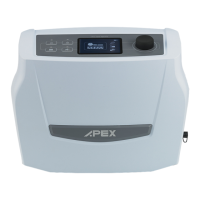
1. Press the “ START / STANDBY” button – Device will be switched to Standby mode.
2. Disconnect and remove the power cord from the device.
3. Disconnect all accessories such as tubing and humidifier (please refer to 3.2.3 Disconnecting
accessories for more details)
4. Clean the device, tubing and accessory regularly (please refer to Chapter 5 Cleaning &
Maintenance for more details).


 To Next Page
 Loading...