18
24. Troubleshooting - LASER not visible
If it is not possible to see the LASER because of the installation environment (for example, if
you cannot see the Reflector from the System Controller or there is high ambient light) then
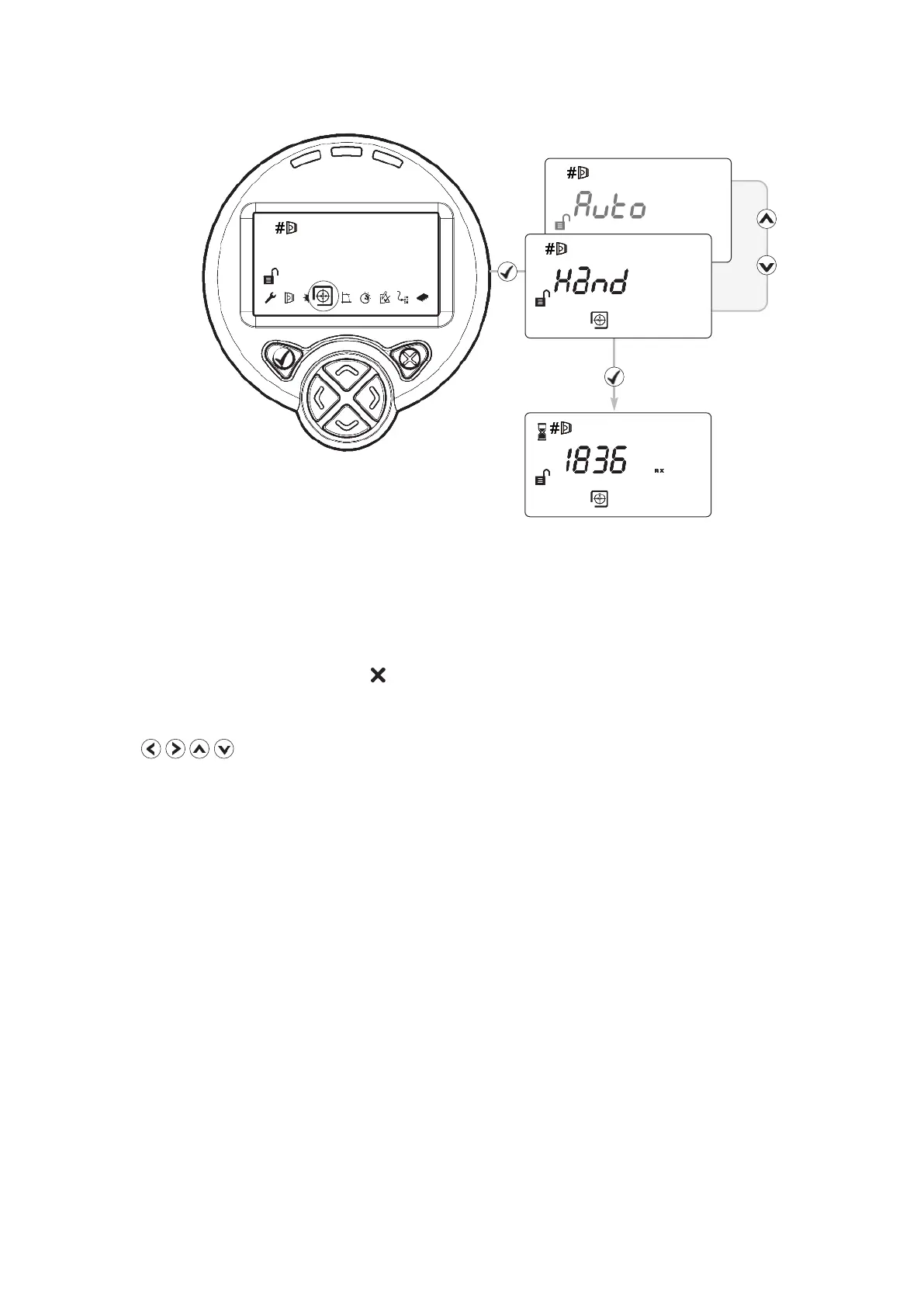
use ‘Hand’ Alignment. This option displays the signal strength value returned by the Detector,
and allows the user to move the beam
1. Start ‘Auto’ Alignment and press after two seconds to exit. (this will maximise infrared
power)
2. Select ‘Hand’ alignment
3. Use to steer the beam until the signal strength is above 800. There is no
auto-repeat function on any key. To move the motor in any given direction more than once,
press the key multiple times
4. Cover the Reflector. If the Signal Strength does not drop by more than half, the beam is not
aligned to the Reflector, so repeat Step 3
5. Perform ‘Auto’ alignment, followed by ‘Set’


 To Next Page