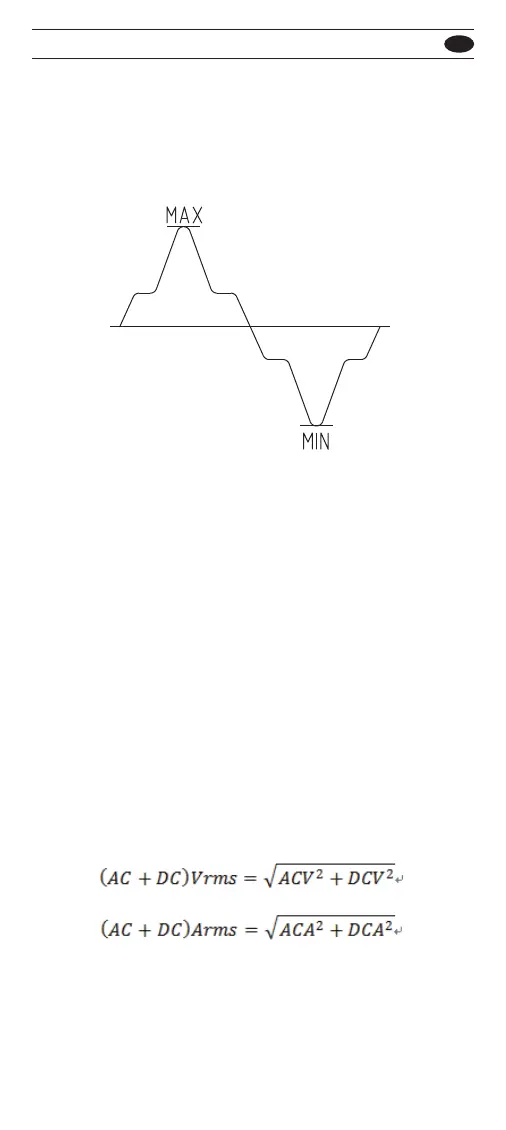
Make Peak-Hold Measurement
The Peak-Hold mode records wave peak maximum
and minimum input values. Response time of
Peak-Hold is 10us.
To use the Peak-Hold mode, press the P-HOLD button
to enable the Peak-Hold mode in the AC or DC
measurements.
In this mode, press P-HOLD button to select peak MAX
or MIN value. Press > 1 sec to disable the Peak-Hold
mode.
For square wave, use the peak-hold mode in the DC
measurements.
Make AC+DC Measurement
When input signal is ac and dc combinations:
AC over DC or DC over AC, the meter is capable of
displaying one AC+DC (rms) value combined.
Define as below :
To use the AC+DC function, turn rotary switch stop
in DCV, DCmV or A position, then press function
(yellow) button to select measurement function.
501 / 502
EN



 To Next Page