HARDWARE INSTALLATION
8 NP-3262 POS Terminal
CHAPTER 2 HARDWARE INSTALLATION
Before starting any hardware configuration, ensure that the system is powered
off and the power cord is disconnected to prevent possible damage to the product.
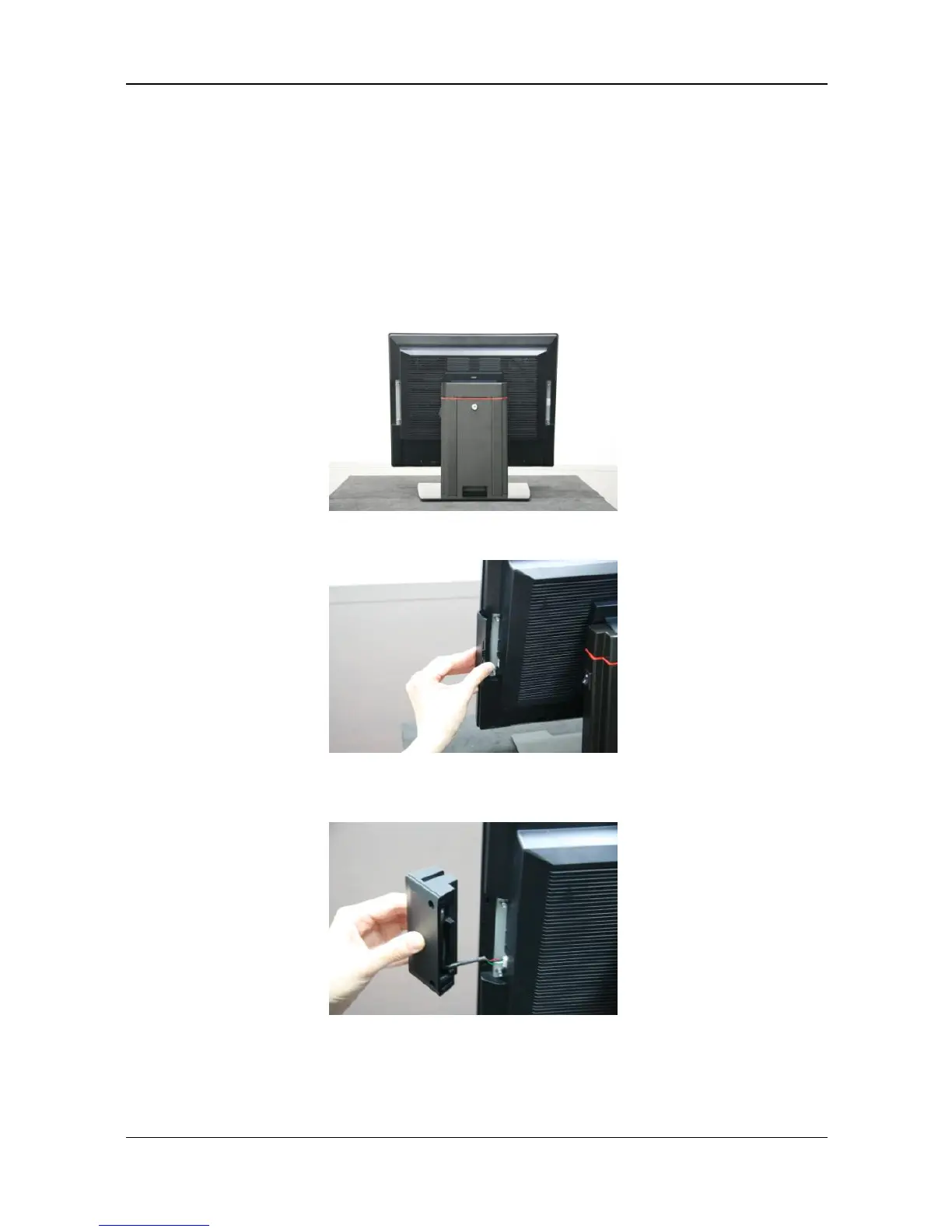
2.1 Magnetic Stripe Reader (MSR) Installation
An optional MSR can be installed on both the right and left side of NP-3262.
By default, the MSR is installed on the right side.
Step 1 Remove the cover from the MSR extension slot.
Step 2
Connect the MSR cable correctly.



 To Next Page