SOFTWARE INSTALLATION
12 NP-3262 POS Terminal
CHAPTER 3 SOFTWARE INSTALLATION
This chapter describes the driver requirements and how to install the drivers from
the driver CD. All step-by-step procedures described below are for Windows XP and
similar on all other Microsoft Windows platforms.
Insert the driver CD into your CD-ROM drive. Windows will automatically detect it
and the Appostar Driver Installer appears on the screen. If not, locate the
Setup.exe file at CD:\ and double-click it to execute the one-step driver
installation. Follow the on-screen instructions to complete the installation.
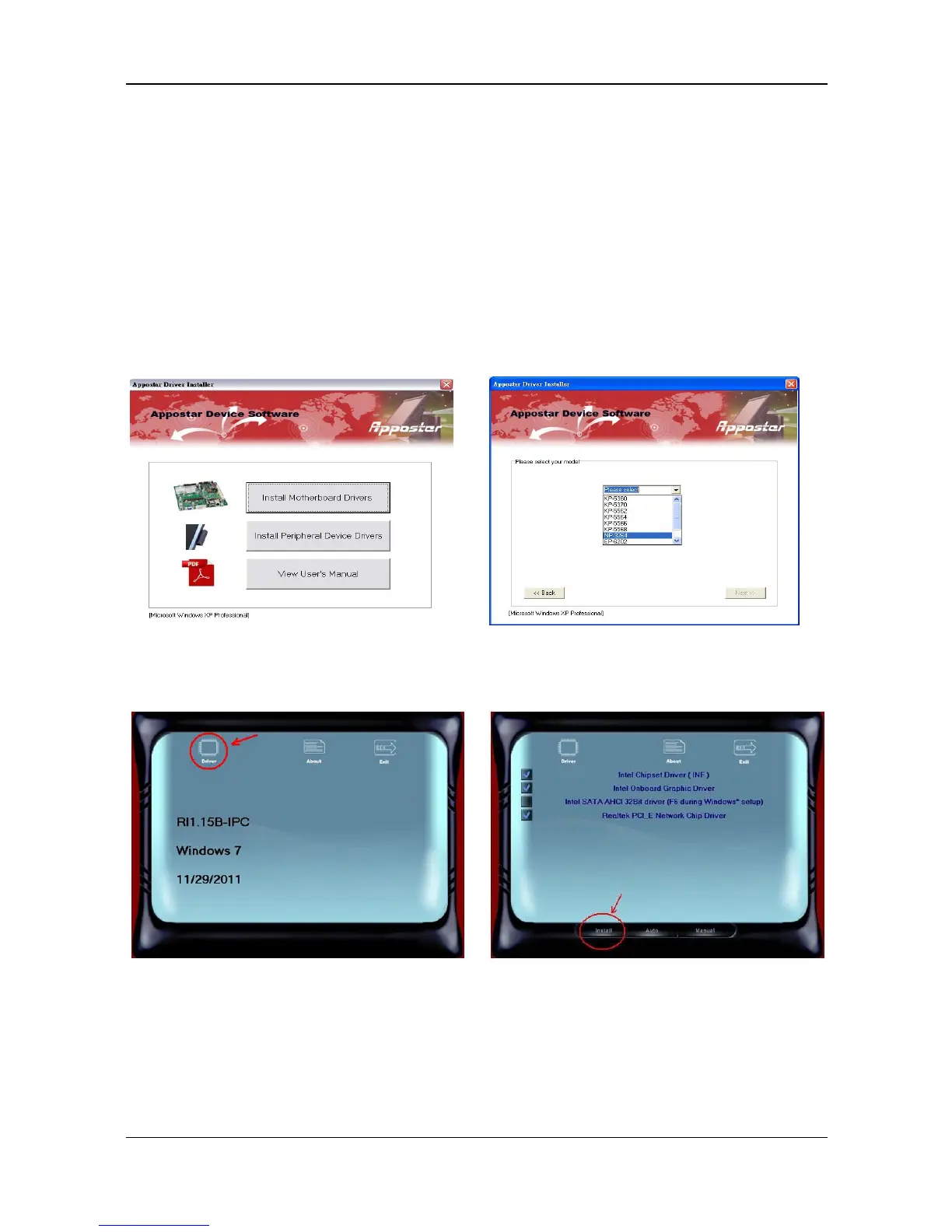
3.1 Motherboard Driver Installation
a. Click Install Motherboard Drivers.
c. Click Drivers icon on the upper left
corner to continue.
d. Select the “Drivers” option, including
Chipset, Graphics, and LAN. Click
Install to continue.


 To Next Page