BOARD SETTING
16 NP-3262 POS Terminal
CHAPTER 4 BOARD SETTING
4.1 Main Board Jumper Setting
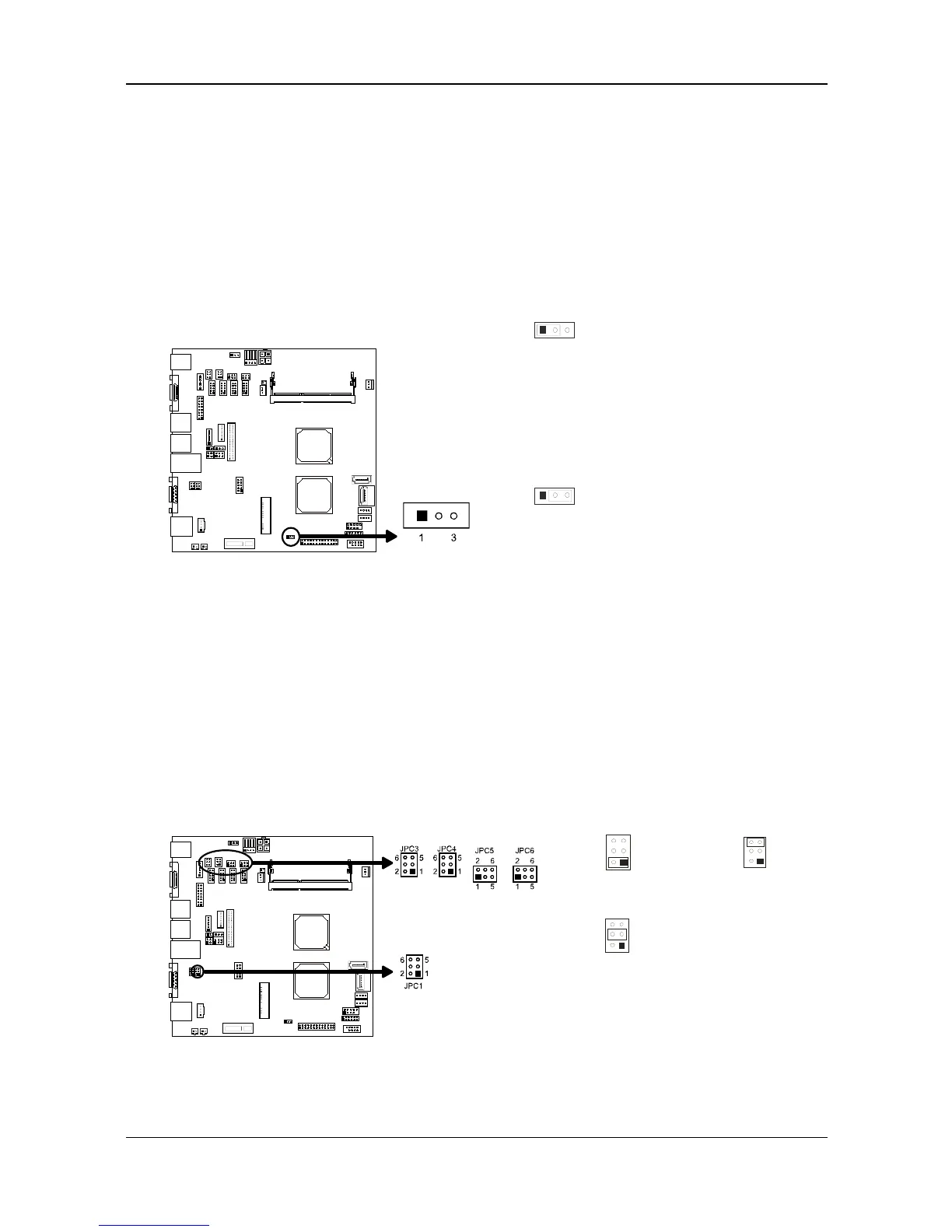
JCMOS1: Clear CMOS Header *
Placing the jumper on pin2-3 allows user to restore the BIOS safe setting
and the CMOS data. Please carefully follow the procedures to avoid
damaging the mainboard.
31
Pin 1-2
Close:
(Default)
Normal
Operation.
3
1
Pin 2-3
Close:
Clear CMOS
data.
※ Clear CMOS Procedures:
1. Remove AC power line.
2. Set the jumper to “Pin 2-3 close”.
3. Wait for five seconds.
4. Set the jumper to “Pin 1-2 close”.
5. Power on the AC.
6. Reset your desired password or clear the CMOS data.
JPC1/3/4/5/6: Voltage Switch jumper for JCOM1/3/4/5/6 ports
Thisheader isforcon tro llingthePin9ofCOMportstoswitchRing/5V/12V.
2 1
Pin 1-2 Close:
Pin9=5V
6 5
Pin 5-6 Close:
Pin9=12V
4 3
Pin 3-4 Close:
Pin9=Ring
(Default)
Remark:
Max output: 12V@500mA for each COM port



 To Next Page